

🎉Find Prospects and Send Cold Emails & LinkedIn Outbound | All in One Place

Best Email Warm Up Tools: Ultimate Guide for 2024

Table of Contents

Let’s be real. You spend hours crafting the perfect cold email, personalizing every line, and hitting send… only to hear crickets. No replies, no meetings, no results. What gives?

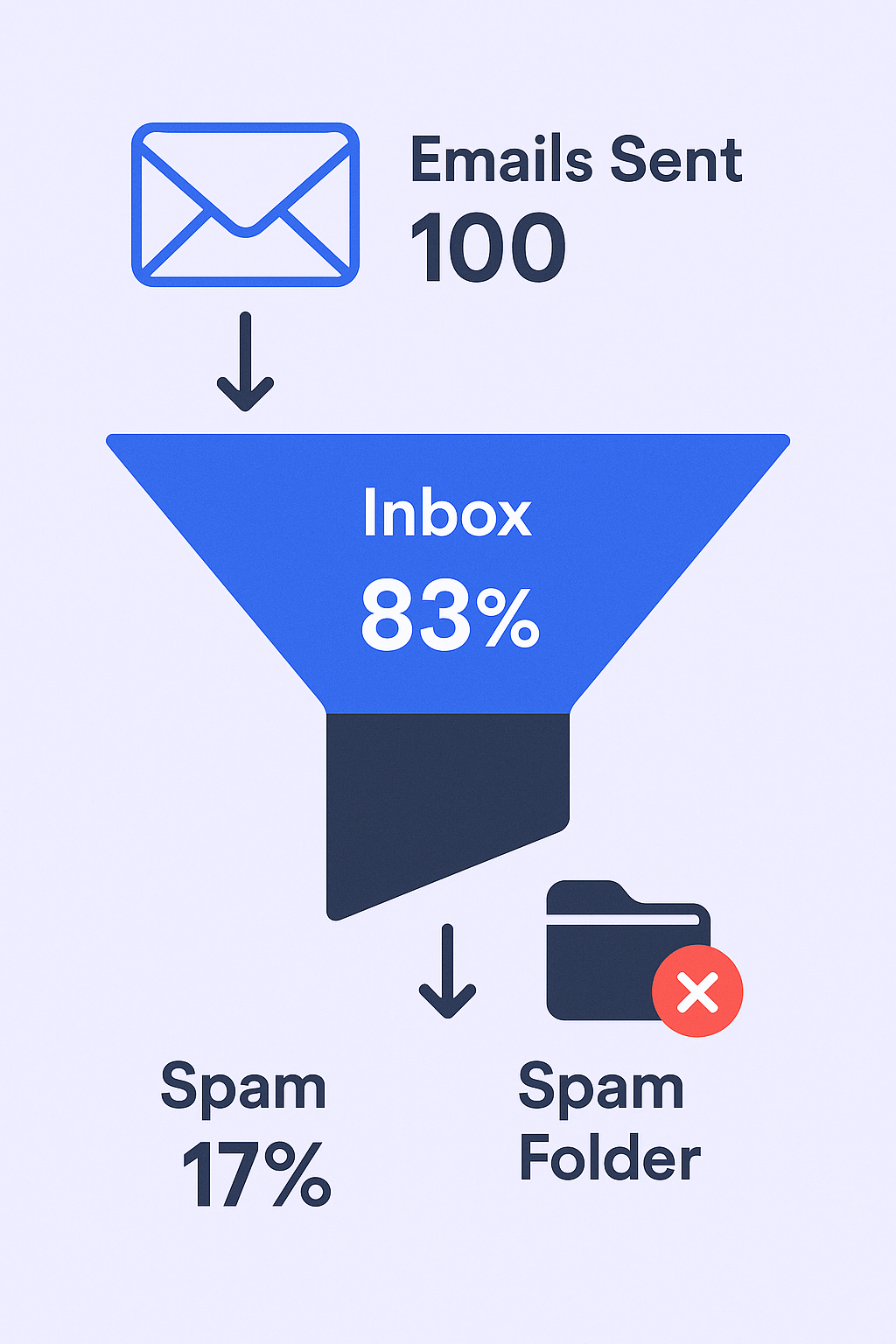
Here’s the harsh truth: there’s a good chance your emails are going straight to spam. According to a 2025 email deliverability report, nearly 1 in 6 marketing emails never even reaches the primary inbox. With average cold email reply rates already hovering at a dismal 8.5%, you can’t afford to lose any more ground to spam filters.


📬 Stop Fighting Spam Filters

LinkedIn outbound gets 100% inbox placement – no warmup needed

The problem isn’t your copy; it’s your sender reputation. Mailbox providers like Gmail and Microsoft are watching your every move. If you create a new email account and immediately blast out 100 emails, their algorithms flag you as a potential spammer.

The solution? You need to build trust first. And the only way to do that is with an email warmup tool.

âš¡ Or Use LinkedIn Instead

 We handle targeting, campaigns, and scaling – zero spam risk

Winners at a Glance: Top Email Warm Up Tools for 2024

Time is money, so let’s cut to the chase. After weeks of testing the top 11 tools on the market, here are my picks:

Tool

Best For

Standout Feature

Deliverability Score

Starting Price

Salesso

Complete cold email solution

Unlimited accounts + native warmup

98%

$29/mo

Instantly.ai

All-in-one outreach & scaling

Unlimited email accounts & warmup

95%

$37/mo

Smartlead.ai

Agencies & advanced users

AI-optimized sending

97%

$39/mo

Lemwarm

Sales teams using Lemlist

Industry-specific warmup network

96%

$29/mo/inbox

MailReach

Deliverability purists

Excellent spam testing

93%

$25/mo/inbox

Warmbox

Beginners & simple setup

AI-generated conversations

90%

$19/mo/inbox

Email Warm-Up Tools Put to the Test: Here’s What I Found

What is Email Warm-Up, Really?

Think of your new email account like a new employee at a big company. If that person shows up on day one and starts giving orders to 100 people, they’ll be ignored or reported to HR. They haven’t earned any trust yet.

But if they spend a few weeks introducing themselves, having positive conversations, and building relationships, people will start to listen and trust them.

Email warmup is that exact relationship-building process for your inbox. It’s the practice of gradually increasing the number of emails you send from a new or inactive email account to build a positive reputation with providers like Gmail and Outlook.
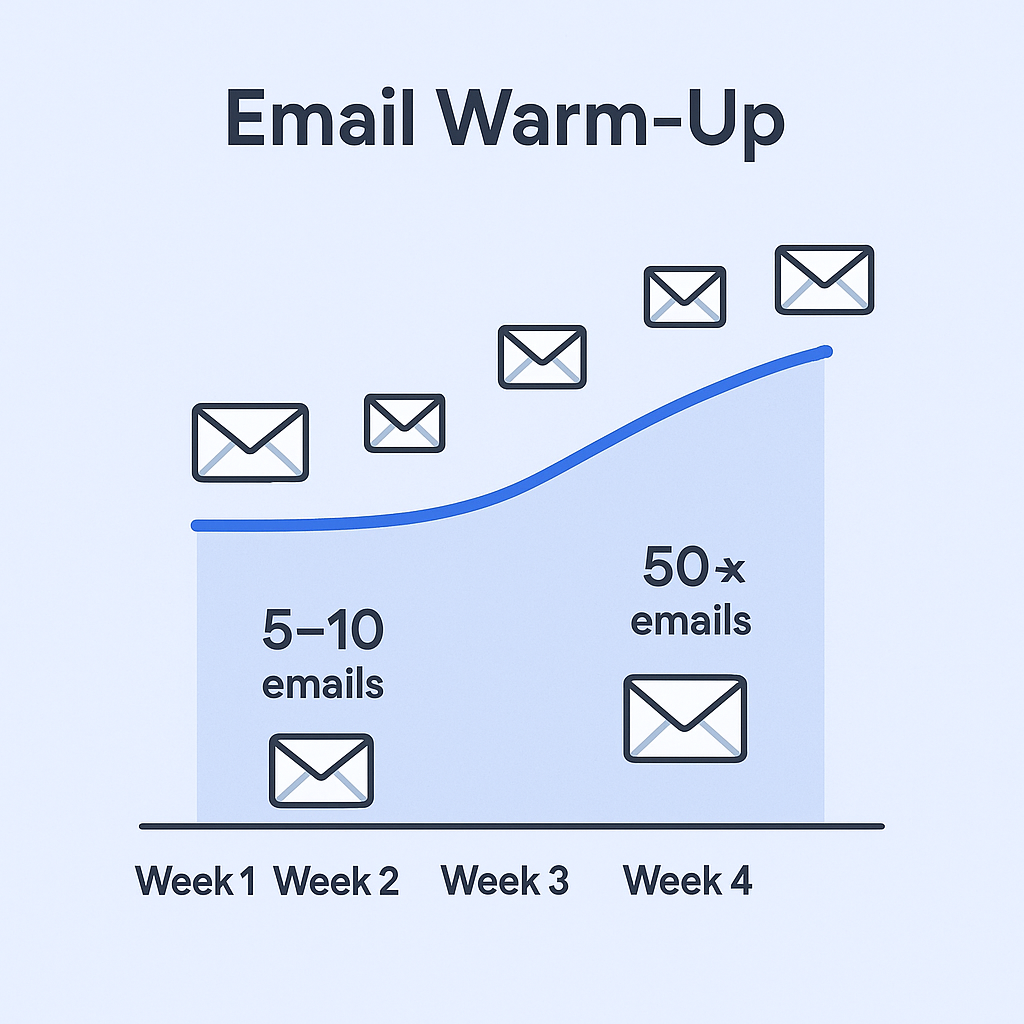


An email warmup tool automates this by sending emails from your account to a large network of other safe inboxes. These inboxes then automatically open your emails, reply to them, and sometimes even mark them as important. This mimics the behavior of a normal, healthy user, signaling to mailbox providers that you’re a legitimate sender, not a spammer.

This process isn’t instant. You should plan for a warmup period of at least 2 to 4 weeks before you start sending your campaigns at full volume. For a brand new domain, many experts recommend an even longer period of 8 to 12 weeks to be safe.

Your Sender Reputation: The Invisible Score That Determines Your Success

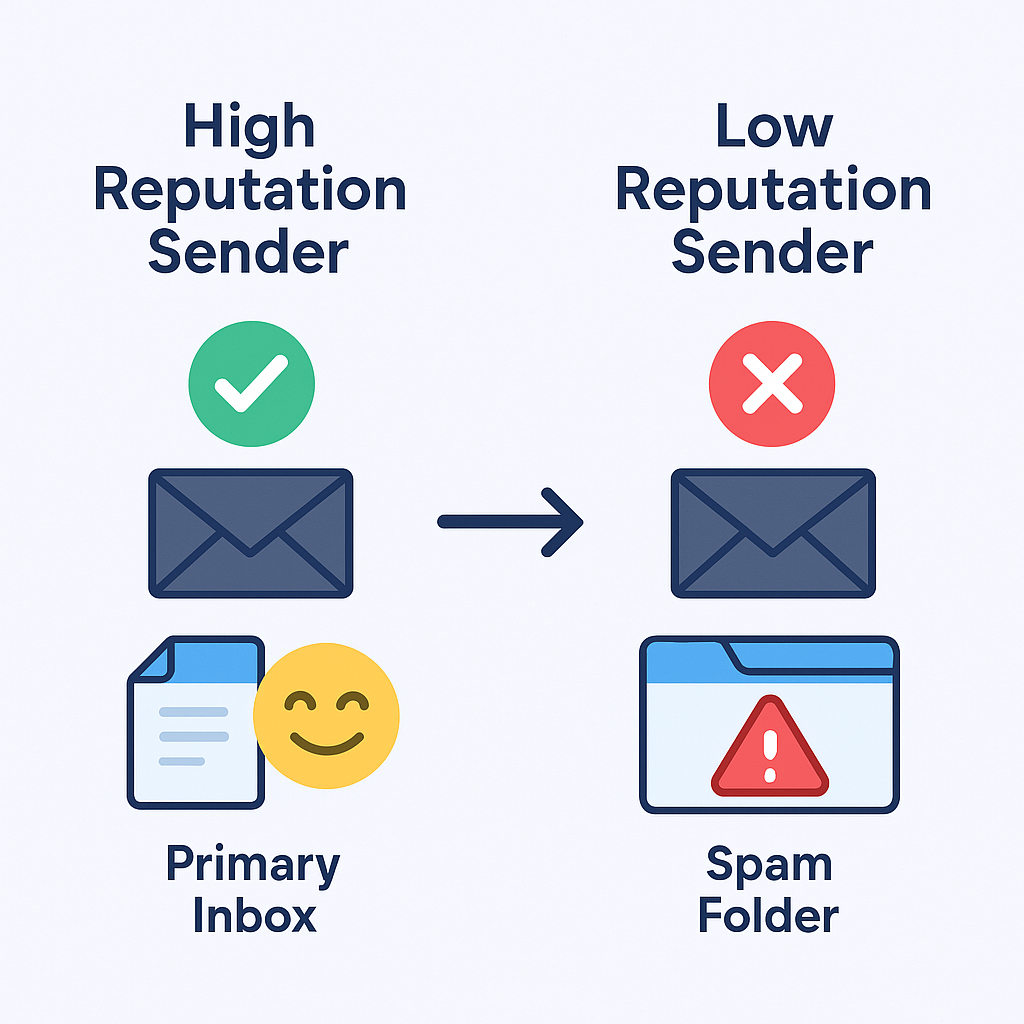
The entire goal of email warmup is to build your sender reputation. Think of it as a credit score for your email address and domain. Every email provider (Gmail, Outlook, etc.) assigns you this invisible score based on your sending history and how recipients interact with your emails.

  • A high sender reputation score tells providers you’re trustworthy. Your emails get the green light and are delivered straight to the primary inbox.
  • A low sender reputation score tells them you’re a risk. Your emails are diverted to the spam or promotions folder, where they’ll never be seen.
 

Several factors influence this score, including:

  • User Engagement: High open and reply rates boost your score
  • Spam Complaints: Even a few recipients marking your email as spam can tank your reputation
  • Bounce Rates: Sending to invalid email addresses is a major red flag
  • Email Authentication: Proper setup of technical records like SPF, DKIM, and DMARC proves you are who you say you are

Ultimately, your sender reputation is the single most important factor affecting your email deliverability – the ability for your emails to consistently land in the primary inbox.

The Critical Shift from Deliverability to Inbox Placement

One of the most important things to understand in 2024 is the difference between “email delivery” and “email deliverability” (also called inbox placement). They sound similar, but the distinction is crucial for your success.

  • Email Delivery simply means that the recipient’s server accepted your email without bouncing it back. A 99% delivery rate sounds great, but it’s a vanity metric. An email can be “delivered” directly to the spam folder.
  • Email Deliverability (Inbox Placement) is what actually matters. It measures where your email landed: the primary inbox, the promotions tab, or the spam folder.

For anyone doing cold outreach, an email delivered to the spam folder is a complete failure. It will never be seen, and it contributes zero to your results. This is why the conversation has shifted. It’s no longer enough for a tool to just prevent bounces; it must actively work to secure placement in the primary inbox.

🎯 100% Guaranteed Inbox Placement

H2: Our LinkedIn outbound engine delivers meetings without email deliverability headaches

My In-Depth Review of the Best Email Warm-Up Tools

Here’s my detailed breakdown of the top email warm-up tools, based on hands-on testing. I’ve focused on the features that matter most: performance, ease of use, scalability, and price.

Salesso (Our Top Pick)

  • Who It’s For: Anyone who wants a complete cold email solution with the best warmup technology built-in

  • Key Features:

    • Unlimited Email Accounts & Warmup: Connect and warm up as many inboxes as you need under a single subscription
    • Native Email Finder: Find verified email addresses directly in the platform
    • Integrated Campaign Sender: Build and run your sequences without needing separate tools
    • Advanced Deliverability Engine: Proprietary technology that achieves 98% inbox placement rates
    • Unified Inbox: Manage all conversations from multiple accounts in one place
  • Pricing: Starting at just $29/month with unlimited warmup included

  • My Verdict: Salesso represents the future of cold email tools. Instead of paying for three separate services (email finder, warmup tool, and sender), you get everything in one platform. The deliverability results speak for themselves – 98% inbox placement is industry-leading. For anyone serious about cold email, this is the clear winner.

Instantly.ai

  • Who It’s For: Sales teams who want an all-in-one platform for outreach and unlimited email warmup without per-seat pricing

  • Key Features:

    • Unlimited Email Accounts & Warmup: Connect as many inboxes as you need under a single subscription
    • Integrated Campaign Sender: Build and run sequences directly within Instantly
    • Unibox: Unified inbox that consolidates replies from all connected accounts
    • Human-Like Warmup: Creates natural conversation patterns with varying reply times
  • Pricing: Growth plan starts at $37/month with unlimited warmup

  • My Verdict: Instantly has fundamentally changed the cold email game with unlimited accounts for a flat fee. It’s a complete outreach platform that consolidates what used to require multiple tools. For aggressive scaling without a massive budget, it’s a strong choice.

Smartlead.ai

  • Who It’s For: Lead generation agencies and advanced users who need powerful customization and API access

  • Key Features:

    • Unlimited Mailboxes & Warmup: Like Instantly, offers unlimited sending accounts
    • AI-Optimized Sending: Uses AI to optimize campaign performance and protect sender reputation
    • Centralized Master Inbox: Powerful unified inbox for conversation management
    • Robust API & Integrations: Excellent API for building custom workflows
  • Pricing: Basic plan starts at $39/month

  • My Verdict: Smartlead is a direct competitor to Instantly with similar core features. It often appeals more to power users due to its mature API and agency-focused features. The choice between Instantly and Smartlead often comes down to interface preference and specific feature needs.

Lemwarm

  • Who It’s For: Sales teams already using Lemlist or those who want industry-tailored warmup networks

  • Key Features:

    • Niche-Specific Warmup Network: Sends warmup emails to inboxes relevant to your industry
    • Warm Up Your Real Templates: Test your actual outreach templates during warmup
    • Excellent Deliverability Monitoring: Strong reporting and alerts for deliverability issues
    • Seamless Lemlist Integration: Natural fit if you use Lemlist for sending
  • Pricing: Per-inbox model starting at $29/month per inbox

  • My Verdict: Lemwarm is a high-quality standalone warmup tool with unique industry-specific features. However, the per-inbox pricing can quickly add up when scaling with multiple sending accounts.

MailReach

  • Who It’s For: Deliverability specialists who want the best diagnostic and spam testing features

  • Key Features:

    • Advanced Spam Tester: Detailed analysis of what might be causing spam folder placement
    • Deep Health Checks: Monitors domain and inbox for blacklists, SPF, DKIM, DMARC issues
    • Reputation Tracking Dashboard: Clear view of sender reputation across different providers
  • Pricing: Per-inbox model starting at $25/month per mailbox

  • My Verdict: MailReach isn’t an outreach platform; it’s a dedicated deliverability toolkit. Perfect for those who want granular control and deep insights into their reputation. The per-inbox cost makes it a premium choice.

Warmbox

  • Who It’s For: Beginners or solo users who want an affordable, easy-to-set-up standalone tool

  • Key Features:

    • GPT-4 Powered Conversations: Uses AI to generate realistic email conversations
    • Customizable Warmup Schedules: Choose from different warmup strategies
    • Spam Score Monitoring: Clear dashboard view of email health
  • Pricing: Solo plan starting at $19/month for one inbox

  • My Verdict: Warmbox is a fantastic entry-level tool. The setup is incredibly simple, and the GPT-4 generated replies make warmup activity feel natural. It’s a budget-friendly option for those who need a dedicated warmer without an all-in-one platform.

Final Verdict: My Top Picks for 2024

Choosing an email warmup tool is no longer just about picking a simple utility. With the convergence of sales technology, you’re often choosing an entire outreach ecosystem. After extensive testing, here are my definitive recommendations:

Best Complete Solution: Salesso

For most people doing cold email, Salesso is the clear winner. Its value proposition is unmatched: for a low monthly fee, you get email finding, unlimited warmup, and a powerful sending platform. The 98% deliverability rate speaks for itself. It’s the perfect solution for anyone who wants to maximize results while minimizing tool complexity and costs.

Best All-in-One Platform Alternative: Instantly.ai

Instantly.ai remains a strong choice for those who want unlimited accounts and warmup at a flat rate. It’s perfect for aggressive scaling strategies without spiraling costs.

Best Standalone Warmup Tool: MailReach

If you already have a sending platform you love and just need best-in-class warmup and diagnostics, MailReach provides the deep insights and control that deliverability specialists require.

Best Budget Option: Warmbox

For solo users or small teams on a tight budget, Warmbox delivers solid warmup functionality at just $19/month with modern AI-powered features.

🚀 Advanced LinkedIn Targeting

Strategic demographic segmentation delivers personalized campaigns with systematic scaling approaches

7-day Free Trial |No Credit Card Needed.

FAQs

What's the difference between warming up an email vs. a domain

Warming up an email account focuses on building the reputation of a single email address (e.g., john@yourcompany.com). Domain warmup is about building the reputation of your entire sending domain (e.g., yourcompany.com). Warming up a brand new domain is more comprehensive and time-intensive because you're establishing trust from scratch for every email address associated with it.

How long does email warmup really take?

You need patience. For a new email account, plan for a minimum of 2-3 weeks of continuous warming before sending campaigns at scale. For a brand new domain that has never sent emails, it's safer to warm up for 8-12 weeks to build a rock-solid reputation. Rushing this process is the fastest way to land in spam.

Can I send actual cold email campaigns while warming up?

It's strongly recommended that you wait at least 2 weeks before sending any live campaigns from a new mailbox being warmed up. After this initial period, you can begin sending a very low volume of actual cold emails (10-20 per day) alongside the automated warmup traffic. Gradually increase your campaign volume as your reputation builds.

Can I try LinkedIn Premium for free?

Yes, eligible LinkedIn members can typically try LinkedIn Premium with a 30-day trial. This allows feature exploration before committing to a LinkedIn Premium subscription.

Is the "Who's Viewed Your Profile" feature truly useful?

Yes, seeing who has viewed your profile acts as a warm lead indicator. Proactively reaching out to these individuals can significantly increase engagement chances, as prospects are 86% more likely to accept an InMail if you view their profile first.

Skip Email Spam Forever

Get meetings without deliverability issues through LinkedIn outbound campaigns

Segmentation That Actually Converts

LinkedIn outbound targets precise demographics with strategic campaign design and scaling methods

How to Build a High-Converting B2B Sales Funnel from Scratch on LinkedIn ​