

Looking for an automation platform that actually delivers on its promises? You’re not alone. With 80% of B2B sales engagements now happening through digital channels, the race to automate lead generation has never been more intense.
TexAu positions itself as a growth automation powerhouse, promising to scrape leads, enrich data, and build multi-step workflows across LinkedIn, Twitter, and beyond. But here’s what nobody tells you: powerful doesn’t always mean practical.
This review cuts through the marketing fluff. We tested TexAu for weeks, analyzed user feedback, and compared it against every major alternative. Whether you’re drowning in manual prospecting or considering your first B2B prospecting tool, you’ll know exactly what to expect by the end.
What Is TexAu?
TexAu is a cloud-based automation tool designed for scraping and workflow automation across multiple platforms. Think of it as your digital research assistant that never sleeps—extracting contact details, verifying emails, and syncing everything to your CRM while you focus on actual selling.
The platform uses a modular approach called “Spices” (individual actions) and “Recipes” (multi-step workflows). With over 180 no-code automation templates, TexAu promises to handle everything from LinkedIn profile scraping to Google Maps data extraction.

But here’s where things get interesting: 451% increase in qualified leads for companies using marketing automation sounds incredible until you realize TexAu’s learning curve can eat up weeks of your time.
Key Features That Actually Matter
Data Extraction Across 10+ Platforms
TexAu’s biggest strength is its reach. You can pull data from LinkedIn, Sales Navigator, Twitter, Facebook, Instagram, Google Maps, and more. The “Find an Email Address” tool analyzes corporate patterns and verifies addresses with an 87% profile match rate.
For teams tired of static databases, this real-time scraping capability is game-changing. While platforms like Apollo.io limit you to their database of 210 million contacts, TexAu lets you find anyone, anywhere on the live web.
Cloud and Desktop Deployment
Most automation tools force you to choose between convenience and safety. TexAu offers both through dual deployment:
Cloud Version: Runs 24/7 on TexAu’s servers, perfect for high-volume tasks. The catch? Using server IPs can trigger platform detection systems.
Desktop App: Executes locally using your IP address, mimicking natural human behavior. Ideal for sensitive LinkedIn automation, though users report slower performance and occasional crashes with complex workflows.
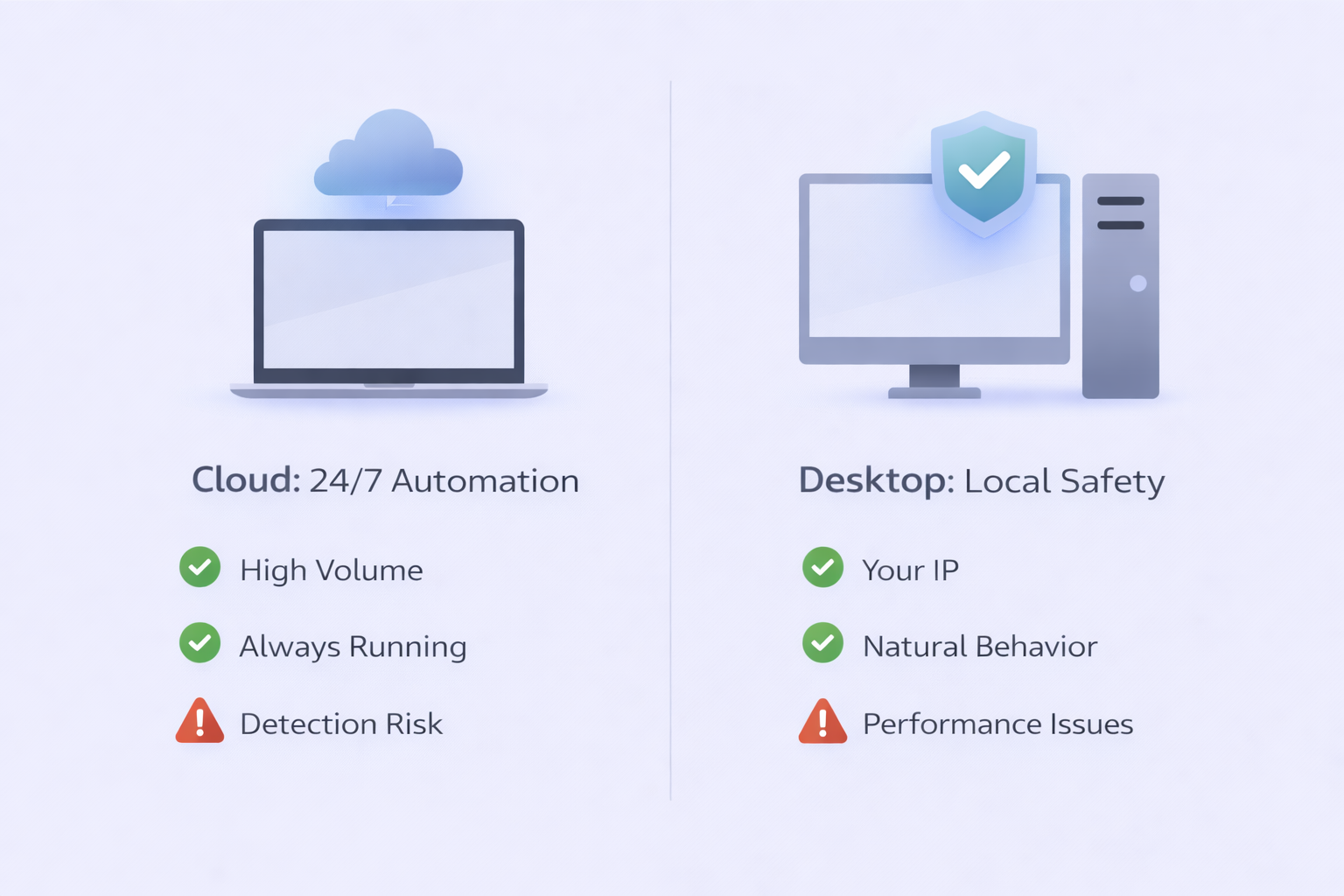
This flexibility matters when you’re reaching B2B decision makers who can spot bot-like behavior instantly.
Workflow Builder That Looks Impressive
The visual workflow builder lets you chain multiple actions together. Start with a LinkedIn Post Scraper, add an Email Finder, throw in verification, and end with a CRM update—all without writing code.
Here’s the reality: the interface is perplexing. Multiple users describe it as the “most confusing” they’ve encountered. You’ll spend hours understanding input sources, iteration delays, and duplicate management before building your first functional workflow.
Advanced users love this granular control. Beginners? Not so much.
Email Verification and Enrichment
Bad data kills campaigns. TexAu addresses this through integrated verification tools and partnerships with Dropcontact, Hunter, and Snov.io for “waterfall enrichment.”
Since 87% of marketers admit their data is under-utilized, this verification layer provides crucial protection before any outreach begins. The email finder analyzes patterns like first.last@company.com, preventing bounces that damage sender reputation.
Pricing: What You Actually Get
TexAu structures pricing around “Automation Time” and “Enrichment Credits”:
- Starter: $79/month (30 hours, 500 credits) – Freelancers
- Teams: $199/month (100 hours, 2,500 credits) – Small sales teams
- Agency: $459/month (250 hours, 6,000 credits) – High-volume operations
A 14-day free trial lets you test before committing.
The pricing makes sense when you consider automation saves approximately 5.4 hours per week per representative. The Teams plan essentially pays for itself through reclaimed labor.
But here’s what they don’t advertise: you’ll burn through hours quickly during the learning phase. Factor in 2-3 weeks before seeing real ROI.
How TexAu Compares to Alternatives
TexAu vs. Apollo.io
Apollo is database-first with 210+ million contacts. Easier to use, lower barrier to entry at $49/month, but limits you to existing records.
TexAu is scraper-first. More flexible for finding niche leads and growth hackers who need real-time data. Starts at $79/month with a steeper learning curve.
Choose Apollo for standard prospecting with reliable data. Choose TexAu when you need to “find the unfindable” across multiple platforms—especially useful when managing your pipeline management across diverse sources.
TexAu vs. Wiza & Clay
Wiza focuses exclusively on LinkedIn with high-accuracy email verification during export. Simple, focused, effective.
Clay is the premium choice for RevOps teams with waterfall enrichment across 75+ sources. Starts at $134/month with a spreadsheet-style interface.
TexAu sits in the middle—more powerful than Wiza, more affordable than Clay. The question is whether you need that middle ground or should commit to one extreme.
[IN-CONTENT BANNER 2 – After comparison section] ⚡ Done With Tool Complexity?
Our LinkedIn outbound system delivers results without the technical overwhelm or platform risk
[Book Strategy Meeting]
The Safety Problem Nobody Talks About
Here’s the uncomfortable truth: automation can get you banned.
LinkedIn has sophisticated detection systems analyzing behavioral patterns. TexAu addresses this through “Iteration Delays” that randomize intervals between actions, but users must follow strict protocols:
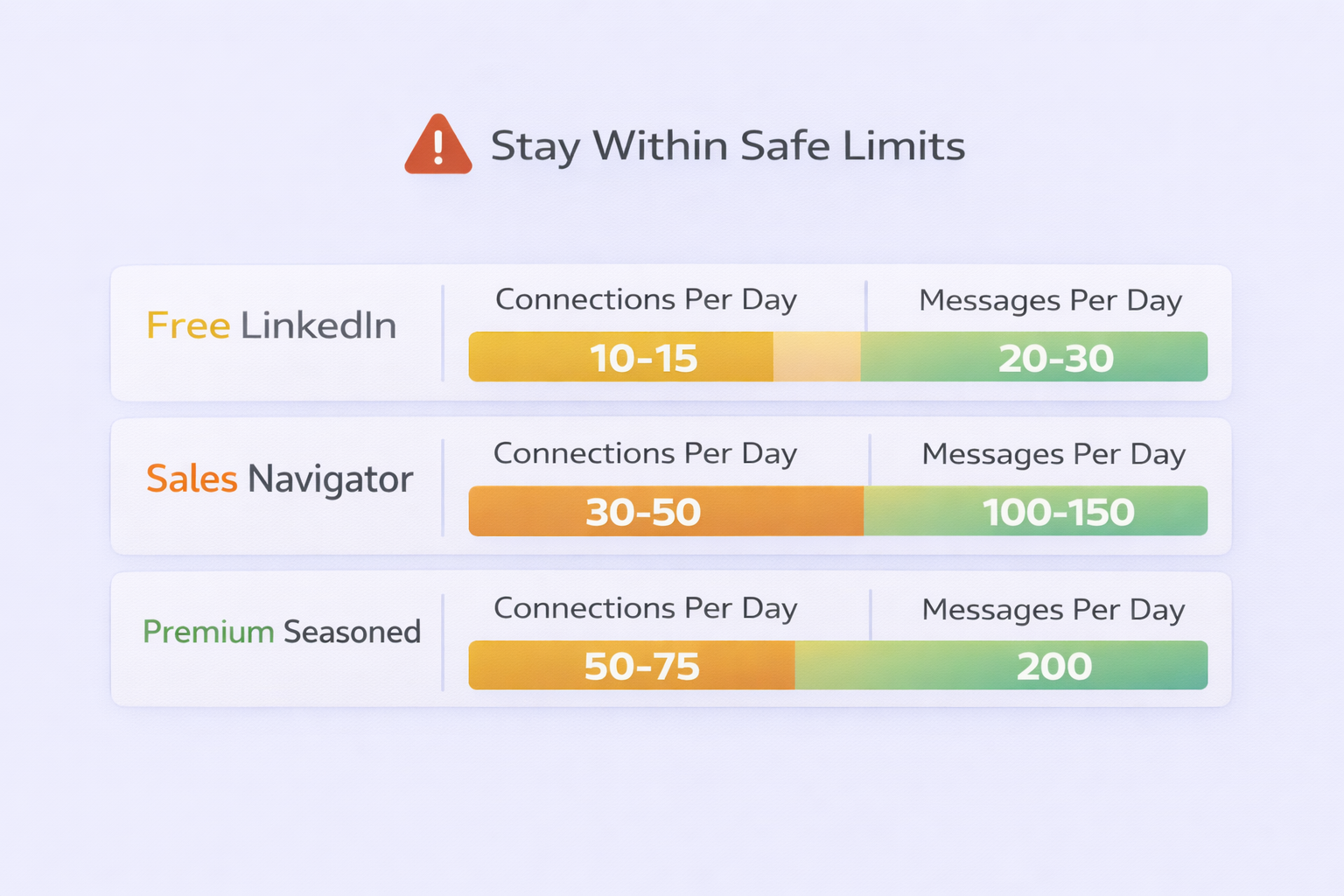
Safe Daily Limits:
- Free LinkedIn: 10-15 connections, 20-30 messages
- Sales Navigator: 30-50 connections, 100-150 messages
Premium (seasoned): 50-75 connections, 200 messages
You’ll need to:
- Warm new accounts gradually over weeks
- Use randomized delays between actions
- Mix manual engagement with automation
- Regularly withdraw unaccepted invites after 7-10 days
Miss these steps, and you’re risking permanent account restrictions. The desktop app helps by using your local IP, but even that’s no guarantee.
This risk is precisely why many teams explore simpler alternatives when crafting LinkedIn promotion posts or scaling outreach.
Real User Experience: The Good and Ugly
What Users Love:
- Over 180 no-code automations covering major platforms
- Ability to find leads in niche markets ignored by databases
- Native CRM integrations with HubSpot, Salesforce, Lemlist
- 24/7 cloud automation for high-volume tasks
What Users Hate:
- “Steep learning curve” mentioned in nearly every review
- Desktop app slower and prone to crashes
- Interface described as “perplexing” and “overwhelming”
- Risk of account bans if safety protocols aren’t perfect
- Support response times vary wildly
One user summarized it perfectly: “Once you master it, it’s a time-saving machine. But getting there takes weeks, not days.”
The 14.5% increase in sales productivity from automation workflows sounds great until you factor in the 2-3 weeks of negative productivity during setup and learning.
[IN-CONTENT BANNER 3 – After user experience section] 🚀 Skip the Learning Curve
We handle targeting, campaigns, and scaling so you focus on closing deals—not troubleshooting tools
[Book Now]
Who Should Actually Use TexAu?
Ideal For:
- Tech-savvy growth hackers comfortable with complex tools
- Agencies managing multiple client campaigns
- Teams needing data from niche sources beyond standard databases
- Businesses with dedicated resources for mastering the platform
Not Ideal For:
- Beginners looking for plug-and-play solutions
- Solo founders without time for extensive learning
- Teams prioritizing account safety over lead volume
- Anyone uncomfortable with automation risk
If you’re testing different mail tester alternatives or exploring mailgenius alternatives, consider whether TexAu’s complexity aligns with your technical bandwidth.
The Verdict
TexAu delivers impressive functionality wrapped in frustrating complexity. The platform excels at real-time data extraction and multi-platform automation, but demands significant time investment and technical comfort.
Use TexAu if:
- You need data from diverse, unconventional sources
- Your team has bandwidth for weeks of learning
- You’re comfortable navigating account safety protocols
- Flexibility matters more than ease of use
Skip TexAu if:
- You want results within days, not weeks
- Account safety is your top priority
- You prefer focused tools over Swiss Army knives
- Your team lacks technical expertise
The 2,361% higher conversion for automated campaigns only matters if you can actually implement the automation without breaking things.
For most teams, simpler alternatives deliver better ROI with less headache. TexAu is powerful, but power without usability often creates more problems than it solves.
