
LinkedIn Auto-Connect Tool: Complete 2026 Guide to Safe Network Growth
- Sophie Ricci
- Views : 28,543
Table of Contents
Growing your LinkedIn network manually is exhausting. You’re spending 6+ hours every week just sending connection requests, visiting profiles, and tracking who accepted your invites. Meanwhile, your competitors are scaling their networks effortlessly while you’re stuck in the grind.
Here’s the reality: 72% of sales professionals waste their time on non-selling activities like manual outreach and data entry. That’s nearly three-quarters of your workday spent on tasks that could be automated.
A linkedin auto-connect tool changes everything. It handles the repetitive work—finding prospects, visiting profiles, sending invitations—while you focus on actual conversations that drive results. But here’s the catch: not all tools are created equal, and using the wrong one can get your account restricted.
In this guide, you’ll discover how to safely automate your LinkedIn growth, which tools actually work in 2025, and how to avoid the common mistakes that lead to account suspension.
Understanding LinkedIn Auto-Connect Tools
A linkedin auto connect tool is software that automates your connection requests on LinkedIn. Instead of manually searching for prospects and clicking “Connect” hundreds of times, the tool does it for you based on your targeting criteria.
These tools work in two ways:
Browser extensions run directly in your Chrome or Edge browser. They’re easy to set up and usually cheaper, but they come with higher risks. Your browser needs to stay open, they use your local IP address, and LinkedIn’s security systems can detect them more easily.
Cloud-based platforms operate on remote servers. They run 24/7 even when your computer is off, use dedicated IP addresses, and mimic human behavior with randomized delays. They’re safer but typically cost more.
The difference matters. 80% of B2B sales engagements now happen through digital channels, and your LinkedIn account is your primary asset. Lose access to it, and you lose your entire network.
🚀 Scale Your LinkedIn Outreach
Stop wasting 6+ hours weekly on manual prospecting. Our LinkedIn outbound engine delivers 15-25% response rates with complete targeting, campaign design, and scaling strategy.
Why Automation Matters Right Now
The professional landscape has fundamentally changed. Manual networking can’t compete with the speed and precision of automation tools anymore.
Consider these numbers:
- Sales teams using outreach automation save 6 hours per week per representative
- Automated campaigns generate a 451% increase in sales-ready leads
- Companies using automation close deals 20% faster than manual approaches
- 81% of companies report improved lead quality after implementing automation
Your prospects are already receiving dozens of connection requests daily. The only way to break through is by reaching more people with better targeting and more personalized messaging—something that’s impossible to do manually at scale.
⚡ Struggling with LinkedIn Limits?
Our LinkedIn outbound system bypasses connection quotas while keeping your account safe. Get our proven framework for 10x network growth.
The Safety Question: Avoiding LinkedIn Jail
Here’s what keeps most people from automating: fear of getting banned.
LinkedIn imposes strict limits on how many actions you can take weekly. Community data suggests the current cap sits between 100-200 connection requests per week for most users. Exceed this, and you’ll see a “weekly limit reached” notification.
Keep pushing past that limit with aggressive software, and you risk “LinkedIn Jail”—a temporary or permanent account suspension.
How to Stay Safe
The best auto connect tools include smart limits and warm-up modes. A warm-up mode gradually increases your daily activity over several weeks, establishing what looks like “natural” behavior to LinkedIn’s algorithm.
Free accounts should stay under:
- 80-100 invitations per week
- 100-150 profile views per day
- 50-70 direct messages per day
Premium/Sales Navigator accounts get more leeway:
- 150-200 invitations per week
- 600-1,000 profile views per day
- 100-150 direct messages per day
Cloud-based platforms with dedicated IPs are significantly safer than browser extensions because they better mimic human behavior. They add randomized delays between actions, vary activity patterns, and rotate through different tasks just like a real person would.
One underutilized strategy: your Social Selling Index (SSI) score affects your daily limits. Accounts with an SSI above 70 often get more leeway. Some LinkedIn growth hacking techniques can boost your SSI by systematically engaging with your network—but this must be balanced with manual activity like posting original content.
🎯 Hit Your Limits Too Fast?
Our multichannel approach combines LinkedIn with email and other channels. Get 287% more responses without hitting LinkedIn’s caps.
Best LinkedIn Auto-Connect Tools for 2025
The market is crowded with options. Here’s what actually works:
1. Salesso (Best Overall Solution)
Salesso combines LinkedIn automation with cold email in one platform. Unlike single-channel tools, Salesso’s multichannel approach delivers 287% more responses by coordinating LinkedIn and email touchpoints.
Key features:
- Cloud-based infrastructure with dedicated IPs for maximum safety
- AI-powered personalization that references prospect profiles
- Complete campaign sequences including profile visits, connection requests, and follow-up messages
- Built-in email verification and deliverability optimization
- Real-time analytics showing acceptance and response rates
Pricing: Starting at $59/month
Best for: Sales teams and founders who need a complete outbound solution
The platform’s strength is its strategic approach. While other tools just automate actions, Salesso provides the complete framework: targeting strategy, campaign design, and scaling methods that consistently deliver 15-25% response rates compared to the typical 1-5% from cold email alone.
2. Expandi (Safety Leader)
Expandi is the go-to choice if account safety is your top priority. It offers dedicated IP addresses and advanced sequence builders that create complex paths based on prospect behavior.
Pricing: Starting at $99/month
Best for: Agencies managing multiple accounts
3. Dripify (User Experience Champion)
Dripify focuses on visual campaign building with an intuitive drag-and-drop interface. Its analytics dashboard provides real-time data on acceptance rates and reply rates.
Pricing: Starting at $39/month
Best for: Solo founders new to automation
4. LinkedRadar (Budget Option)
LinkedRadar positions itself as a cost-effective entry point with built-in ChatGPT support for generating icebreakers. However, some users report less sophisticated safety features compared to premium alternatives.
Pricing: Free tier available, paid plans start at $13/month
Best for: Freelancers testing automation
Feature Comparison:
Tool | Safety Level | Starting Price | Key Strength |
Salesso | Very High | $59/mo | Complete multichannel strategy |
Expandi | Very High | $99/mo | Maximum account safety |
Dripify | High | $39/mo | Visual funnel builder |
LinkedRadar | Moderate | $13/mo | AI-powered icebreakers |
💡 Tired of Comparing Tools?
Skip the research. Our LinkedIn outbound engine includes everything you need: targeting, automation, and proven messaging frameworks that convert.
7-day Free Trial |No Credit Card Needed.
Integration: LinkedIn + Email + More
The biggest mistake people make? Treating LinkedIn as a standalone channel.
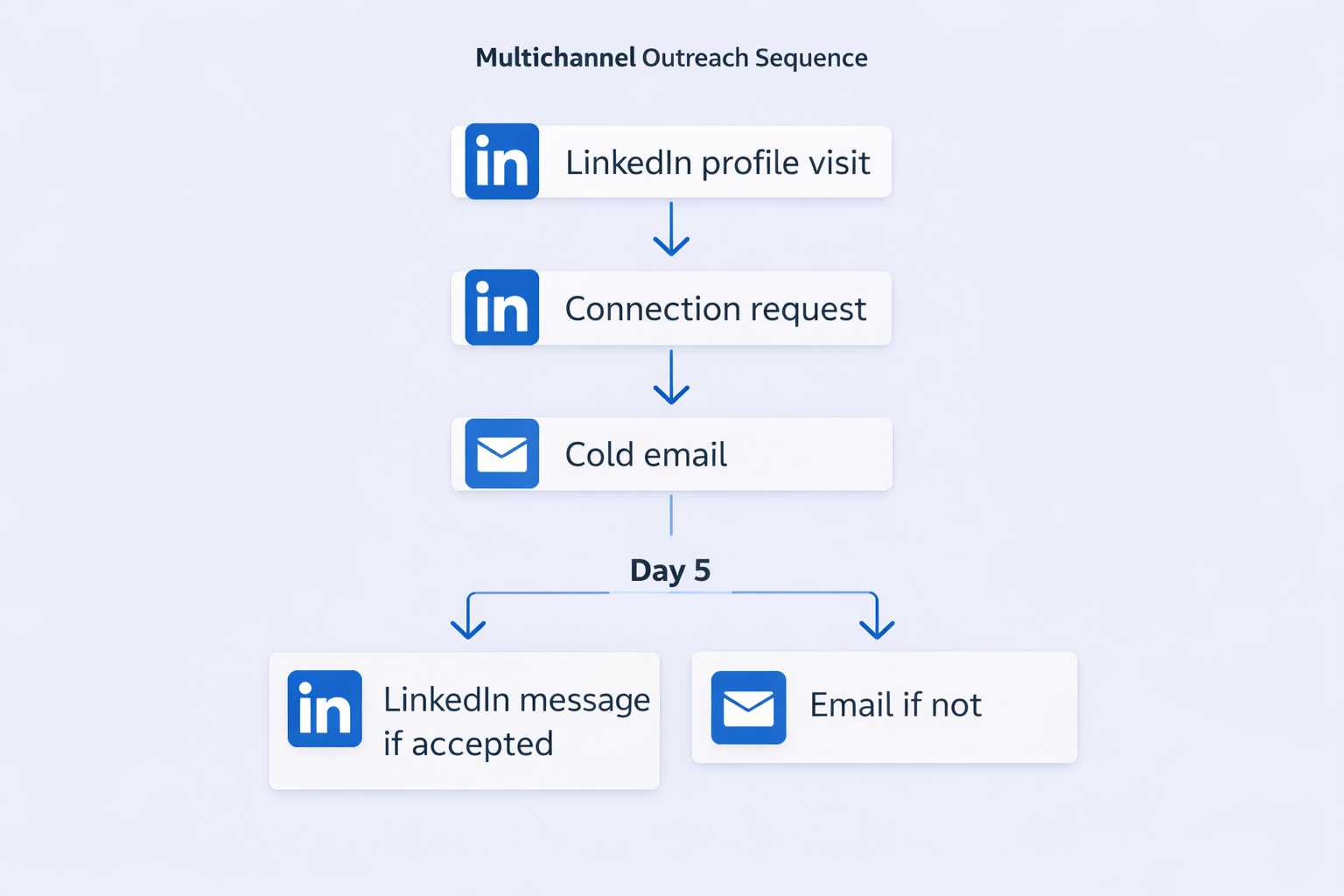
Multichannel sequences combining email and LinkedIn produce 287% more responses than single-channel approaches. Here’s why:
A profile visit or connection request on LinkedIn puts your name in the prospect’s notifications. When your cold email arrives the next day, you’re not a complete stranger anymore. The prospect has already seen your name and face.
This is why modern outreach platforms integrate multiple channels. Salesso, for example, coordinates LinkedIn actions with email sequences automatically. When a prospect accepts your connection, the system triggers a personalized email. If they don’t respond on LinkedIn within 3 days, an email goes out as backup.
Looking at LinkedIn usage statistics, we see that 80% of B2B social media leads come from LinkedIn. But that doesn’t mean you should ignore email. It means LinkedIn warms up the prospect, and email delivers the details.
Getting the Data: Finding Your Prospects
Even the best linkedin auto-connect tool is useless without accurate prospect data. You need to know who to target.
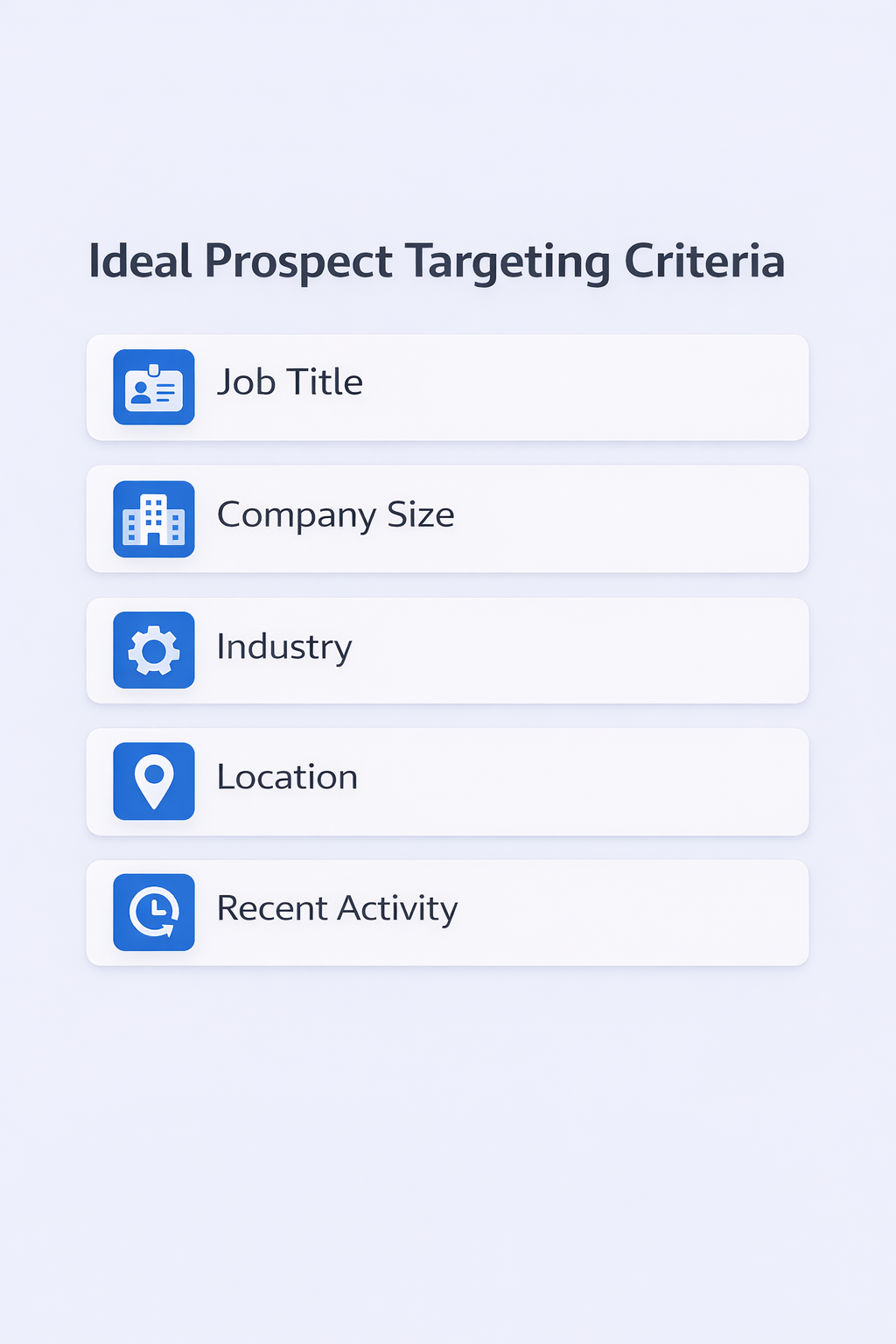
Most professionals use advanced LinkedIn search filters combined with data enrichment platforms:
Apollo.io offers a massive database with 275+ million contacts. It’s praised for affordability and ease of use, with 91% email accuracy and integrated sequencing tools.
ZoomInfo is the enterprise standard for North America, delivering 95% accuracy with unique “intent data” showing which companies are actively looking to buy.
Wiza focuses on real-time scraping from Sales Navigator, finding verified emails as you browse profiles.
The workflow looks like this:
- Define your ideal customer profile (company size, industry, role)
- Use LinkedIn’s native filters or Sales Navigator for initial targeting
- Export the list through a data enrichment tool
- Verify emails and enrich contact data
- Import to your auto connect tool for automated outreach
Without this foundation, you’re just spraying connection requests randomly and hoping for the best. Targeted outreach based on accurate data is what separates 45% acceptance rates from 15% failure rates.
Messaging That Actually Works
You’ve got the tool. You’ve got the data. Now you need the message.
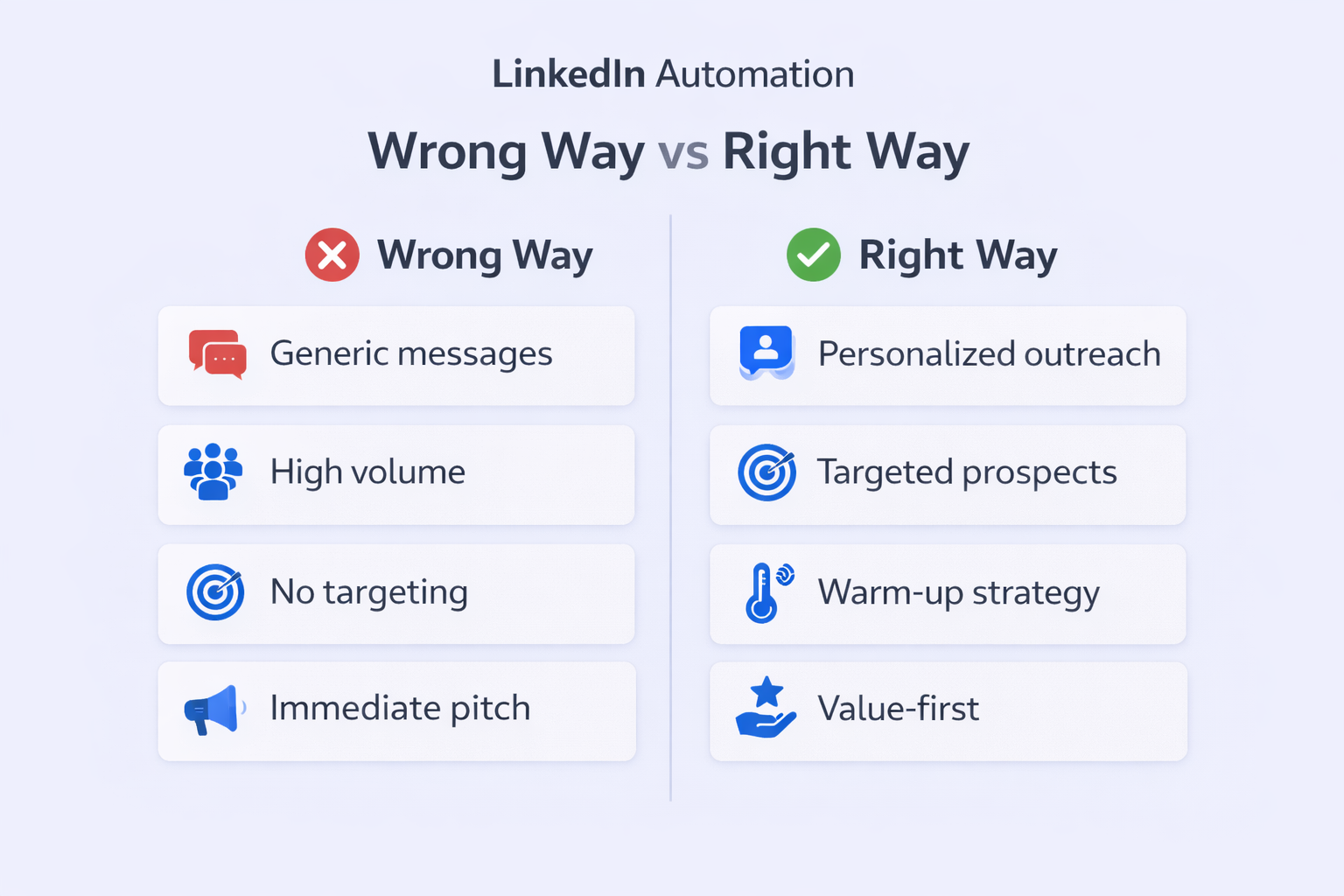
The biggest rookie mistake? The “pitch slap”—sending a long sales pitch immediately upon connection. This approach tanks your acceptance rate and risks account restriction.
Messages under 100 words see significantly higher engagement. Here’s what works:
Strategy 1: The No-Note Approach
Recent studies show that sending a connection request without a note can result in a 2-3% higher acceptance rate because it feels less like a sales pitch. For high-volume prospecting, this is surprisingly effective.
Strategy 2: The Curiosity Hook
For high-value prospects, use a hyper-personalized note that references something specific from their profile. Not generic flattery—actual observations about their work.
Example: “I saw your post about enterprise security challenges. Working on something similar—would be great to connect.”
Strategy 3: The Value-First Message
After they accept, don’t immediately pitch. Share a relevant resource, insight, or introduce them to someone in your network. Build goodwill first.
Timing Matters
Peak engagement happens Tuesday through Thursday between 9-11 AM in the prospect’s local time zone. Most auto connect tools let you schedule sends during these optimal windows.
The urgency is real: 88% of connection acceptances happen within the first 7 days. If someone hasn’t accepted by day 7, continuing to wait is mathematically inefficient.
Common Mistakes to Avoid
Even with the best free linkedin auto connect tool, people still make these critical errors:
Mistake 1: Volume Over Relevance
Sending 200 generic requests beats sending 50 highly targeted, personalized invitations every time. Quality targeting produces 45% acceptance rates vs 15% for spray-and-pray approaches.
Mistake 2: Ignoring Your Profile
If your LinkedIn profile looks incomplete or salesy, people won’t accept your requests. Your profile is your landing page. Make sure it clearly communicates who you help and how.
Mistake 3: No Follow-Up System
Getting a connection accepted is just step one. 63% of all acceptances happen within 24 hours, but most people never send a follow-up message. Without a structured sequence, you’re wasting those connections.
Mistake 4: Using Browser Extensions on Your Main Account
Browser-based tools carry higher detection risks. If you’re going to automate, use a cloud platform with dedicated IPs—especially for your primary account.
Mistake 5: Not Warming Up New Accounts
Jumping straight to 150 requests per week on a brand new account is a fast track to restriction. Start with 20-30 per week and gradually increase over 3-4 weeks.
Conclusion
A linkedin auto-connect tool isn’t just about saving time—it’s about scaling your network strategically while staying safe.
The data is clear: automation saves 6 hours per week, increases qualified leads by 451%, and helps close deals 20% faster. But success requires more than just turning on a tool. You need the right targeting, messaging that resonates, and a multichannel approach that coordinates LinkedIn with email and other channels.
Whether you choose Salesso’s complete outbound engine, Expandi’s safety-first approach, or Dripify’s user-friendly interface, the key is consistent execution. Set up your targeting criteria, craft personalized messaging, respect LinkedIn’s limits, and monitor your results.
The goal isn’t just to connect—it’s to start meaningful conversations that eventually turn into business outcomes.

FAQs
What's the best free linkedin auto connect tool available right now?
Is it safe to use a linkedin auto-connect tool in 2025?
How do I bypass the weekly invitation limit?
What is a good connection acceptance rate for automated outreach?
- blog
- Sales Development
- LinkedIn Auto-Connect Tool: Safe Growth Guide 2026