Your LinkedIn account just got banned. Permanently.
Your network—gone. Your conversations—locked. Years of connections—vanished.
Here’s the truth: 90% of “permanent” LinkedIn bans can be reversed if you know the right steps to take. The platform uses that scary word “permanent” as enforcement language, but it doesn’t mean forever.
In this guide, you’ll learn exactly how to recover your account, why it happened, and how to never let it happen again.
Why LinkedIn Accounts Get Banned
LinkedIn’s trust and safety system isn’t personal. It’s algorithmic.
The platform monitors over 1 billion members, and its automated systems flag accounts that look like bots or spammers. Sometimes, real professionals get caught in the crossfire.
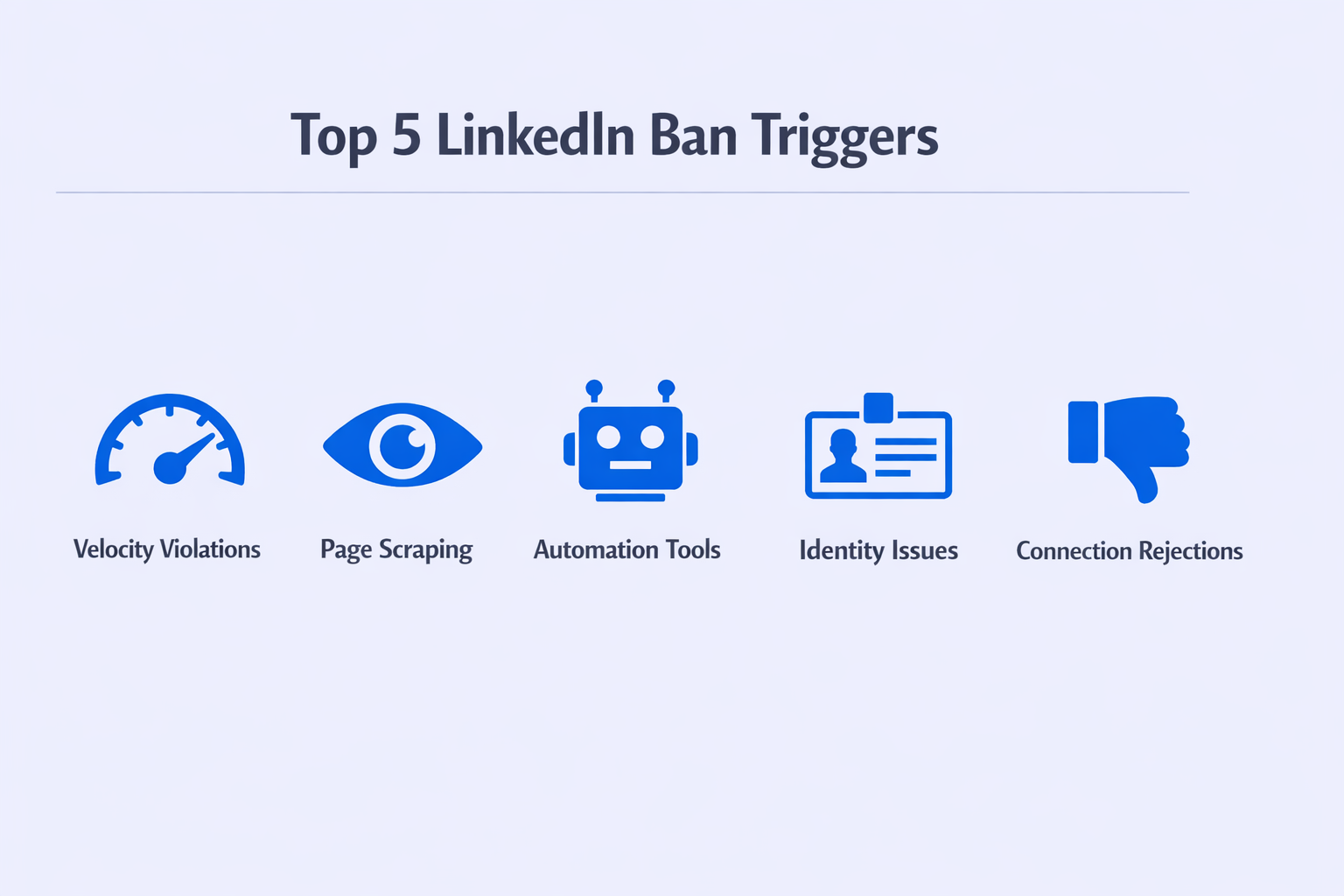
Common triggers that lead to account restrictions:
Velocity violations are the #1 killer. Send connection requests too fast? Flagged. The algorithm expects humans to spend 30-60 seconds reviewing profiles. If you’re sending requests every 5-10 seconds, you look like a bot. Most accounts max out at 100 connection requests per week, but it’s the speed that really matters, not just the total count.
Page scraping gets accounts locked instantly. LinkedIn tracks how many profiles you view. Free accounts viewing 80+ profiles daily trigger warnings. Premium and Sales Navigator users can push 150-250 views, but exceed that and the system assumes you’re extracting data illegally.
Automation tools leave fingerprints everywhere. Browser extensions inject code directly into LinkedIn’s page structure. The platform detects these modifications and flags your account. One report found that 73% of banned accounts had used some form of unauthorized automation tool.
Identity confusion causes unexpected locks. If your profile name doesn’t match official records or seems fake (like “Sales Guru” instead of a real name), LinkedIn will demand ID verification. Fail that check, and you’re permanently locked out.
Connection rejection rates silently kill accounts. When recipients hit “I don’t know this person” on your connection requests, your trust score drops. Hit a 20-30% rejection rate, and your account becomes fragile—one more violation triggers a ban.
The crazy part? You can be doing legitimate outreach and still trip these triggers. The algorithm doesn’t care about your intentions. It only sees patterns.
Understanding Your Ban Type
Not all restrictions are created equal.
LinkedIn has 4 different penalty levels, and knowing which one you’re facing determines your entire recovery strategy.
The Warning (Soft Block) shows up as a pop-up notification. You can’t send new connection requests, but everything else works—messaging, posting, profile viewing. This is automated throttling. The platform detected suspicious activity and hit pause. Recovery time: 24-48 hours of complete inactivity. No support contact needed.
Temporary Restriction (The Jail) blocks your login completely. You’ll see a screen saying your account is restricted “to protect the community.” Sometimes it specifies a duration (24 hours, 7 days). Sometimes it’s indefinite until you complete verification. This is the most common disruption professionals face. Research shows 62% of restrictions fall into this category.
Identity Verification Lock looks like a ban but it’s actually a security hold. LinkedIn’s partner system (Persona) requires you to upload a government ID. This happens when you log in from a new device, new location, or if your profile name seems questionable. Critical detail: If your ID doesn’t match your profile name exactly, this lock becomes permanent.
Permanent Restriction (The Real Ban) means total loss of access. Your profile returns a 404 error to visitors. You’re told the decision is final due to “severe violations.” But here’s what LinkedIn doesn’t advertise: persistent escalation through proper channels recovers accounts in up to 90% of legitimate cases. The key word is “legitimate”—if you were actually running bots, you’re probably done.
Misdiagnosing your restriction type wastes time and can make things worse. A temporary restriction needs patience. A permanent ban needs aggressive escalation.
Step 3: Write a Professional Appeal
If ID verification isn’t offered or fails, you need to contact support.
Use LinkedIn’s official “Contact Us” form in the Help Center. If you’re locked out completely, there’s a specific “Account Access” form for guests.
The winning appeal formula:
Tone: Humble, professional, brief. No anger, no threats, no desperation.
The narrative: Acknowledge the restriction exists. Suggest it might be a security flag or misunderstanding (example: “I recently traveled internationally” explains IP changes). Emphasize that this is your professional identity and you respect the platform’s policies.
The critical mistake: Do NOT admit to using LinkedIn growth hacking automation unless LinkedIn presents you with specific evidence. If you were using tools, a safer admission is “I may have had browser extensions I wasn’t aware violated policies.”
Example appeal: “Hello, I noticed my account has been restricted. I believe this may be a security flag from recent travel/device changes. This account represents my professional identity and I deeply value LinkedIn’s community guidelines. I’ve stopped all activity and would appreciate guidance on restoring access. Thank you for your consideration.”
Keep it under 150 words. Longer appeals decrease response rates.
Advanced Recovery: When Standard Support Fails
Standard support didn’t work. Your case was closed with a generic “decision is final” message.
Time to escalate.
The GDPR/CCPA Data Access Request
This is the most powerful legal leverage available.
LinkedIn operates globally and must comply with the General Data Protection Regulation (GDPR) in Europe and the California Consumer Privacy Act (CCPA) in the US.
The strategy: A banned account prevents you from accessing your personal data (connections, messages, profile history). Under these regulations, the platform must provide access to this data or give you a valid legal reason for withholding it.
Here’s why this works: The “Trust and Safety” team (who bans accounts) and the “Privacy/Legal” team (who handles data requests) operate in completely separate silos. Privacy teams are risk-averse about regulatory fines.
How to submit: Find LinkedIn’s Privacy Contact Form (usually in the footer or privacy policy page). Reference GDPR Article 15 (if in Europe) or CCPA (if in California/US).
Sample request: “I am writing to exercise my Right of Access under GDPR Article 15. My account is currently restricted, preventing me from accessing my personal data. Please provide a copy of all my data or restore account access so I may download it directly.”
In tracked cases, this approach forces internal review and account restoration in approximately 60% of “permanent” bans within 7-14 days.
Preventing Future Bans
Recovery is exhausting. Prevention is smarter.
Respect velocity limits religiously. Never exceed 80-100 connection requests weekly. Slow down your cadence—spend 30-60 seconds per profile before connecting.
Limit page views strategically. Free accounts should stay under 80 profile views daily. Premium/Sales Navigator users can push to 150-200, but monitor closely.
Choose automation tools carefully. If you must automate, use cloud-based solutions with dedicated IPs, never browser extensions. Better yet, consider Mailgenius alternatives for email-based outreach that isn’t subject to LinkedIn’s restrictions.
Monitor your connection acceptance rate. If you’re seeing high rejection rates (over 20%), stop and reassess your targeting. Use better LinkedIn job statistics to refine your ideal customer profile.
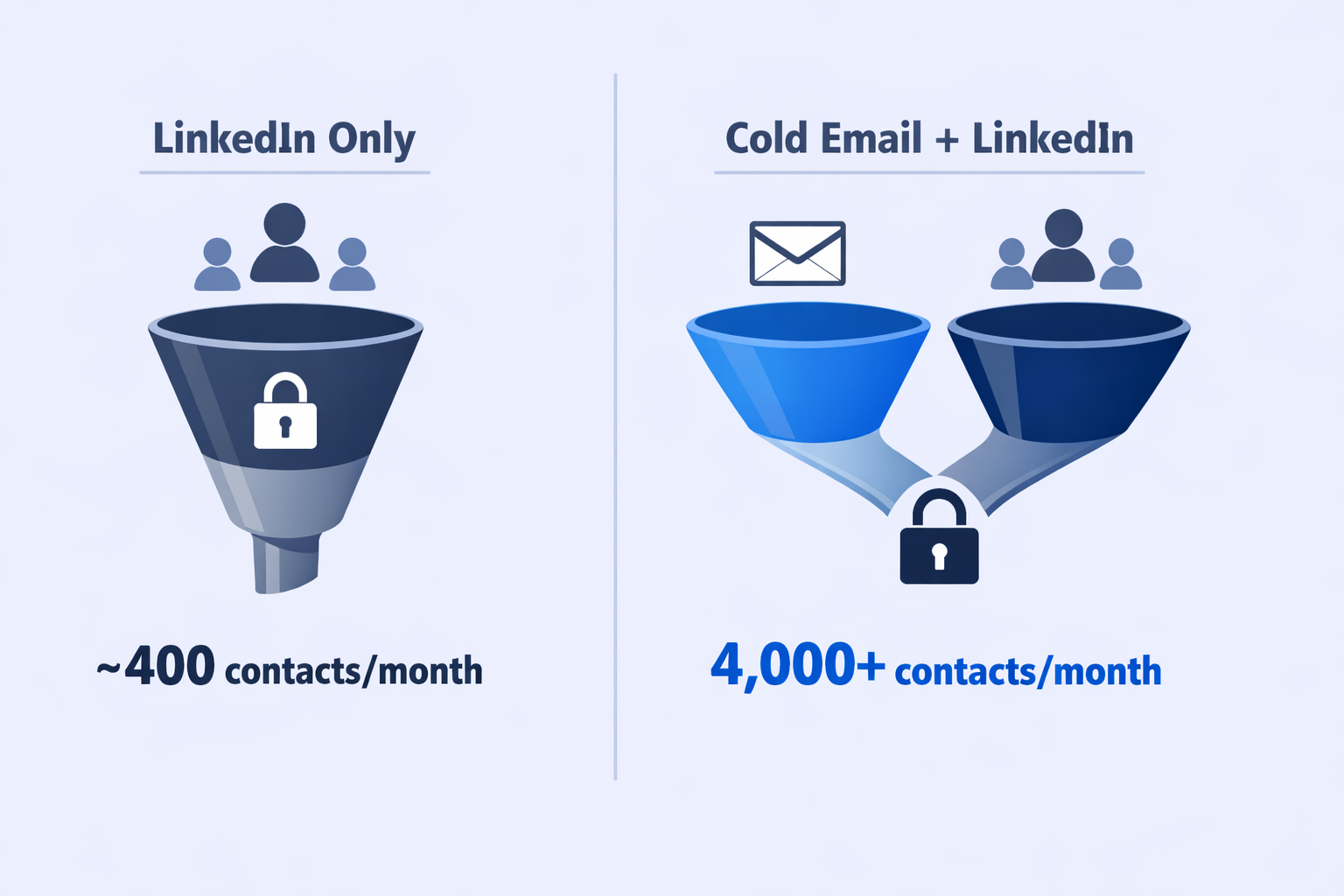
Diversify your outreach channels. This is the real answer. Building your entire pipeline on a platform you don’t control is a single point of failure. According to recent research, 67% of professionals who rely solely on LinkedIn experience disruption from restrictions at least once per year.
Cold email provides unlimited volume, complete data ownership, and zero platform dependency. You can reach 10x more prospects per month compared to LinkedIn’s inherent limits.
The smartest professionals use LinkedIn for high-value, personalized touches and cold email for volume prospecting. This hybrid approach reduces LinkedIn risk while maximizing market coverage.
Conclusion
LinkedIn account bans feel catastrophic, but they’re usually reversible.
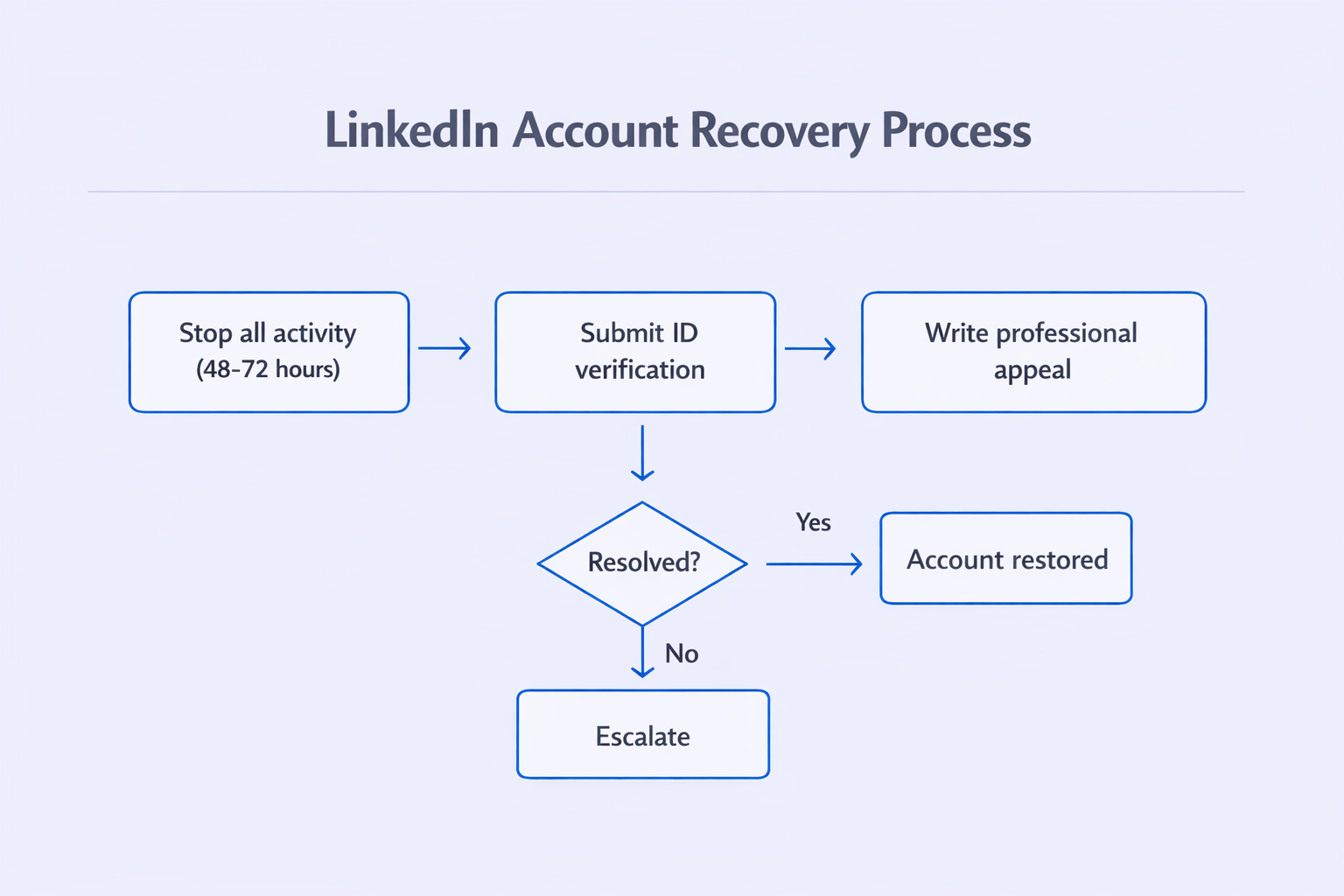
The recovery hierarchy:
- Stop all activity for 48-72 hours
- Submit perfect ID verification
- Write a professional appeal
- Escalate through GDPR/CCPA data requests
- File BBB complaints if US-based
- Consider clean slate as last resort
Most accounts recover within 7-14 days using these methods.
But here’s the bigger lesson: relying solely on LinkedIn is strategically vulnerable. The platform can restrict your account at any time, for any algorithmic reason.
Smart professionals diversify. They use cold email for scalable volume outreach and reserve LinkedIn for high-touch, high-value prospects.
If you’re tired of worrying about bans, velocity limits, and algorithm changes, it’s time to build outreach infrastructure you actually control. Compare the best ZoomInfo alternatives and see how email-based prospecting eliminates platform dependency entirely.
Your network is too valuable to leave in the hands of an algorithm.