
Here’s a number that should make you pause: sales professionals spend 72% of their time on non-selling activities — things like manual research, copy-pasting data, and sending the same follow-up message for the hundredth time. That’s less than 3 hours a day actually selling.
If you’ve ever felt like LinkedIn outreach is a full-time job on top of your full-time job, you’re not wrong. But there’s a smarter way to play it.
Enter n8n — an open-source workflow automation tool that lets you connect LinkedIn with your CRM, AI models, email tools, and more. Think of it as the “Swiss Army Knife” of sales automation. Unlike closed platforms, n8n gives you full control over what runs, when, and how — without looking like a bot.
📊 Quick stat: Businesses that prioritise social selling are 51% more likely to hit their sales quotas. And 78% of salespeople using social selling outperform peers who rely on traditional outreach alone.
This guide breaks down 10 real-world n8n LinkedIn automation workflows — with practical templates you can start using today. Whether you’re trying to fill your pipeline, nurture warm leads, or just stop doing the same manual tasks every morning, there’s something here for you.
Let’s get into it.
10 n8n LinkedIn Automation Workflow Examples + Templates
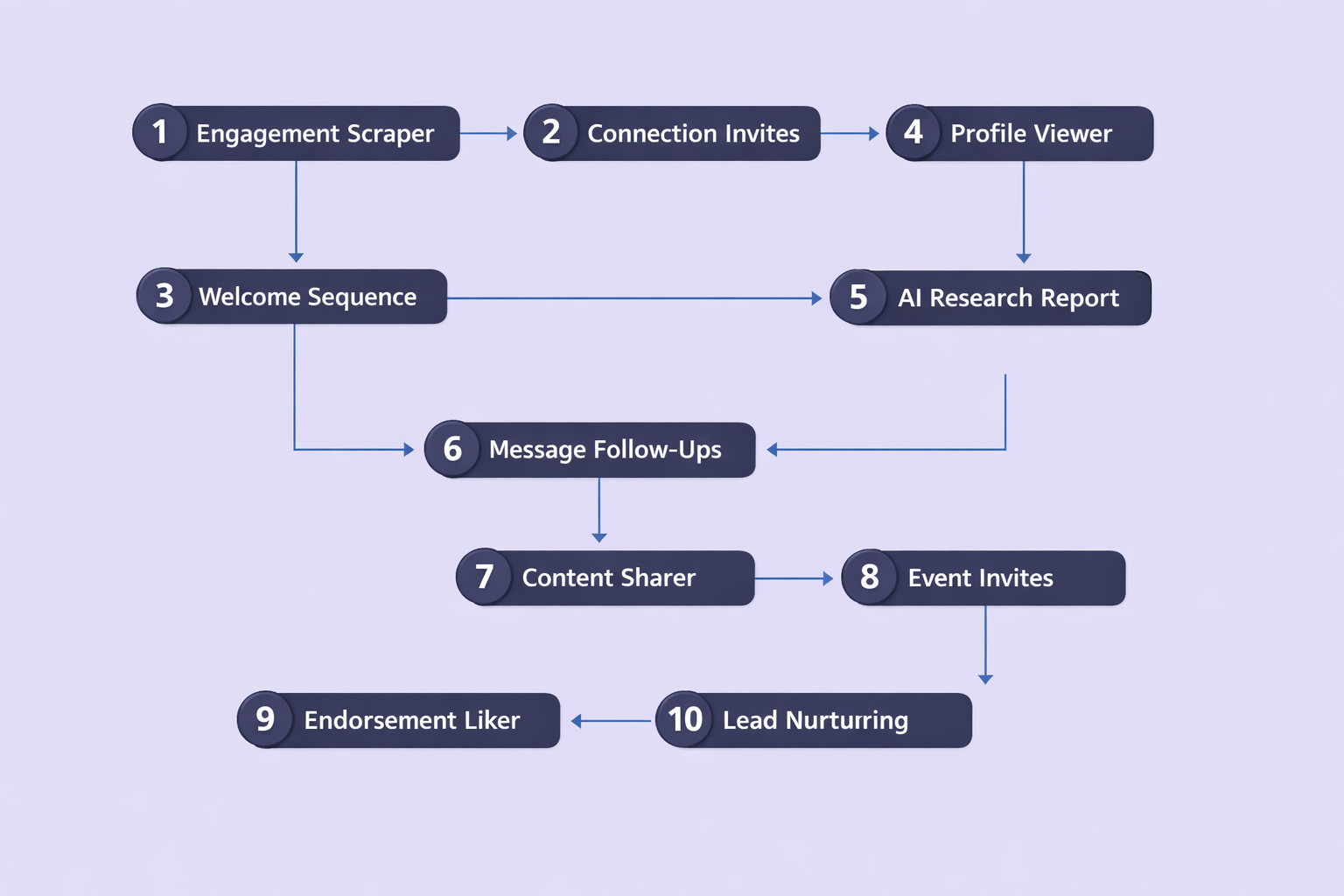
🎯 The High-Intent “Engagement-to-Lead” Scraper
Someone liking a post about “reducing churn in SaaS” is waving a hand in the air. They care about that problem right now. That’s a warm lead hiding in plain sight.
This workflow uses an Apify actor or Browserflow node to scrape reactions and comments from a target LinkedIn post URL. The scraped profile data is then passed through an ai workflow (like GPT-4o) that scores each person against your Ideal Customer Profile. If the title and company size match, they land in your “High Priority” Google Sheet. Everyone else gets filtered out automatically.
Key components: Manual or scheduled trigger → Apify scraper → OpenAI ICP scoring node → Google Sheets or HubSpot logger.
This is one of the fastest ways to build a list of people who are already interested in a topic you solve — without cold-starting from zero. For more on how targeted outreach stacks against generic prospecting, it’s not even close.
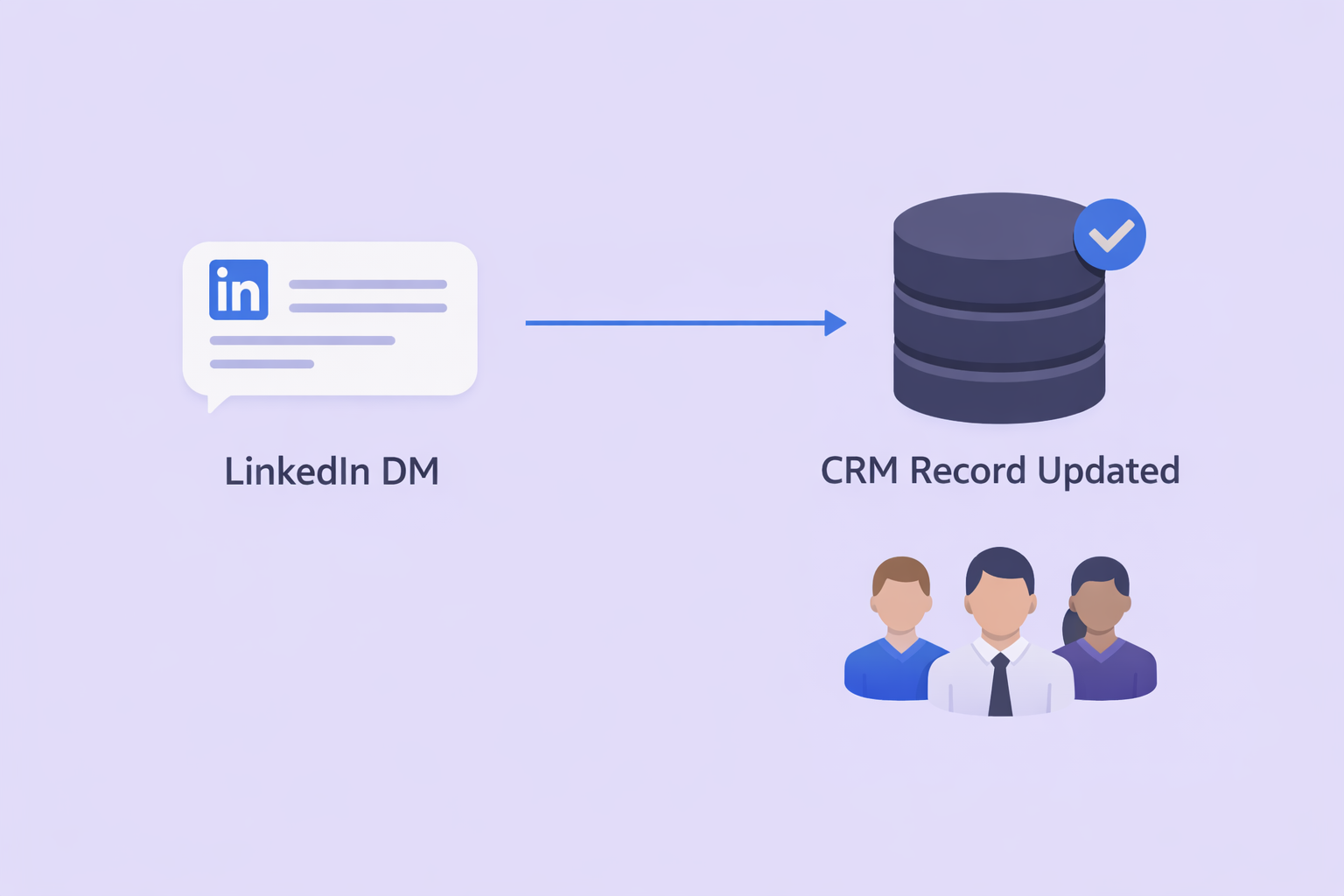
🔄 The CRM-to-LinkedIn “Conversation Sync”
Data silos kill deals. Someone on your team has a great conversation on LinkedIn — and no one else knows it happened. Your next outreach comes in completely cold, and the relationship resets to zero.
This workflow monitors your LinkedIn Inbox and extracts every new DM — sender name, profile URL, and message content — then appends it directly to the lead’s CRM record in HubSpot, Salesforce, or Notion. The whole team now has a live view of every LinkedIn conversation in one place.
For growing teams managing dozens of active conversations, this is table stakes. Combine it with the right sales cadence tools and you’ll never drop a thread again.
🔔 The “Mention & Keyword” Slack Alert System
Responding to a warm lead within 5 minutes makes them 9x more likely to convert. Five minutes. That’s the window. And most teams miss it completely because they’re not watching LinkedIn in real time.
This workflow monitors LinkedIn for mentions of your brand, your name, or specific “buying intent” phrases like “looking for a CRM” or “recommendations for email tools.” The moment a match is found, n8n fires an instant Slack alert with a direct link to the post. Your team can jump in while the lead is still active — not hours later.
Speed wins. This workflow is the difference between being first and being forgotten.
💬 The AI-Powered “Social Listening” Commenter
Commenting thoughtfully on your prospects’ posts is one of the highest-leverage relationship-building activities on LinkedIn. It builds visibility, earns familiarity, and creates trust — before you ever slide into the DMs.
This workflow watches a list of “Target Account” LinkedIn profiles. When they post something new, n8n reads the content and generates a relevant, non-generic comment. You can either auto-post or send it to yourself for a quick review first. Either way, you’re staying present in the feeds of your most important prospects — at scale.
This is smart lead generation that feels completely human. Because it’s grounded in their content, not your pitch.
📊 The Weekly “Pipeline Health” Performance Report
You can’t manage what you don’t measure. And most teams flying blind on LinkedIn don’t realise their outreach has stalled until it’s already cost them pipeline.
Every Friday at 5 PM, this workflow pulls your LinkedIn stats — profile views, connection growth, post engagement rates — and formats them into a clean weekly report delivered to your Slack or email. Over time, you’ll see which content types and outreach strategies are actually moving the needle. This is how you boost productivity intelligently, not just frantically.
📊 Stat: Sales teams that track outreach metrics weekly see an 18% shorter sales cycle and a 14.5% increase in overall productivity compared to teams that review performance monthly or less.
📊 Want a LinkedIn Strategy That’s Built to Scale?
Our team handles targeting precision, campaign design, and scaling systems — delivering consistent results without the guesswork.
📍 Banner placement: After the Pipeline Health workflow section, before Workflow 10.
🤖 The “Smart Follow-Up” with Reply Detection
The money is in the follow-up. Everyone knows it. But manual follow-ups are the first thing to fall off the plate when things get busy. And the last thing you want is an automated message landing in someone’s inbox after they’ve already booked a meeting.
This workflow is built to be persistent without being embarrassing. It sends an initial message, waits 5 days, then checks if the prospect has replied. No reply? A gentle nudge goes out. Reply detected? The workflow stops immediately and alerts you to take over the conversation personally.
This is what a true AI sales automation approach looks like — smart enough to know when to hand back control.
Metric | Impact of Sales Automation |
Overall Productivity Increase | 14.5% |
Sales Cycle Reduction | 18% |
Conversion Rate Growth | Up to 200% |
Increase in Qualified Leads | 451% |
Response Time Improvement | 87% |
Staying Safe: LinkedIn Limits and Compliance
Before you hit “deploy,” a few rules of the road. LinkedIn actively detects bot-like behaviour — sudden spikes in activity are the fastest way to get your account suspended.
Use n8n’s “Wait” nodes with randomised delays between actions. Instead of sending a connection request every 60 seconds on the dot, set a range of 45–120 seconds. This mimics natural human browsing patterns and is much harder to flag.
Keep your weekly connection requests under 100. Your workflow should include a counter node that stops automatically when the limit is hit. It’s always better to send 20 personalised, well-timed invitations than to blast 200 generic ones and lose your account.
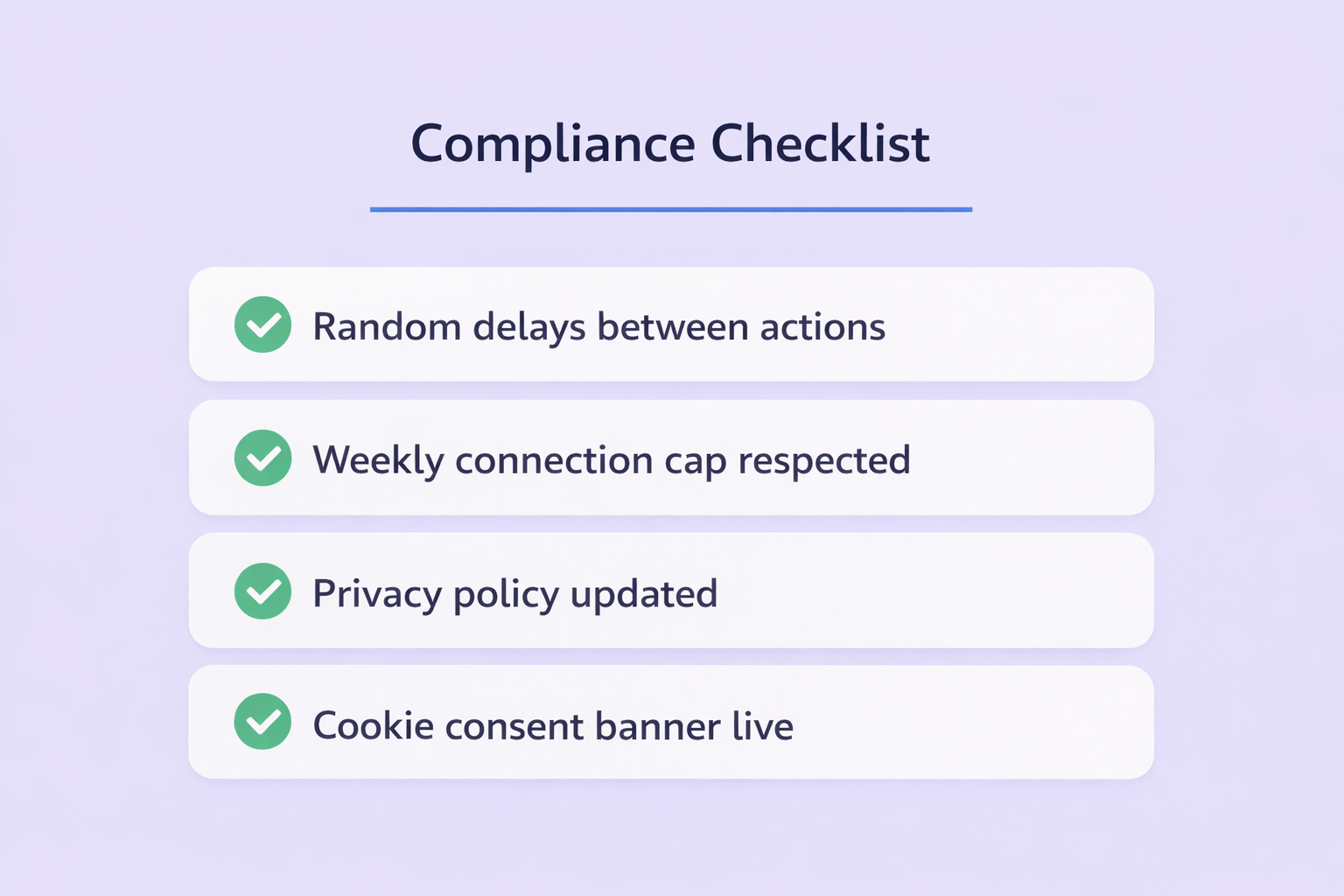
On the legal side: when you’re collecting LinkedIn data and moving it into your systems, you’re operating under GDPR and CCPA. Make sure your agreement privacy policy clearly explains how you collect, store, and use prospect data. If you’re using tracking pixels on any landing page linked from your outreach, your privacy policy cookie disclosure must be visible and current. Transparency builds trust — and it’s the law.

