You’re staring at your pipeline wondering how to fill it faster. LinkedIn feels like the answer—it’s where 65 million decision-makers hang out and actually update their profiles in real-time.
But you’ve hit the wall. 100 connection requests per week. That’s LinkedIn’s new limit as of 2024. InMail? Expensive and capped. Meanwhile, you’re watching competitors seemingly scale to the moon.
That’s when you stumble across it: “Buy Verified LinkedIn Account – 100% Safe.”
The promise sounds perfect. Instant access to a pre-warmed profile with 500+ connections, maybe even a “Verified” badge. Skip the months of building credibility from scratch and start prospecting immediately.
Here’s what actually happens: 97.1% of fake accounts get detected and banned before they send meaningful outreach. The average lifespan once you start prospecting? 3.2 days.
This guide strips away the marketing fluff. We’ll show you exactly how the black market works, why it’s fundamentally broken, and the superior alternative that doesn’t put your reputation at risk.
How to Buy Verified LinkedIn Account
If you’re seriously considering this path, you need to understand what you’re actually buying. This isn’t like subscribing to software. It’s navigating a grey market that rivals identity theft operations in complexity.
The Account Hierarchy: What’s Really for Sale
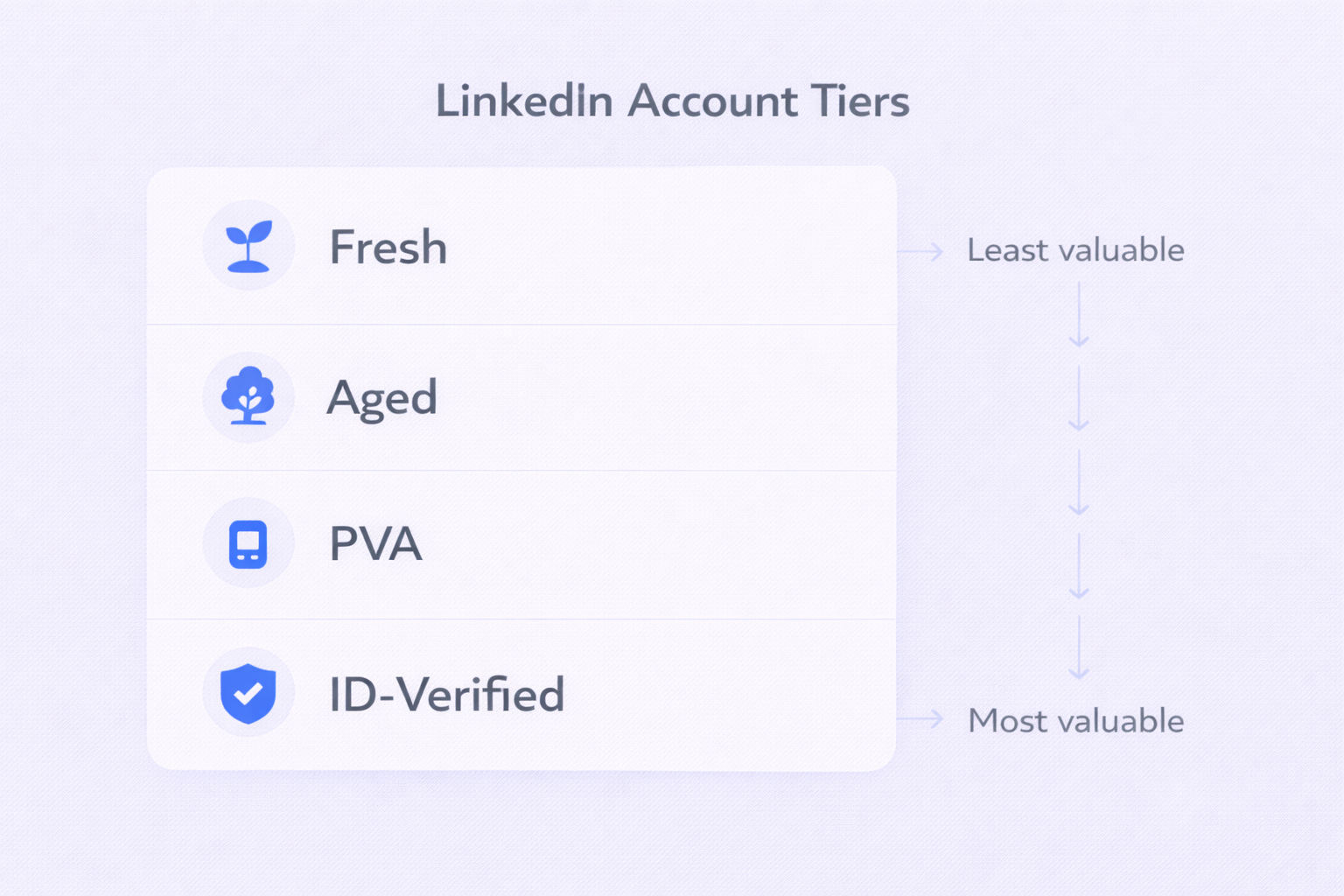
Not all LinkedIn accounts are equal. The black market has a specific tier system:
Fresh Accounts ($0.50-$5): These are 0-3 months old with no connections. LinkedIn sandboxes new accounts—send more than 10 requests and you’re flagged instantly. These are basically useless for any serious lead generation work.
Aged Accounts ($15-$60): Created in 2018-2020 and left dormant to “age like wine.” These have higher trust scores with the algorithm. You can push slightly higher activity limits, but they’re still detection magnets without proper handling.
Phone Verified Accounts (PVA): These come with a phone number attached. The catch? Most cheap PVAs use VoIP numbers that LinkedIn blacklists. High-quality PVAs use real SIM cards, but if you lose access to that number, one security challenge locks you out forever.
ID-Verified Profiles ($150-$300+): The “gold standard” with government ID verification and the blue “Verified” badge. These are extremely resistant to bans. But here’s the uncomfortable truth: you can’t fake a government ID easily. These accounts are either rented from real people in developing economies or sourced through identity theft.
Where Vendors Actually Operate
You can’t Google your way to these. Sellers hide in three main channels:
Public Marketplaces like Accs-Market function like eBay for digital assets. High scam rate, low quality. Most inventory is fresh or low-tier PVA.
Rental Agencies like LinkUnity and MirrorProfiles popularized the monthly rental model ($100-$150/month). You never own the account—the original owner stays involved to pass ID checks. Safer algorithmically, but you’re permanently paying rent for access.
Peer-to-Peer forums like BlackHatWorld and private Telegram groups offer everything from hacked accounts to high-tier aged profiles. Quality depends entirely on seller reputation.
The Real Cost Analysis
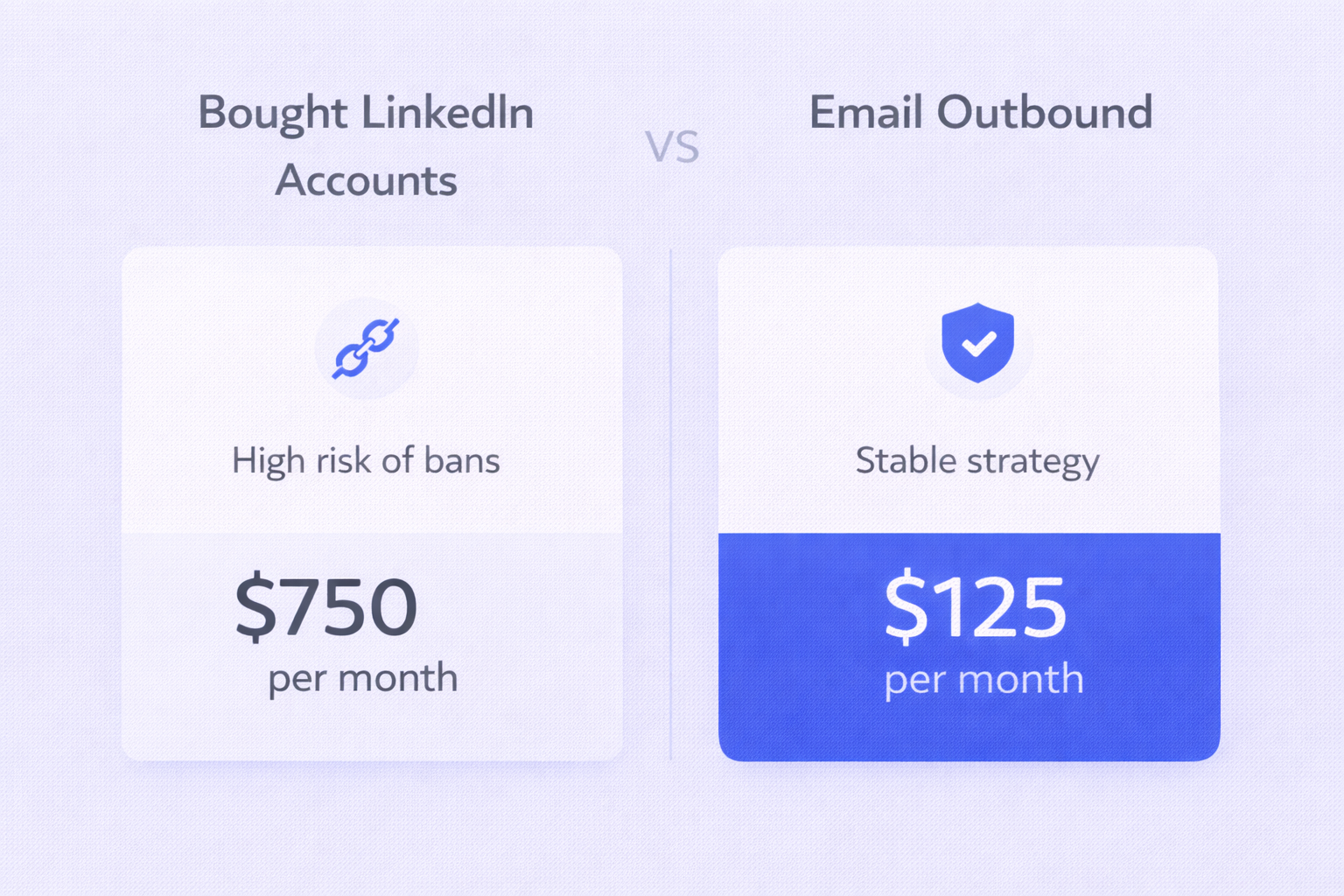
Here’s what operating 5 “safe” bought LinkedIn accounts actually costs per month:
Cost Item | Bought Accounts | Cold Email Alternative |
Asset Cost | $600 (5 × $120 rentals) | $75 (5 domains) |
Tech Stack | $100 (Anti-detect browser) | $50 (Automation) |
Proxies | $50 (5 × $10 residential) | $0 (Included) |
Setup Time | 10 hours | 2 hours |
Risk Level | High (bans = restart) | Low (easy rotation) |
Volume Cap | ~500 invites/week total | 1,000+ emails/day |
Monthly Total | $750 + stress | $125 + stability |
The brutal math: You’re paying 6X more for restricted volume and constant ban anxiety. And these numbers assume nothing goes wrong.
The Risks That Vendors Won’t Tell You
Every seller shows you success screenshots. What they don’t show is the survivorship bias—the graveyard of banned accounts behind those wins.
1. The Algorithmic Dragnet
LinkedIn’s 2025 detection uses deep learning on behavioral biometrics:
- Mouse movement analysis: Bots move in straight lines and click instantly. Humans don’t.
- Network graph mapping: If your profile built in UK finance suddenly prospects US healthcare, the anomaly score spikes.
- Content consistency checks: Account history in French suddenly sending perfect English sales pitches? Flagged.
The automated detection rate for fake accounts is 97.1%. Most farmed accounts die before sending a single message.
2. The 3.2-Day Lifespan
Research shows that once active prospecting begins, the average non-verified fake account survives 3.2 days before restriction.
Do the math: $50 account + $20 proxy + 3 hours setup = 60 connection requests sent = 18 connections at 30% acceptance rate = $4/connection (not per lead, just per connection).
3. Reputation Destruction
When prospects spot fake profiles, they don’t just ignore you. In 2025, they screenshot and post publicly. “Look at Company X using bots to spam me.”
If you link these accounts to your corporate website, LinkedIn can blacklist your domain. No one—including legitimate employees—can send your website link in messages anymore. Digital death for B2B marketing.
4. Legal Nightmares
Beyond Terms of Service violations:
- Identity theft: Using someone else’s verified ID could trigger fraud charges
- GDPR/CCPA violations: Processing data through fraudulent accounts breaches transparency requirements
- Fines can be massive
The Superior Alternative: Why Smart Teams Use Email + LinkedIn
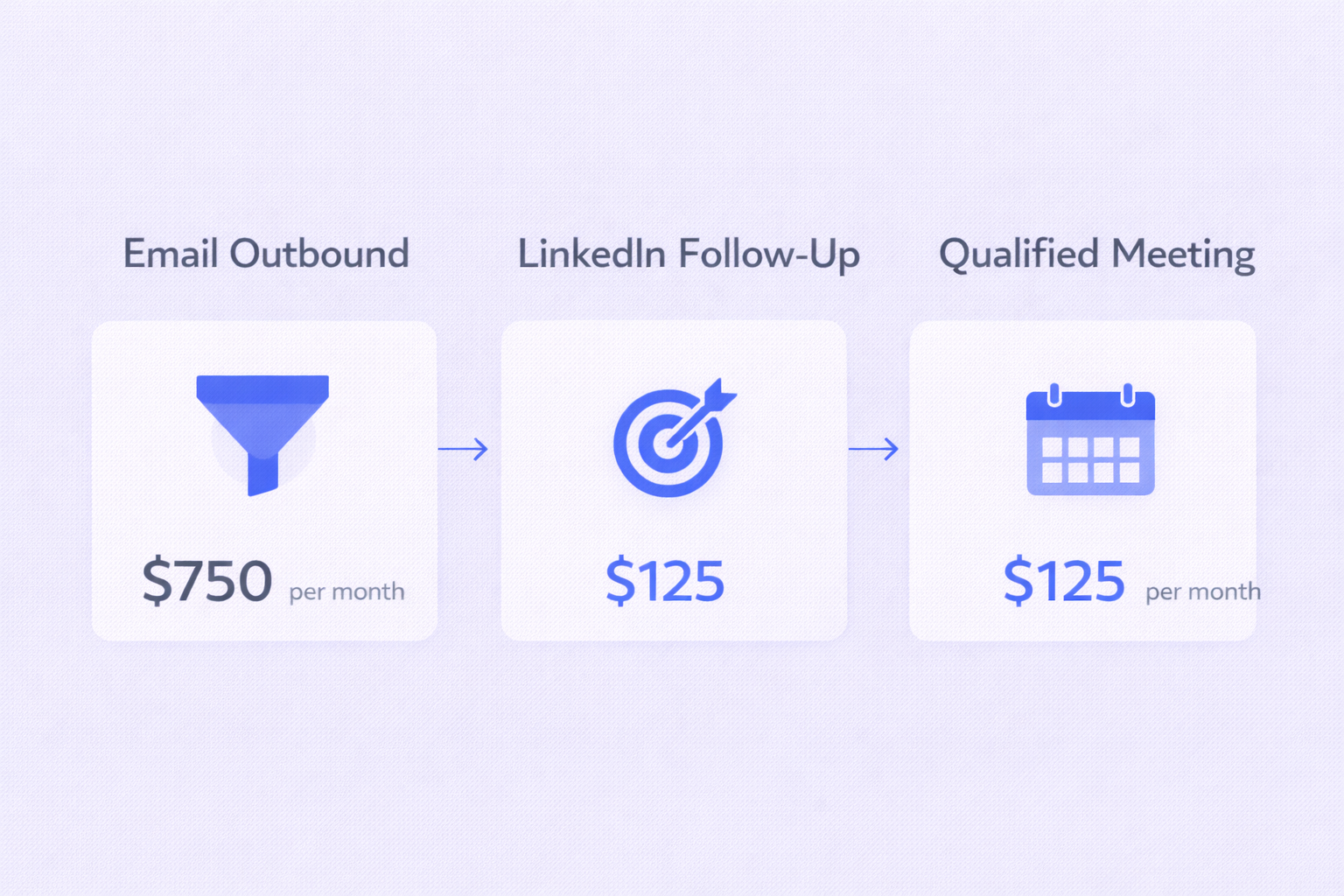
The goal isn’t vanity metrics. It’s qualified meetings. When you optimize for actual results, cold email dominates.
1. Uncapped Volume
LinkedIn caps you at 100-200 invites weekly no matter what. To reach 10,000 prospects requires 50 accounts, each needing its own tech stack and proxy.
Email flips this: A single healthy inbox safely sends 30-50 emails daily. To scale, just add more domains. You can reach 10,000 prospects per day if your market supports it.
2. Asset Ownership vs. Rented Land
With LinkedIn, you build on Microsoft’s rented land. They change rules overnight and wipe out your lead flow.
With email, you own everything:
- Your sending domains
- Your sender reputation (SPF, DKIM, DMARC)
- Your prospect data
If a domain hits deliverability issues, pause and rotate to secondary domains. No operation shutdown.
3. The Hybrid “Pincer” Strategy
The most effective approach combines both channels intelligently:
Email for Air Cover: Use cold email to touch your entire market. It’s cheap, fast, and scalable. Use it to identify hand-raisers who open, click, or reply.
LinkedIn for Sniper Shots: Once someone engages with email, use your real, authentic LinkedIn profile to connect: “Hey [Name], sent you an email about [topic]. Wanted to put a face to the name.”
You use the expensive, high-friction channel (LinkedIn) only on high-intent prospects. The cheap, low-friction channel (Email) handles volume.
This protects your personal LinkedIn from bans while maximizing reach. Learn more about effective LinkedIn automation strategies and advanced search techniques to complement your email outreach.
4. Technical Deliverability: The Moat
The barrier in email isn’t buying fake IDs—it’s technical competence:
- DNS Setup: SPF, DKIM, DMARC records prove you’re legitimate
- Warming: Automated tools build trust with Gmail/Outlook filters
- Inbox Rotation: Distribute sending across multiple inboxes so no single account triggers spam filters
This infrastructure is robust, legal, and sustainable. No hiding behind VPNs or stolen passports. Plus, you can track everything with proper inbox placement tools to ensure your emails actually land.