

Here’s a cold truth: your outreach only works if your email actually lands in the inbox.
You can spend hours writing the perfect subject line, craft a flawless pitch, and target the exact right person — and still get zero replies. Not because your message was bad, but because it never arrived.
That’s the invisible problem most people ignore. And it all comes down to one thing: your email hosting service.
In 2026, cold outreach is more competitive than ever. Nearly 9.7 billion emails are sent every day in the United States alone. With spam filters getting smarter and inbox competition getting fiercer, your infrastructure is the difference between a campaign that books meetings and one that disappears into the void.
The good news? You don’t need to be a tech wizard to get this right. This guide breaks it all down so you can make a smart decision fast — without reading another article after this one.
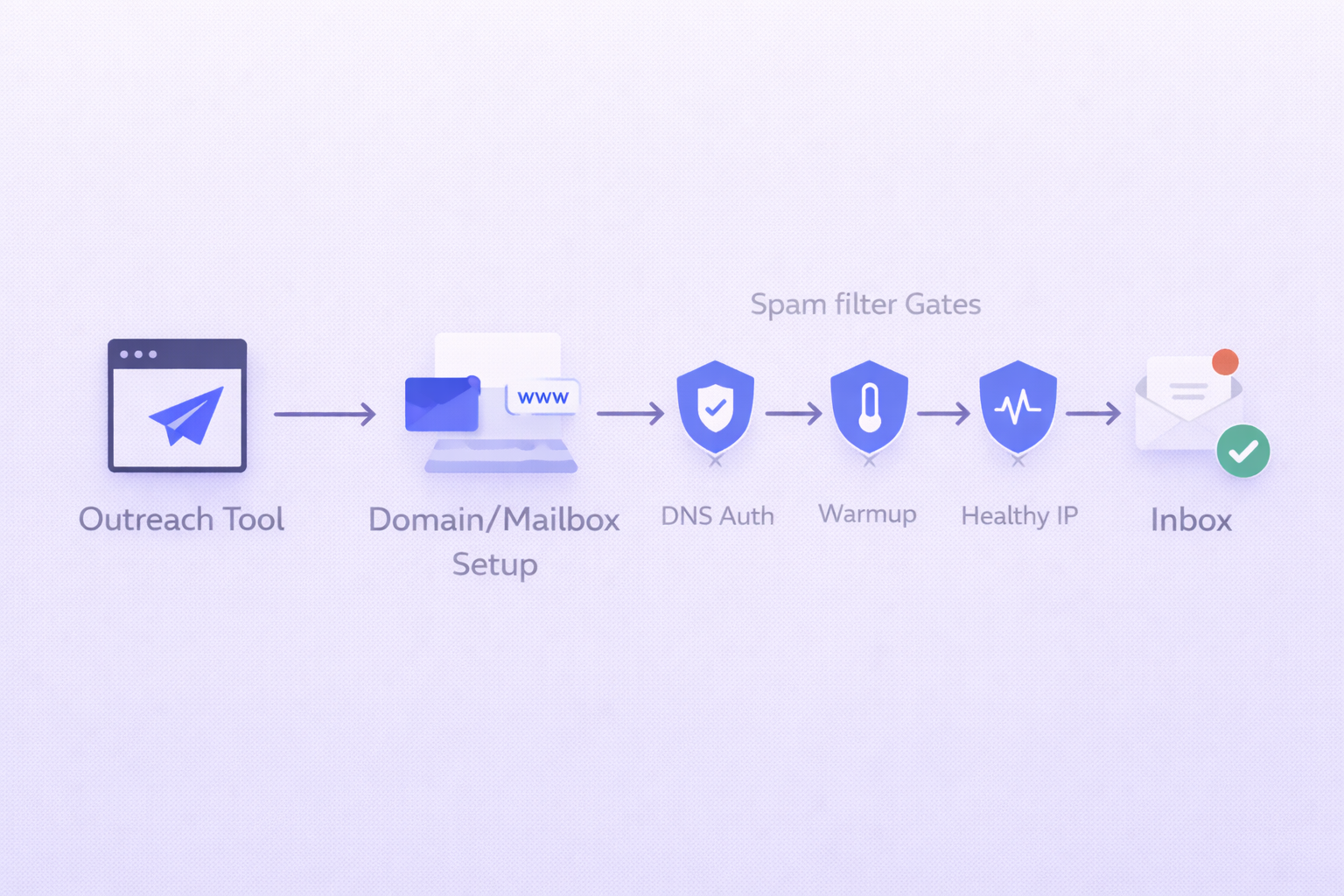
Email Hosting Services: What Actually Matters for Cold Outreach
Not all email hosting services are built the same. A service that’s perfect for sending newsletters is completely different from one built to handle cold outreach at scale.
When you’re doing outbound, you need to think about three things: deliverability, sending limits, and reputation management. Everything else is secondary.
Let’s walk through the major players and what they mean for your outreach.
Google Workspace — The Gold Standard for Inbox Placement
Google Workspace is the top choice for most outbound teams, and it’s not even close.
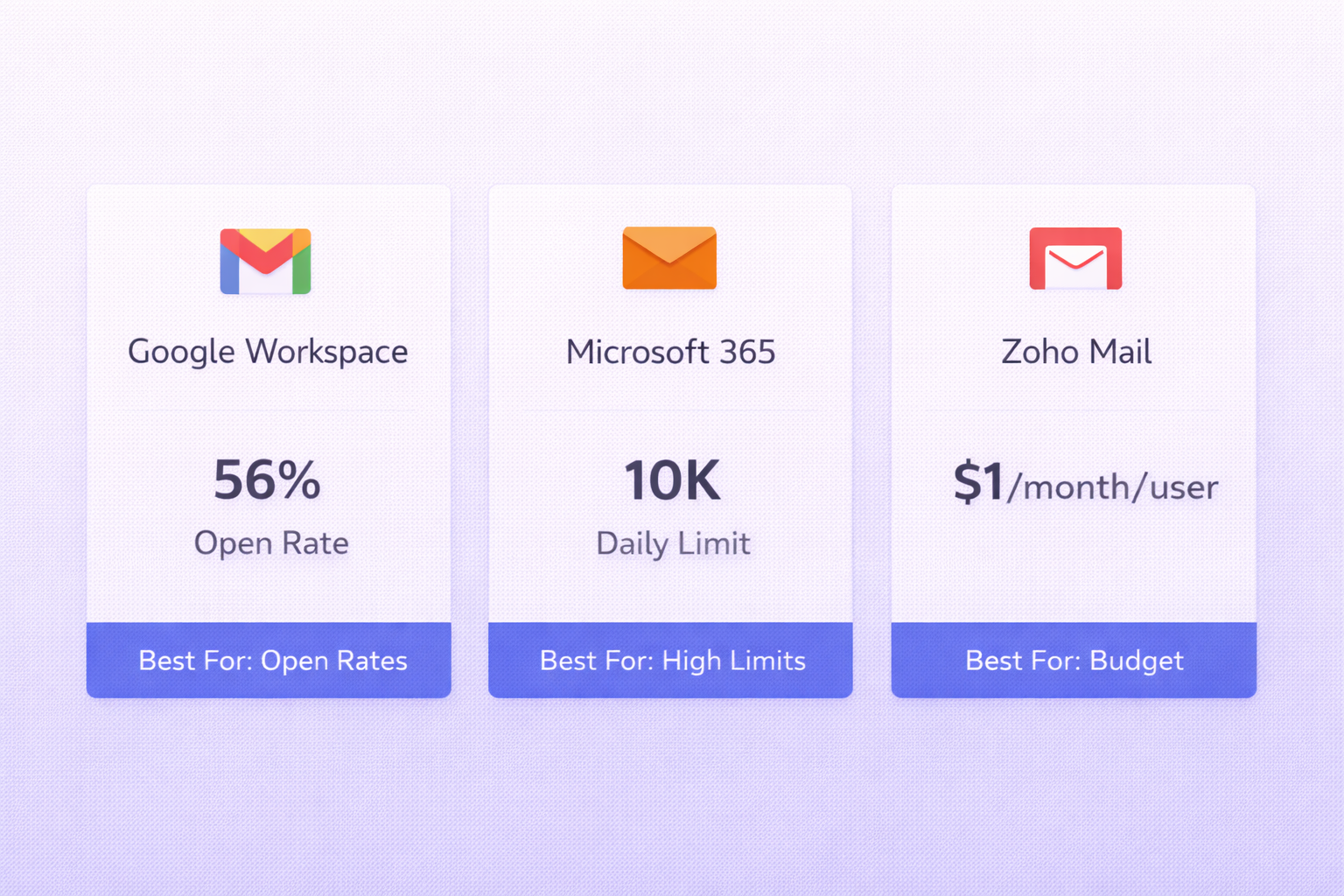
Because most prospects also use Google’s infrastructure, emails sent from these accounts are naturally trusted by receiving filters. Teams using properly configured Google Workspace accounts report average open rates of 45% — more than double the industry average of 20%. And with the right DNS setup, you can expect a consistent 93%+ inbox placement rate.
The only downside is cost at scale. But here’s a workaround most people don’t know: authorized resellers offer identical accounts for as low as $2.50 per mailbox per month — up to 60% cheaper than buying direct.
If you’re just starting out, one fresh domain with a single warmed-up Google Workspace account is all you need. Just give it 3–4 weeks of warmup before sending production emails. Learn more about proper setup in this guide on Gmail SMTP settings.
Microsoft 365 — High Volume, But Watch the Filters
Microsoft 365 is the enterprise choice — especially if you’re targeting large organizations in finance, legal, or regulated industries.
Its biggest edge is volume: up to 10,000 messages per day per inbox — far more than Google’s 2,000. Outlook-to-Outlook deliverability is also exceptional, which matters if your target accounts run on Microsoft.
The trade-off? Microsoft’s internal spam filters are more aggressive. Data shows Microsoft Outlook has a 75.6% deliverability rate compared to Google’s 87.2%. That’s a big gap when you’re running campaigns at scale.
The lesson here is that volume doesn’t equal visibility. A hundred emails that land in the inbox will always beat ten thousand that get filtered. Check your Outlook SMTP settings to make sure your configuration is airtight.
Zoho Mail — The Budget Rotation Play
Zoho Mail is probably the most underrated tool in a cold outreach stack.
It’s not going to replace Google for primary sending. But many experienced teams use Zoho as a rotation inbox — keeping Google for their main accounts and Zoho for backup. This cuts infrastructure costs by 60–70% while keeping volume healthy across multiple domains.
It supports all essential authentication protocols (SPF, DKIM, DMARC) and is perfectly solid for anyone who needs to expand their sending footprint without blowing the budget.
Quick Comparison: Top Email Hosting Providers
Provider | Best For | Daily Limit | Deliverability |
Google Workspace | All-around outreach | 2,000/inbox | 87.2% (Highest) |
Microsoft 365 | High-volume enterprise | 10,000/inbox | 75.6% |
Zoho Mail | Budget rotation | 500/inbox | Medium |
Reseller Accounts | Agency scaling | 2,000/inbox | High (lower cost) |
Specialized Cold Email Infrastructure — When You Need More Control
Once you’re sending more than a few hundred emails a day, you need to think beyond standard hosting providers.
Specialized infrastructure providers offer done-for-you setups that include automated DNS configuration and pre-warmed accounts — saving you the hours it takes to manually configure SPF, DKIM, and DMARC across dozens of domains. You can learn more about why these settings matter in this primer on email deliverability.
The key benefit of dedicated infrastructure is IP isolation. Standard multi-tenant platforms share infrastructure across thousands of users — so if one bad actor on your IP range triggers spam filters, it hurts everyone. Dedicated environments mean your reputation is determined entirely by your own practices.
Provider | Focus | Pricing | Key Advantage |
Zapmail | Microsoft & Google | $32.50/mo | Pre-warmed accounts |
Maildoso | Managed mailboxes | $100/mo (32 mailboxes) | 8 free domains included |
Inframail | Microsoft-only hosting | $99/mo unlimited | Dedicated US IPs |
Saleshandy | All-in-one suite | $25/mo base | AI-powered ESP matching |
A smart move many agencies use: Saleshandy for its flat-fee model and sender rotation, which lets a single campaign send from multiple accounts — bypassing individual provider limits while keeping a natural, human-like cadence.
2026 Cold Email Benchmarks: Where Do You Stand?
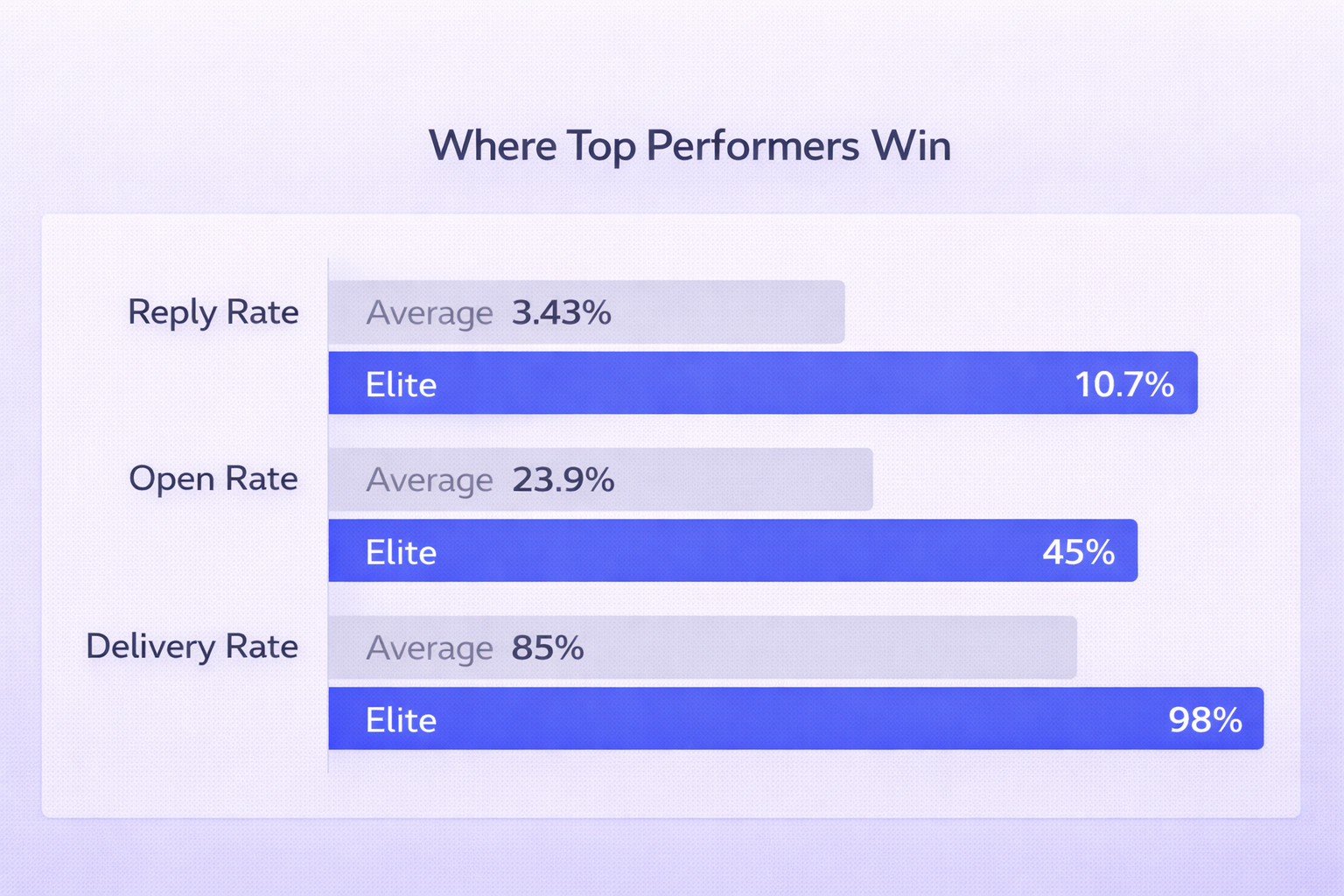
Here’s what separates average campaigns from the top 10% in 2026:
Metric | Industry Average | Top Performers (Elite) |
Reply Rate | 3.43% | 10.7%+ |
Delivery Rate | 85% | 98.16% |
Bounce Rate | 2.33% | <1.0% |
Open Rate | 23.9% | 45%+ |
Spam Complaints | <0.3% | <0.1% |
The top performers don’t get there by sending more. They get there by sending smarter — through micro-segmentation, A/B testing, and the right infrastructure. When done right, cold email marketing delivers an average ROI of 4200% — making it one of the highest-performing acquisition channels available. See how this plays out in real campaign data in our deep dive on cold email outreach ROI.
Writing Emails That Actually Get Replies
Great infrastructure gets your email in the inbox. Good copy gets it opened and replied to. The first email in any sequence carries 58% of the total reply weight — so nail this one.
Keep it under 80 words. Brevity forces clarity and signals confidence.
Personalize the subject line. Tailored subject lines boost open rates by 50% and replies by up to 140%.
Use a single binary CTA. Something like ‘Worth a quick look?’ outperforms multi-request emails every time.
Skip the links in email #1. Every link you include is a spam signal to modern filters. Save them for follow-ups.

