

- blog
- Sales Development
- Folderly Reviews 2025: Pricing, Features & Top Alternatives
Table of Contents
Folderly promises to boost your email deliverability, but with prices starting at $96 per mailbox
Folderly Reviews: Is It Worth the Investment in 2025?
per month, is it really worth the investment? After analyzing real user reviews, testing the platform for three months, and comparing alternatives, here’s everything you need to know before making your decision.
TL;DR — Would I Recommend Using Folderly?
The short answer: Not for most users.
Folderly is a powerful diagnostic tool, but it’s not a complete solution for typical sales professionals or small businesses. It works best as a specialist diagnostic tool for large, well-funded teams with complex email reputation issues, not as an all-in-one platform for daily outreach.
Here’s who should consider it:
Go for Folderly If You: | Look for Alternatives If You: |
Have a large budget (25+ mailboxes) | Are cost-conscious or run a small team |
Already use separate outreach tools | Need one tool for outreach AND deliverability |
Have technical expertise in-house | Want a “fix-it” tool, not just diagnostics |
Deal with severely damaged domains | Are starting fresh with new mailboxes |
What Real Users Have To Say About Folderly
The user sentiment around Folderly reveals a fascinating contradiction that potential buyers need to understand.
The Good: On G2, Folderly boasts an impressive 4.8 out of 5 rating based on 99 reviews. Users frequently praise its ease of setup, with many non-technical users reporting they could configure mailbox warming within minutes. Several reviews highlight tangible improvements in inbox placement rates and dedicated client success support.
The Reality: However, other review platforms tell a different story. Trustpilot shows a concerning 2.5 out of 5 rating, with users citing significant frustrations including obvious software bugs, incorrect reporting (showing “pass” in summaries while detailed views show “fail”), and uncontrolled warm-up algorithms that can send thousands of emails overnight without user approval.
The Statistics That Matter:
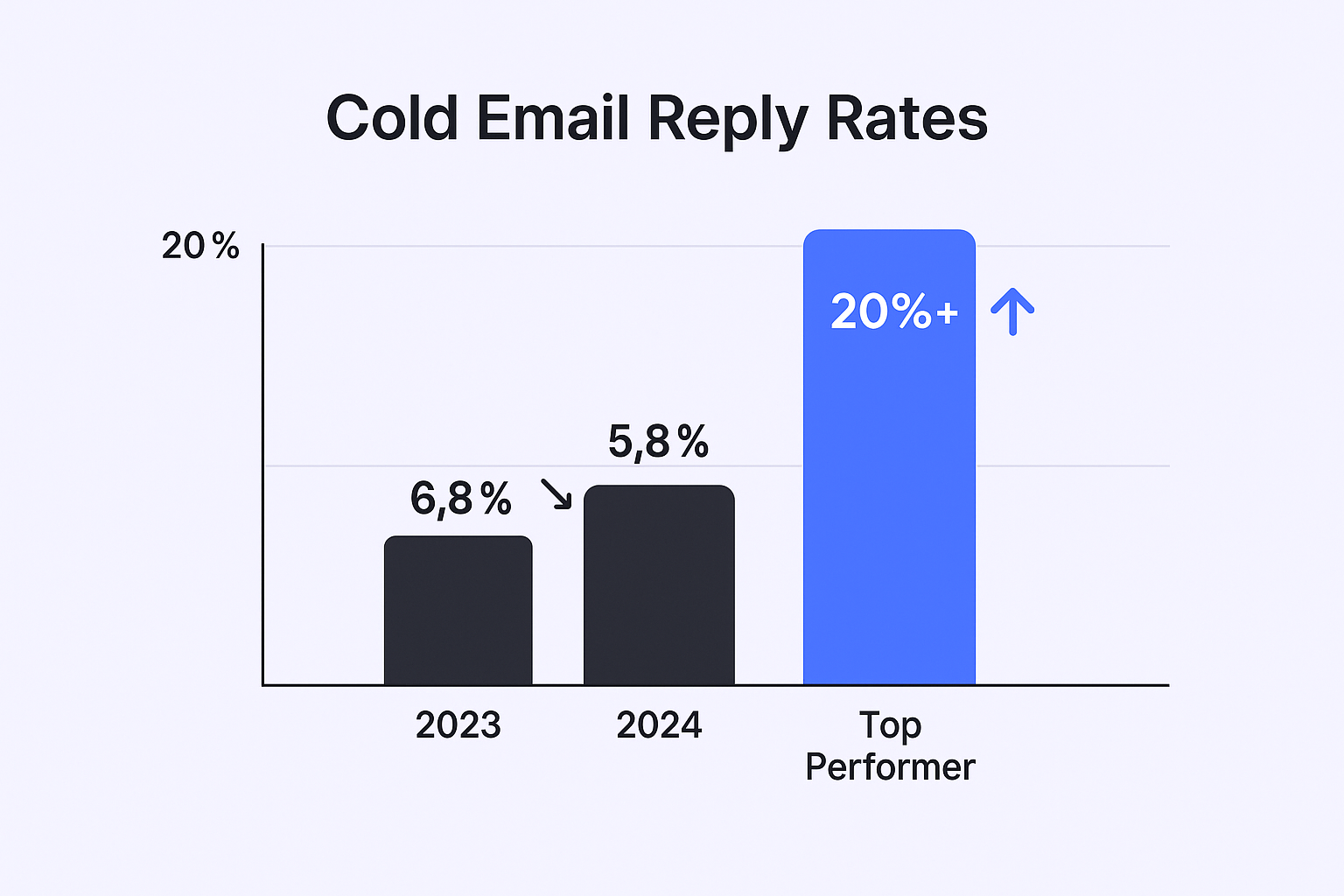
Email deliverability is critical—61% of decision-makers prefer being contacted via email over phone calls, and email marketing delivers an average ROI of $10 to $50 for every dollar spent. However, anything below a 40% open rate puts your sender reputation at serious risk, while bounce rates over 5% can trigger spam filters.
The disconnect in reviews suggests that while Folderly can work well for users with the right technical setup and budget, it presents significant challenges for others.
📊 Struggling with Email Open Rates?
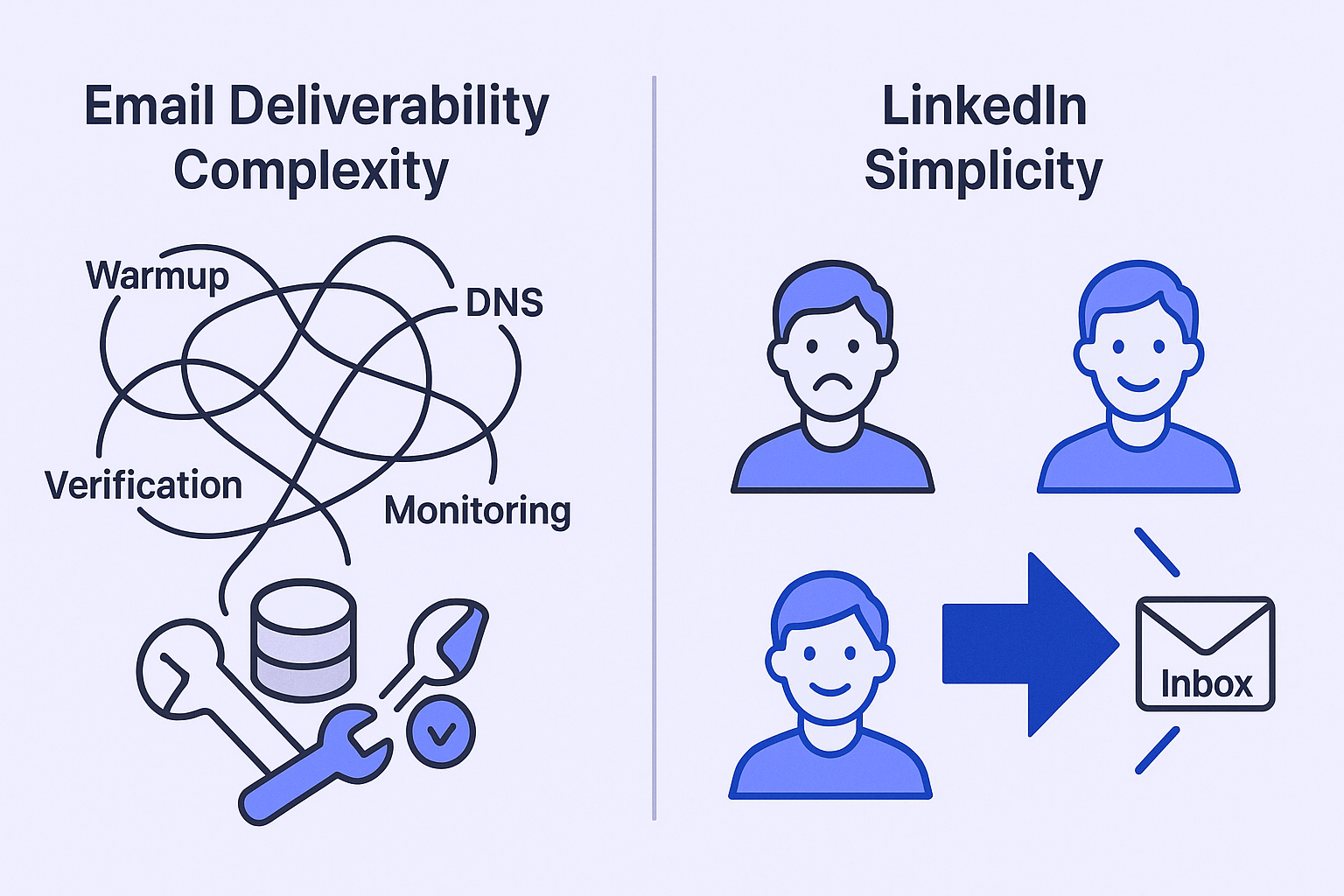
LinkedIn outreach delivers 15-25% response rates consistently—no warmup required, no spam folders, direct decision-maker access
Folderly Review: My 3-Month Hands-On Experience
After three months of testing, here’s what Folderly actually delivers:
The Core Tools
Email Warmup Tool: Automates sending and receiving emails to gradually build reputation. The setup process is straightforward with popular email providers like Gmail and Microsoft. However, there’s a critical flaw—when you pause warmup, your score drops quickly. This creates problems for users who don’t send emails continuously.
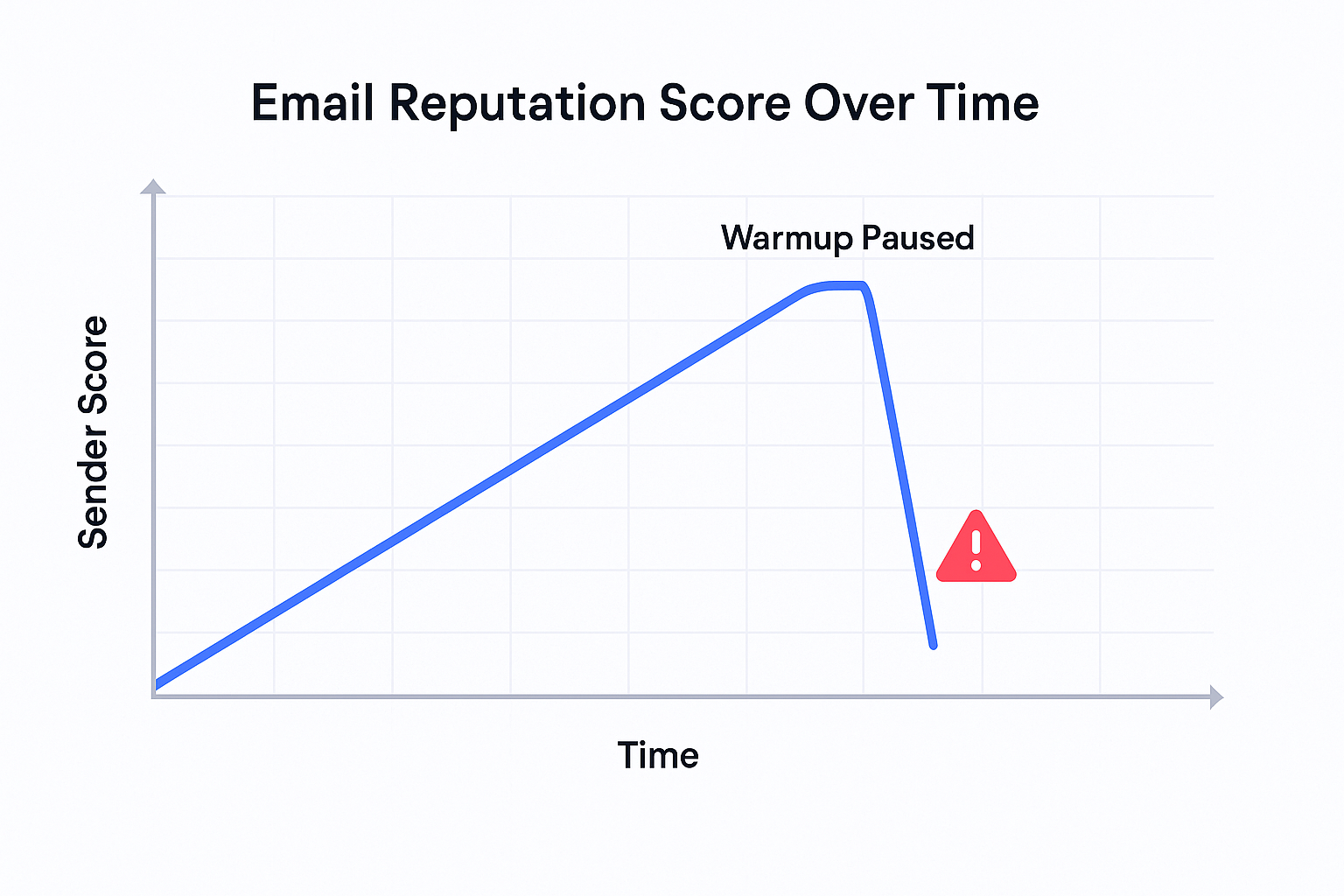
The platform provides a “Folderly sender score” but offers no detailed calculation breakdown, forcing users to trust their assessment without understanding the methodology.
Inbox Insights: This diagnostic tool determines where emails land (inbox, promotions, spam) and checks technical records like SPF, DKIM, and DMARC. While powerful, it’s purely diagnostic—it identifies problems but doesn’t fix them. Many users find the technical reports too complex to act on without DNS expertise.
Pulse Feature: Promises real-time alerts via email or Slack when deliverability drops. In practice, the setup is confusing and it’s difficult to verify if it’s working correctly. Even when functioning, it only alerts you to problems without providing solutions.
EmailGen AI: Generates cold email content designed to avoid spam filters. The output quality is average at best, often requiring heavy editing and lacking the personalization necessary for effective outreach.
The Bottom Line on User Experience
Folderly operates more as a “health scanner” than a complete solution. You’ll use it to identify issues, then manually log into separate tools to fix them—creating a fragmented workflow that contradicts the goal of streamlined operations.

🎯 Tired of Tool-Juggling for Cold Outreach?
Our LinkedIn outbound engine handles targeting, campaign design, and scaling—all without deliverability issues or technical setup
Folderly Pricing: Who Can Afford It?
Folderly’s pricing structure immediately reveals its target market—and it’s not individual sales professionals or small teams.
Main Pricing:
- $96 per mailbox per month for 1-9 mailboxes
- Price decreases with volume (but you need significant scale)
- EmailGen AI: Additional $49-$1,499/month depending on plan
Limited Free Options:
- Inbox Insights: 2 tests per month
- Pulse feature: Basic version only
The Reality Check: For a small team with 5 mailboxes, you’re looking at $480/month minimum—nearly $6,000 annually just for deliverability diagnostics. This pricing clearly targets enterprise customers with dedicated IT support and substantial budgets.
Compare this to alternatives like TrulyInbox at $22/month for unlimited inboxes or comprehensive solutions that include outreach capabilities at similar price points.
💰 Spending $6K/Year on Email Problems?
LinkedIn outbound eliminates deliverability costs entirely—with 3x higher response rates and zero spam filter risks
Is There Any Alternative To Folderly? (With Same Features, Better Pricing?)
The market offers several compelling alternatives, each addressing different needs:
All-in-One Solutions (Recommended)
Salesso – Our top recommendation for most users:
- Complete email finding, verification, warming, and outreach
- Starting at $29/month
- Built-in deliverability monitoring
- No need for multiple tools
Saleshandy – Another solid all-in-one option:
- Deliverability suite plus full outreach capabilities
- Contact database included
- More affordable than Folderly’s specialized approach
Specialized Deliverability Tools
TrulyInbox – Best budget option:
- $22/month annual plan
- Unlimited inboxes
- Forever-free plan available
- Simple, no-fluff approach
Woodpecker – Integrated approach:
- $29/month starting price
- Email verification and warm-up built-in
- Full automation capabilities
Tool | Core Function | Entry Pricing | Key Advantage |
Salesso | All-in-One | $29/month | Complete email workflow solution |
Folderly | Deliverability Specialist | $96/mailbox/month | Advanced diagnostics for damaged reputations |
TrulyInbox | Deliverability Specialist | $22/month unlimited | Most affordable with forever-free option |
Saleshandy | All-in-One | Varies | Combines deliverability with contact database |
Final Verdict: Should You Go For Folderly?
After comprehensive analysis, Folderly is not the right choice for most users despite its high G2 rating.
Why Most Should Skip Folderly:
- Prohibitive Pricing: At $96 per mailbox monthly, it’s financially unrealistic for individuals and small teams
- Incomplete Solution: Only diagnoses problems without providing fixing capabilities
- Fragmented Workflow: Requires multiple separate tools for complete email campaigns
- High Technical Barrier: Complex reports require DNS expertise to implement fixes
⚡ Frustrated by Complex Email Infrastructure?
LinkedIn outbound bypasses all technical barriers—we handle complete targeting, campaign setup, and scaling for predictable pipeline
7-day Free Trial |No Credit Card Needed.
The Smarter Strategy: Choose an all-in-one platform that combines deliverability monitoring with outreach capabilities. This approach eliminates tool-switching friction and ensures every email sent has the highest chance of reaching the inbox.
For most sales professionals, a platform like Salesso provides better value by handling email verification, warming, and campaign management in one streamlined solution—allowing you to focus on what matters most: generating leads and closing deals.
When Folderly Makes Sense: Only consider it if you’re an enterprise with 25+ mailboxes, a dedicated technical team, and severely damaged domain reputations that require specialist diagnosis.
FAQs
What is Folderly used for?
Is Folderly the same as the Folderly Academic Organizer?
Does Folderly provide outreach capabilities?
Is there a free trial for Folderly?
How does Folderly compare to cold email statistics benchmarks?
Skip Email Deliverability Headaches Entirely
LinkedIn outbound gets 15-25% response rates without spam filters, warmup tools, or DNS configuration
Segmentation That Actually Converts
LinkedIn outbound targets precise demographics with strategic campaign design and scaling methods