You’ve set up Instantly. Imported your leads. Wrote a sequence you’re actually proud of. Hit send. And then… crickets.
Sound familiar? The problem is often not your copy — it’s what’s happening before your email ever reaches an inbox. Around 17% of all cold emails never make it to the inbox due to technical filtering alone. That’s nearly 1 in 5 messages gone before anyone reads a single word.
If you want to fix that, you need to understand what’s actually happening under the hood. This guide breaks down the Instantly email infrastructure in plain English — what it’s built on, how it protects your sending reputation, and what it means for your results.
No fluff. Just the stuff that actually moves the needle on cold email deliverability.
Instantly Email Infrastructure: What You’re Actually Sending On
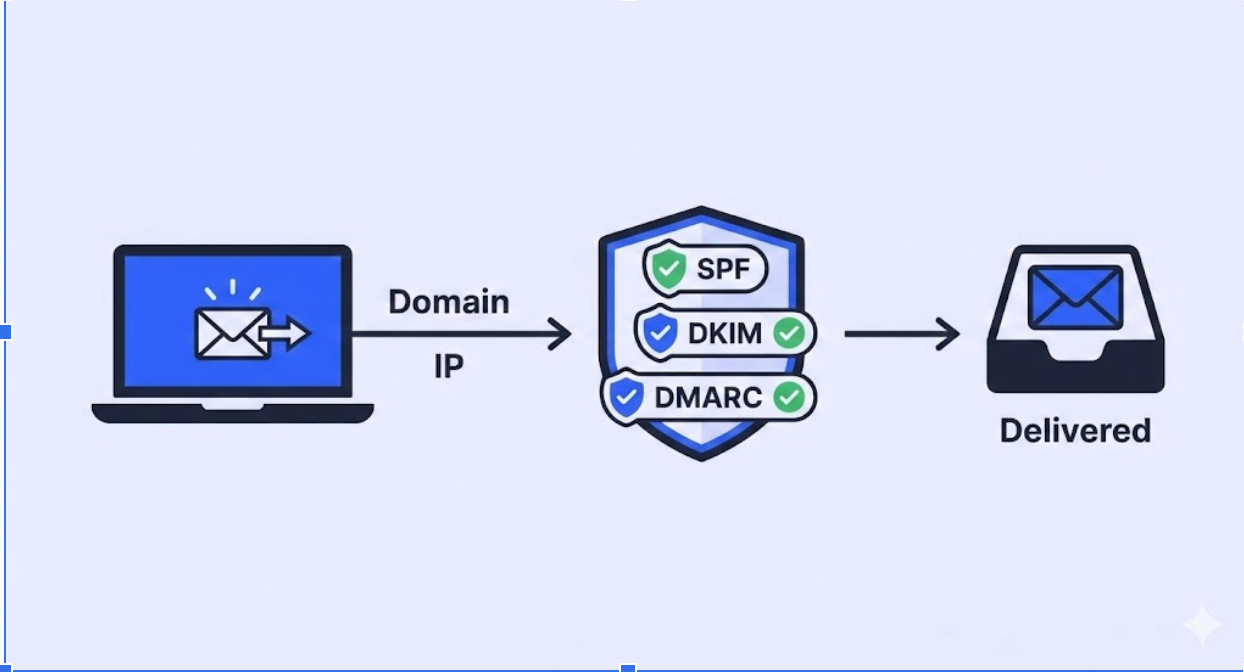
At its core, Instantly isn’t a traditional email service. It doesn’t spin up its own mail servers or run its own IP ranges. Instead, it works as an orchestration layer — it connects to your existing Google Workspace or Microsoft 365 accounts and sends from there.
This matters more than most people realize. When you send through Google or Microsoft’s infrastructure, your emails carry the weight of their high-authority IP ranges — servers that handle billions of legitimate messages daily. That trust carries over to your outreach.
The Core Protocols: SMTP and IMAP
Instantly runs on two foundational protocols. SMTP (Simple Mail Transfer Protocol) handles sending — your messages go out through your connected provider’s server, not Instantly’s. IMAP (Internet Message Access Protocol) handles receiving — it monitors replies and manages warmup interactions in real time.
This two-protocol setup is what keeps your emails looking like they came from a real person. Because technically, they did.
A rotating proxy system runs in the background to coordinate all of this at scale — spreading the administrative load across multiple network endpoints so no single provider flags your activity as bot-like traffic. This is the part most platforms skip. Instantly doesn’t.
Component | What It Does | Why It Matters |
SMTP Protocol | Sends outgoing messages via your provider’s server | Borrows Google/Microsoft IP trust |
IMAP Protocol | Monitors replies + manages warmup | Tracks engagement signals in real time |
Rotating Proxies | Coordinates sends across network endpoints | Prevents bot-traffic flags from providers |
SISR System | Shards and rotates IPs and servers | Isolates reputation events to one IP, not all |
SISR: How Instantly Protects Your Reputation at Scale
If you’re sending at volume — say, 10,000+ emails per month — reputation events are inevitable. An IP gets flagged. A domain lands on a blacklist. One bad batch tanks your deliverability.
Instantly’s SISR system (Server and IP Sharding and Rotation) is built specifically to prevent that from derailing your entire campaign.
Here’s how it works: instead of routing all your sends through one pipe, SISR shards your volume across multiple servers and IP addresses. If one IP dips in performance, the system automatically rotates in a fresh, high-reputation IP. Your campaign keeps running. Your results stay stable.
For agencies managing multiple clients, this also solves the “noisy neighbor” problem — where one client’s spammy behavior tanks infrastructure for everyone else on the same IP pool.
The DNS Foundation: SPF, DKIM, and DMARC
Before a single word of your email gets read, your domain has to pass a passport check. That passport is your DNS authentication setup — and without it, you’re invisible.
Messages with active SPF and DKIM records see a 25% increase in inbox arrival rates compared to unauthenticated mail. Google and Yahoo now mandate that bulk senders maintain spam complaint rates below 0.3% — a threshold that’s nearly impossible to hit without proper DNS configuration. Check out our guide on SMTP configuration to get this set up correctly.
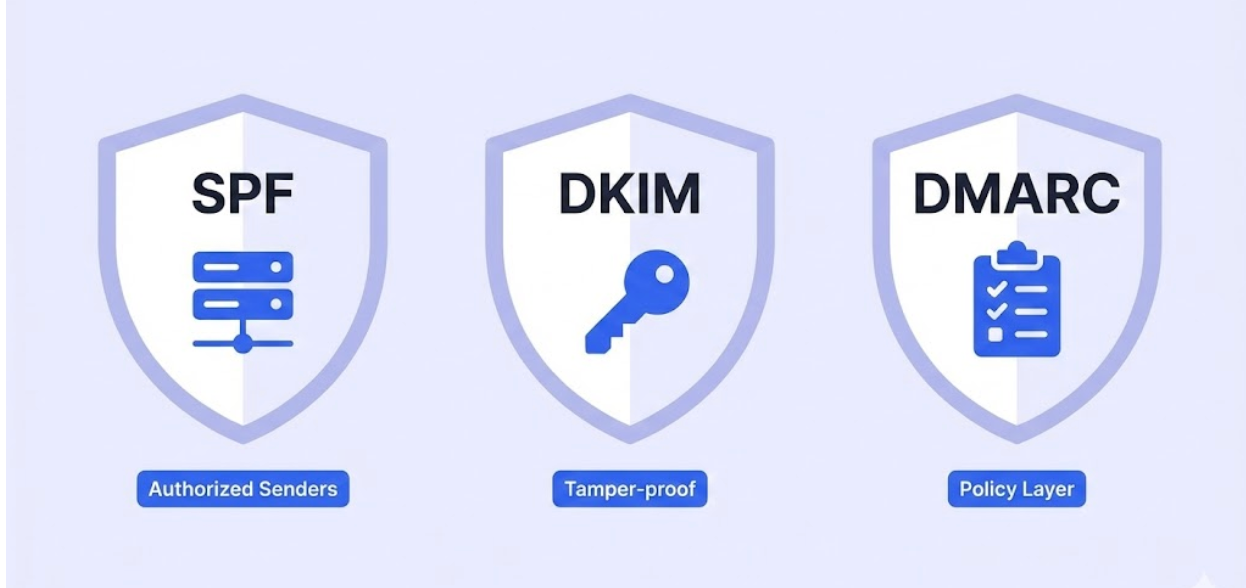
Here’s what each one does:
SPF (Sender Policy Framework): Tells receiving servers exactly which mail servers are authorized to send on behalf of your domain.
DKIM (DomainKeys Identified Mail): Adds a cryptographic signature to your emails proving they haven’t been tampered with in transit.
DMARC: The policy layer that tells servers what to do if SPF or DKIM fail. A setting of p=quarantine or p=reject is now the industry standard.
Strategic Domain Diversification: Why Your Main Domain Stays Clean
One of the most common mistakes in cold outreach? Sending from your primary business domain. If a campaign triggers a block, your company’s core email — the one your team uses every day — gets caught in the crossfire.
The smarter approach is to use secondary sending domains — separate from your main domain — for all outreach. Instantly encourages a ratio of 1 domain per 2–3 inboxes, keeping volume per domain exceptionally low. See our breakdown of email sending limits to understand why this matters.
Strategy | Implementation | Goal |
Domain Rotation | Spread sends across 5–20 domains | Prevent any single domain hitting volume triggers |
Inbox Throttling | Cap daily sends at 30–50 per inbox | Mimic human behavior; avoid provider ‘burst’ limits |
Domain Extensions | Mix .com, .io, .co extensions | Avoid pattern-based filtering |
Custom Tracking | Use unique CNAME for click/open tracking | Isolate your data from shared platform defaults |
The ROI of Getting This Right
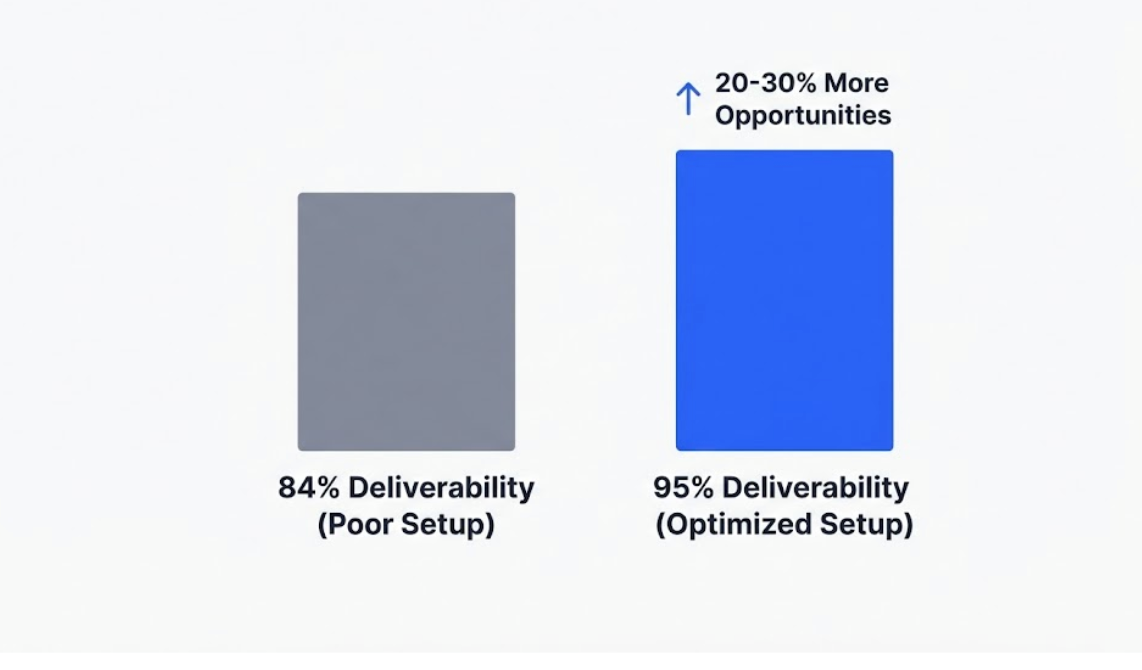
Let’s make this concrete. If you’re sending 1,000 emails and achieve a 95% deliverability rate (well-configured setup) vs. the 84% industry average for poorly configured infrastructure — that’s 110 more messages reaching real inboxes every single campaign.
On a $50,000 average deal size, a 10% improvement in inbox placement can translate to a 20–30% increase in qualified opportunities. And teams using automation for infrastructure management save an average of 12 hours per week per rep — time that goes back into actual conversations. See the full breakdown in our cold email outreach ROI guide.
By 2026, 64% of marketers have adopted AI for personalization or delivery optimization, resulting in a reported 41% increase in revenue from those campaigns. AI spam checkers, reply agents, and reputation recovery tools are no longer “nice to have” — they’re part of the baseline.