

Kondo Review: Is This LinkedIn Inbox Tool Actually Worth Your Time?
- Sophie Ricci
- Views : 28,543
Table of Contents
Let’s talk about LinkedIn chaos.
Your inbox is drowning in notifications, connection requests, and messages that might be gold—or might be complete noise. You’re spending 2+ hours daily just trying to figure out who matters and who doesn’t. Meanwhile, actual opportunities are slipping through the cracks because you can’t keep up.
Sound familiar? That’s the problem Kondo claims to solve.
This Kondo review breaks down everything you need to know about this LinkedIn DM management tool. We’ll cover what it does, who it’s for, the real pricing, and whether it actually delivers results. More importantly, we’ll show you if managing LinkedIn chaos is even the right strategy—or if there’s a smarter way to generate leads that doesn’t require managing hundreds of conversations in the first place.
Let’s dive in.
The LinkedIn Inbox Problem That’s Killing Your Pipeline
Before we get into the Kondo review, you need to understand why tools like this exist.
LinkedIn has become the primary channel for B2B connections. The data backs this up: LinkedIn outreach gets 2x higher reply rates compared to traditional email. In specialized sectors like recruiting, response rates hit 12.08% according to recent benchmarks.
But here’s the catch: success on LinkedIn creates its own nightmare.
When your outreach starts working, your inbox explodes. You’re suddenly juggling dozens of active threads, each at different stages. Sales statistics show that 80% of deals require 5+ touchpoints, yet 44% of people give up after just one attempt. The LinkedIn interface isn’t built for managing this volume—it’s designed for casual networking, not systematic sales conversations.
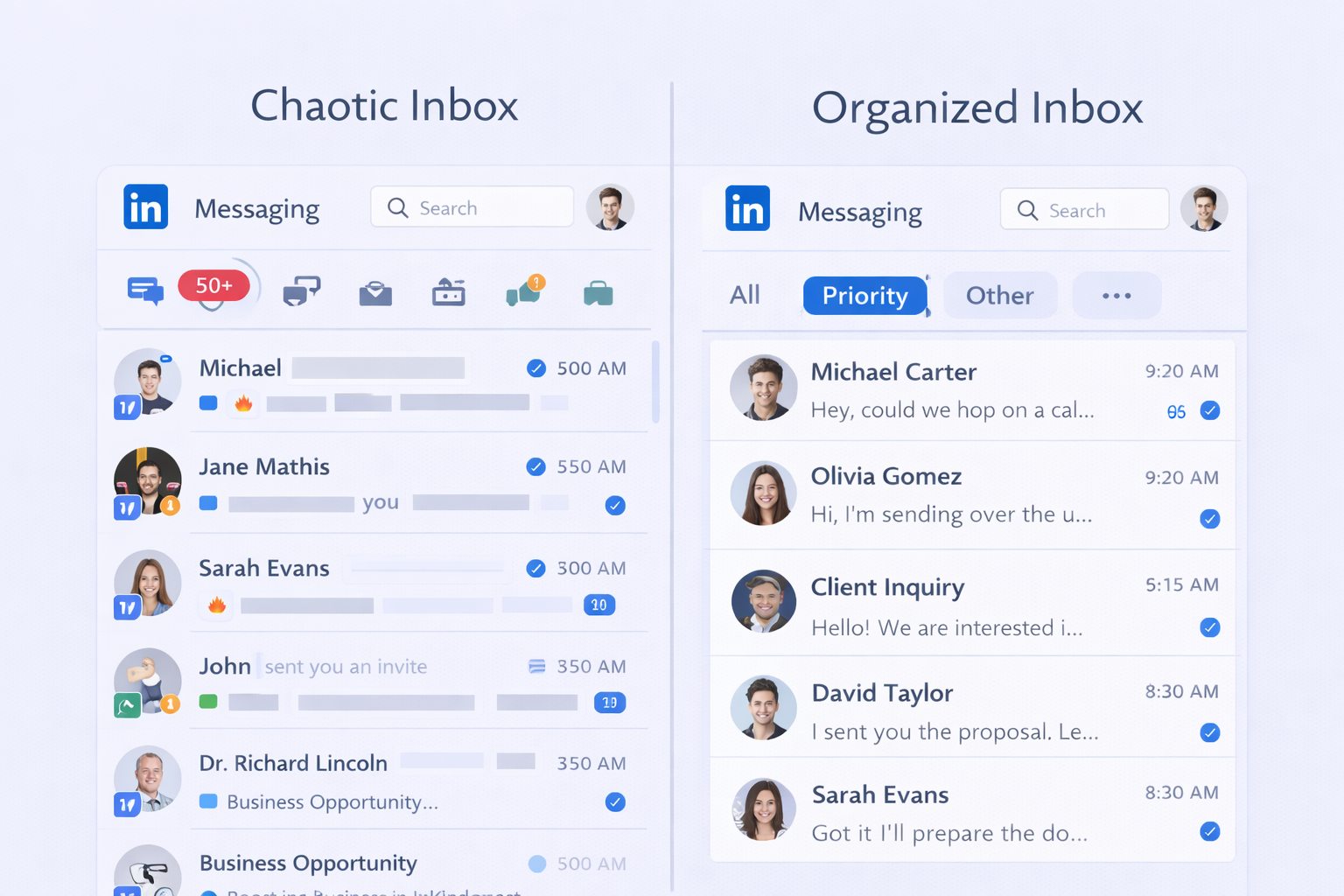
The result? Sales professionals spend 72% of their time on non-selling activities—CRM updates, inbox management, and tracking conversations. That administrative burden is where opportunities die.
📧 Drowning in LinkedIn Messages?
Stop Managing Chaos. Start Preventing It.
Get 15-25% response rates with systematic LinkedIn outbound—no inbox overwhelm required.
What Is Kondo? The “Superhuman for LinkedIn” Breakdown
Kondo positions itself as a speed layer on top of your LinkedIn inbox. Think Superhuman’s keyboard-first design applied specifically to LinkedIn DMs.
It’s not an automation tool that sends messages for you. Instead, it’s a management system that makes processing existing conversations lightning-fast. The tool runs locally in your browser, pulling messages from both your regular LinkedIn inbox and your Sales Navigator inbox (on Business tier plans).
Core Features That Actually Matter
Here’s what Kondo brings to the table:
Split Inboxes: Create custom views like “Hot Leads,” “Follow-Up Needed,” or “Waiting on Proposal.” This categorization keeps your focus where it matters instead of scrolling through everything chronologically.
Snooze & Reminders: The standout feature. Someone says “check back next month”? Snooze that conversation and it resurfaces exactly when needed. The smart part: if they reply before your reminder date, it auto-cancels so you don’t send awkward follow-ups.
Keyboard Shortcuts: Mouse-free navigation saves up to 30 minutes daily. Press “J/K” to move between messages, “E” to archive, “L” to apply labels. It’s designed for people processing high volumes.
Message Snippets: Pre-written templates with variables like {firstName} that insert instantly. Maintains personalization while cutting repetitive typing.
CRM Integration: Auto-sync conversation data to HubSpot, Salesforce, and Pipedrive. Labels applied in Kondo update your CRM in real-time.
The “Inbox Zero” philosophy drives everything. Every conversation must be archived, snoozed, or labeled—no middle ground. This forces decision-making instead of endless scrolling.
Who Actually Benefits From Kondo?
Kondo makes sense if you match this profile:
- Processing 50+ LinkedIn conversations weekly
- Running active outreach campaigns (not just reactive networking)
- Already using cold email software and need LinkedIn as a complementary channel
- Struggling with follow-up timing and missed opportunities
- Comfortable with keyboard shortcuts and workflow systems
It does not make sense if you’re:
- Just starting LinkedIn outreach with low message volume
- Looking for automation to send messages (Kondo doesn’t do this)
- Needing lead data or contact discovery (wrong tool)
- Expecting it to replace your entire outreach strategy
⚡ Still Fighting the Inbox Battle?
Smart Teams Don’t Just Manage Better—They Work Smarter.
Our complete outbound strategy fills your calendar with qualified meetings while you focus on closing.
Kondo Pricing: What You Actually Pay
Kondo’s pricing is straightforward with three tiers designed for different team sizes:
Plan | Annual Price (Monthly) | Key Features | Best For |
Basic | $24/month | Labels, snippets, reminders, keyboard shortcuts | Solo professionals, moderate volume |
Business | $32/month | Everything in Basic + Sales Navigator sync + CRM integrations | High-volume teams, active prospecting |
Enterprise | $40/month | Everything in Business + white-glove setup + VIP support | Large organizations, enterprise sales |
There’s a 14-day free trial available to test features before committing.
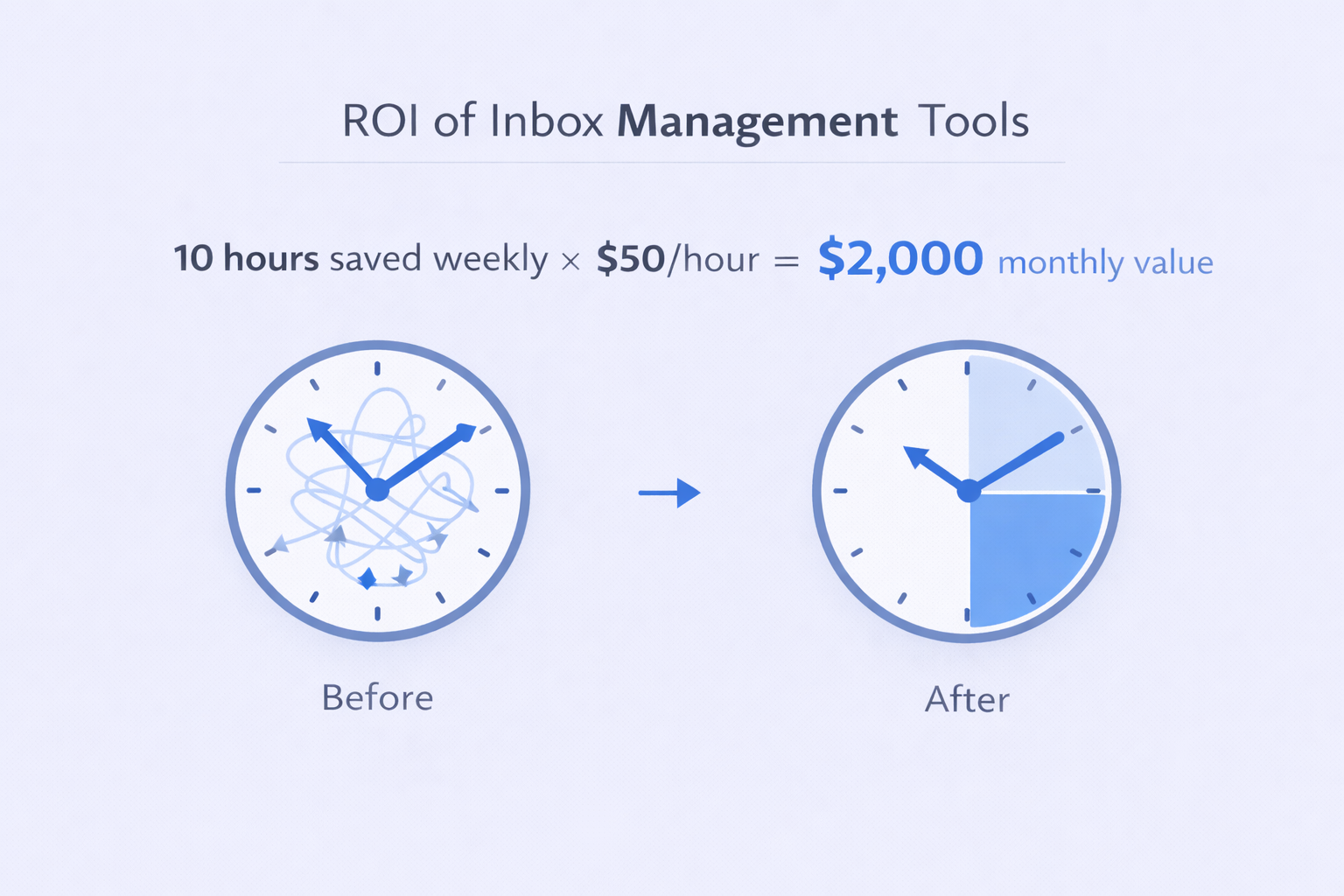
The ROI calculation is simple: if Kondo saves you 10 hours weekly on inbox management (a realistic number based on user reports), that’s 40 hours monthly. At a $50/hour value, you’re getting $2,000 in time back for a $24-40 investment.
More importantly, the psychological benefit matters. A SaaS executive reported cutting tracking time by more than half after implementing Kondo’s labeling system. When 50% of salespeople give up after one rejection, feeling “in control” of your pipeline is worth the price.
How Kondo Stacks Up Against Alternatives
To understand if Kondo is right for you, you need context on where it fits in the sales tool ecosystem.
Apollo.io ($49/month starting) focuses on lead databases with 275M+ contacts. It’s an all-in-one platform for finding leads, but LinkedIn inbox management is basic compared to Kondo’s specialized approach.
ZoomInfo (enterprise pricing $15K-$45K annually) dominates intent data and massive contact databases (420M+ contacts). But it’s designed for enterprise discovery, not inbox speed.
Woodpecker ($29/slot) excels at email deliverability and multichannel sequences combining email with LinkedIn manual tasks. It treats LinkedIn as secondary, not the core hub.
Snov.io focuses on finding and verifying contacts quickly—crucial for research phases. But once you have the contacts and start conversations, it doesn’t optimize the conversation management.
Feature | Kondo | Apollo.io | Woodpecker |
LinkedIn Inbox | Specialized/Keyboard-first | Basic | Manual task mgmt |
Primary Focus | Speed & Organization | Lead Database | Email Deliverability |
Account Safety | High (No automation) | Moderate | Moderate |
Starting Price | $24/mo annual | $49/mo | $29/slot |
Here’s the key insight: Kondo is a companion tool, not a replacement.
If you’re using email warm-up tools for deliverability or contact databases for prospecting, Kondo solves the specific bottleneck of responding to the leads those tools generate. It’s not about replacing your data provider—it’s ensuring the data you’ve paid for converts into meetings.
🎯 What If You Never Had to Manage Leads?
Skip the Inbox Gymnastics. Get Meetings Delivered.
Our targeted outreach system handles everything from research to booking—you just show up and close.
The Real Question: Should You Manage LinkedIn Better or Rethink Your Strategy?
Here’s where this Kondo review gets honest.
Kondo is excellent at what it does. The keyboard shortcuts genuinely speed up processing. The snooze feature prevents missed follow-ups. The split inboxes create focus. For someone managing LinkedIn conversations themselves, it’s a solid investment.
But there’s a bigger question: should you be managing hundreds of LinkedIn conversations in the first place?
Think about it. Every hour you spend organizing your inbox, creating snippets, and labeling conversations is an hour not spent closing deals. You’re optimizing inbox management when you could eliminate the need to manage chaos at all.
The Smarter Alternative: Systematic LinkedIn Outbound
Instead of managing LinkedIn chaos faster, what if you prevented the chaos entirely?
Professional LinkedIn outbound operates differently. Rather than juggling hundreds of cold conversations yourself, a systematic approach handles:
Precision Targeting: Identifying exact decision-makers at companies matching your ideal customer profile. No wasted outreach to people who’ll never buy.
Campaign Design: Creating message sequences tested to drive 15-25% response rates—dramatically higher than traditional email’s 1-5% average or the access exclusive features some tools promote.
Conversation Qualification: Pre-screening responses to surface only high-intent conversations worth your time. You’re not managing 100 threads—you’re taking 10 qualified meetings.
Follow-Up Systems: Automated sequences that nurture leads without the “battle droid arm” approach that gets LinkedIn accounts restricted. Professional execution keeps your account safe while maintaining consistency.
The difference is night and day. With Kondo, you’re still doing the work—just faster. With systematic outbound, qualified meetings appear on your calendar while you focus on closing.
Research shows multichannel strategies combining email, phone, and LinkedIn boost response rates 287%. But managing those channels yourself creates operational chaos. The winning move isn’t faster management—it’s strategic delegation.
When Kondo Makes Sense (And When It Doesn’t)
Use Kondo if:
- You’re committed to self-managing LinkedIn outreach long-term
- Your message volume justifies the time investment in organization
- You have processes in place for lead qualification and CRM updates
- You enjoy the tactical work of inbox management
Skip Kondo if:
- Your time is better spent closing deals than organizing conversations
- You want predictable meeting flow without operational burden
- You’d rather invest in results than tools to manage the work
- You’re looking for a complete cold email outreach ROI solution
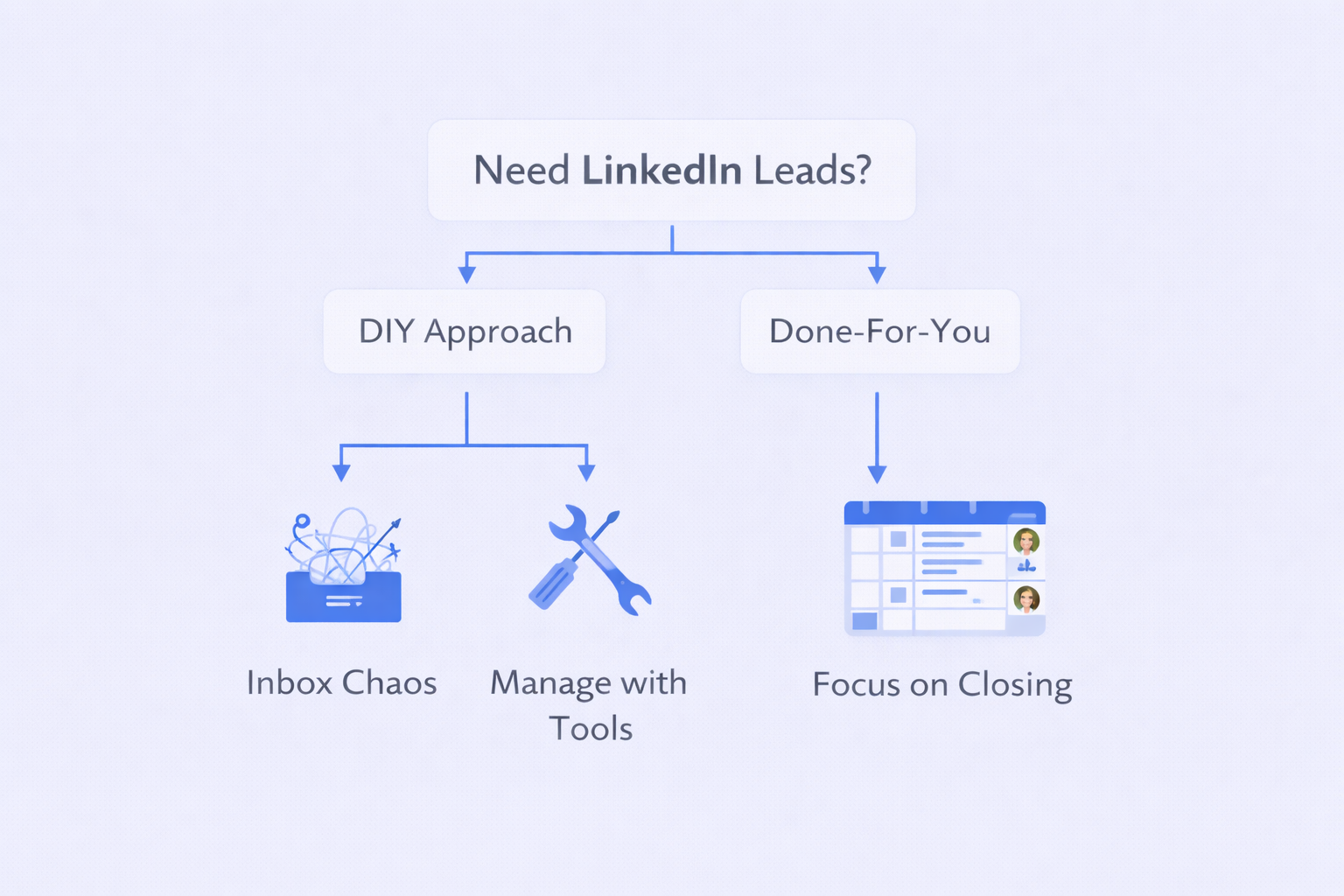
The honest truth? Most businesses hiring sales professionals want those people closing deals, not optimizing keyboards shortcuts. The ROI on a closer’s time makes inbox management a poor use of their hours.

💼 Ready to Fill Your Calendar Without the Chaos?
See How SalesSo Delivers Qualified Meetings—No Inbox Management Required. Complete targeting, proven campaigns, and scaled systems that consistently perform.
7-day Free Trial |No Credit Card Needed.
Clearing Up the Confusion: Tempura Kondo and Lykke Kondo
Before we wrap this Kondo review, let’s address a common search problem.
If you searched “tempura kondo reviews” or “lykke kondo review,” you probably found results about a Michelin-starred restaurant in Tokyo or a residential development in the Philippines. Neither has anything to do with the LinkedIn tool.
Tempura Kondo is a world-famous restaurant where deep-frying vegetables becomes art. Great for foodies, useless for your LinkedIn strategy.
Lykke Kondo is a condominium project in Pasig City featuring “Add-Loft Technology” for maximizing living space. Prices range from ₱7.5M to ₱11.8M. Again, not helping your sales pipeline.
Aspect | Kondo (Sales Tool) | Lykke Kondo (Real Estate) | Tempura Kondo (Restaurant) |
Product | LinkedIn DM Software | Residential Condos | Michelin-Star Dining |
Key Benefit | Saves 10 hrs weekly | Add-Loft living space | Exceptional tempura |
Pricing | $24-40/month | ₱7.5M-11.8M | ¥10,000+ per meal |
Target User | Sales professionals | Real estate investors | Food enthusiasts |
If you’re here for the LinkedIn tool, ignore the loft apartments and high-end tempura. The Kondo you need is the one helping you turn LinkedIn conversations into revenue.
The Future of LinkedIn Sales: Beyond Management Tools
The biggest trend in 2026 isn’t better inbox management—it’s smarter resource allocation.
LinkedIn is cracking down on automated “battle droid arm” tools that spam connection requests. Accounts get restricted. Reply rates plummet. The platform wants genuine engagement, not robotic sequences.
This creates two paths forward:
Path 1: Optimize DIY Management Invest in tools like Kondo. Master keyboard shortcuts. Build snippet libraries. Spend hours daily processing conversations. Control everything personally.
Path 2: Strategic Delegation Partner with specialists who deliver qualified meetings through proven email deliverability tools and LinkedIn strategies. Focus your time on closing deals while systematic outbound fills your calendar.
Neither path is “wrong”—they serve different business models.
If you’re a solo founder building personal brand and enjoy the grind of prospecting, Path 1 makes sense. Tools like Kondo genuinely help.
If you’re scaling a business where every hour of sales time directly impacts revenue, Path 2 delivers better ROI. Your closers close. Specialists handle the pipeline.
The data supports Path 2 for most businesses. When 80% of B2B leads originate from cold outreach, having specialists optimize that channel produces better results than asking closers to also become inbox management experts.
Conclusion: The Kondo Review Bottom Line
Kondo delivers on its promise. It makes LinkedIn inbox management significantly faster through keyboard shortcuts, smart snoozing, and organizational features. For someone committed to self-managing high-volume LinkedIn outreach, the $24-40 monthly investment makes sense.
The pricing is reasonable. The features work as advertised. The “Inbox Zero” workflow does reduce stress and prevent missed opportunities. User reports of saving 10+ hours weekly are credible.
But here’s the strategic question this Kondo review leaves you with: is faster inbox management your real goal, or is it more meetings and closed deals?
If managing LinkedIn conversations yourself is essential to your business model, Kondo is a solid choice. If your time is better spent elsewhere, investing in systematic outbound that delivers qualified meetings might be smarter.
The best sales teams in 2026 aren’t just managing better—they’re working smarter. They’re asking whether handling operational complexity themselves serves their business or just creates busywork.
Your LinkedIn inbox will never stop being chaotic as long as you’re running active outreach. The question isn’t whether to manage it faster—it’s whether to build a system that reduces the management burden entirely.
Choose the path that serves your revenue goals, not just your inbox organization.
FAQs
What does Kondo do for LinkedIn conversations?
Does Kondo automate LinkedIn messaging?
Can I sync LinkedIn conversations to my CRM?
How much does Kondo cost?
How does Kondo prevent lost leads?
We deliver 100–400+ qualified appointments in a year through tailored omnichannel strategies
- blog
- Cold Emailing
- Kondo Review: LinkedIn DM Tool Worth It? [2026 Analysis]