
You’re looking at a prospect’s profile. They’re a perfect fit. But you’re stuck on one question:
“Do I send a message or an InMail?”
Wrong choice and your outreach gets ignored. Right choice and you’re booking a call by tomorrow morning. This guide breaks it down so you can decide in seconds — no fluff, no filler.
The Quick Answer (TL;DR)
Use LinkedIn Messages when you’re already connected. Use LinkedIn InMail when you’re not — and you need to reach them anyway.
That’s the core of it. But the nuance matters a lot when your reply rates and pipeline are on the line. So let’s dig in.
What Is a LinkedIn Message?
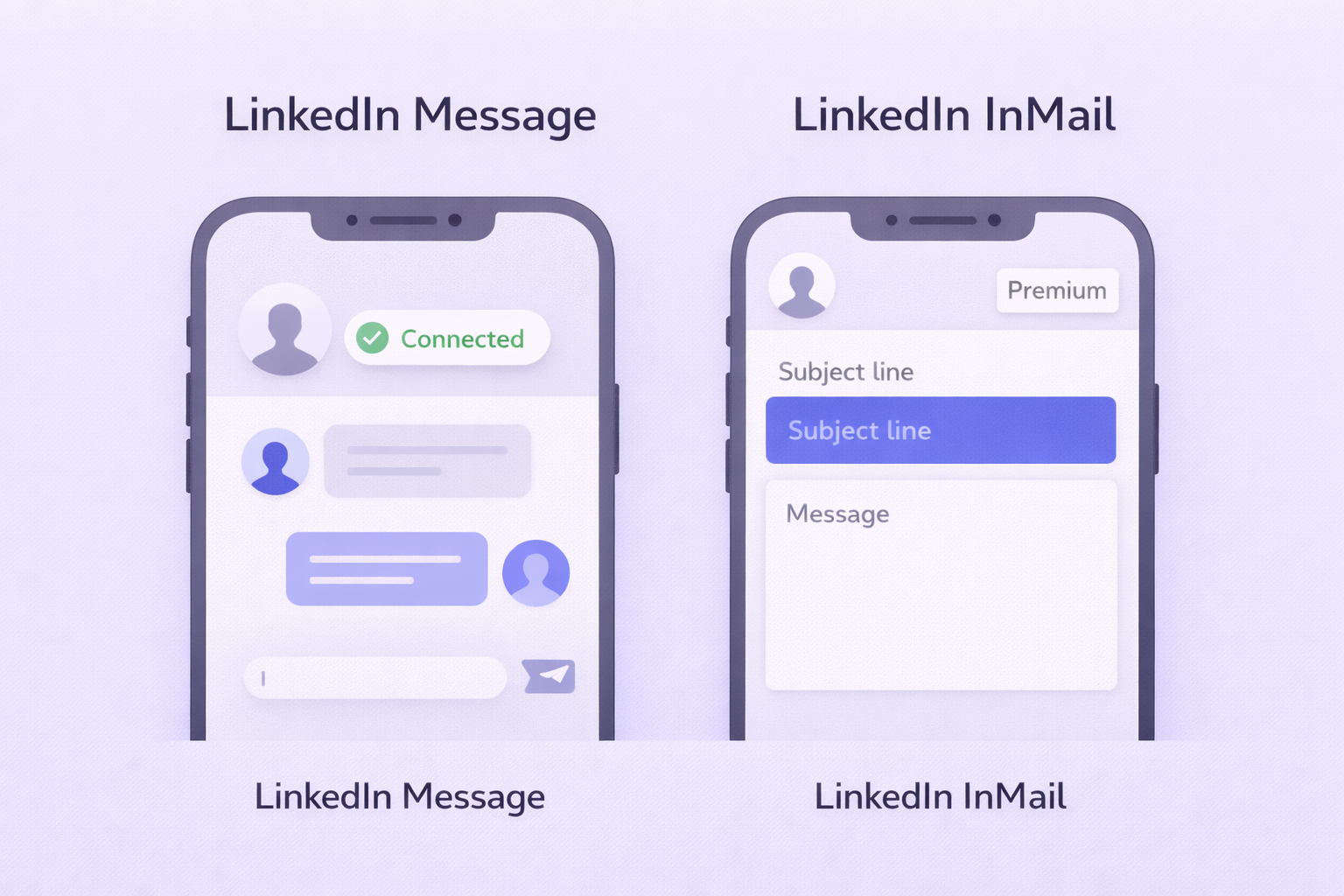
A standard LinkedIn message works like a text chat. Once someone accepts your connection request, you can send them unlimited free messages — up to 8,000 characters per message.
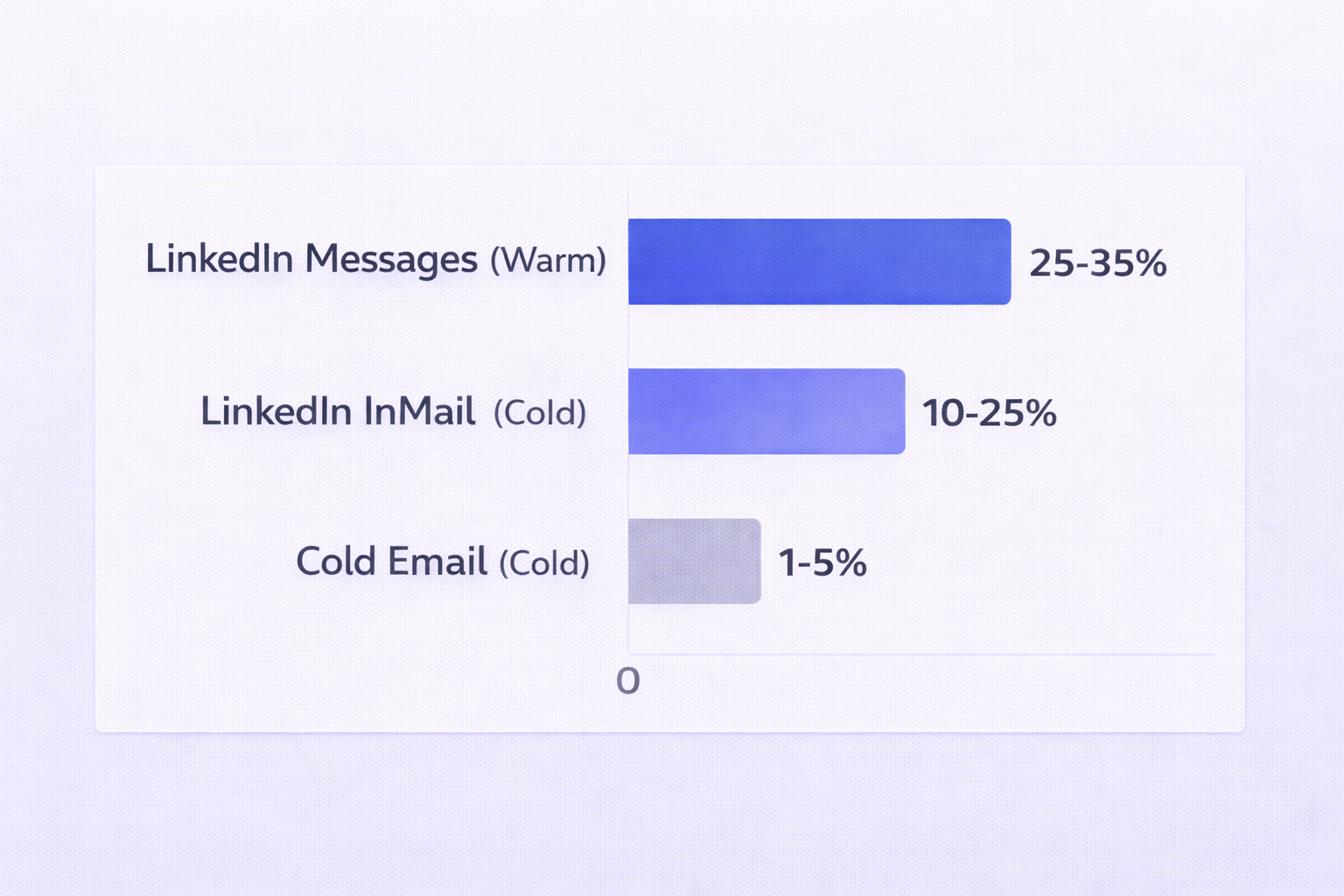
They’re fast, conversational, and great for building rapport. Think of them as your warm-lead channel. The open rate on LinkedIn messages hovers between 85–95%, and reply rates for warm contacts sit at 25–35%.
The downside? You can only reach 1st-degree connections. If someone hasn’t accepted your request yet, messages aren’t an option.
What Is LinkedIn InMail?
LinkedIn InMail is a paid feature that lets you message anyone — even people you’re not connected to. It bypasses the connection request step entirely and lands directly in their primary inbox, triggering email and mobile push notifications.
InMail also gives you something standard messages don’t: a subject line (up to 200 characters). That makes it feel more like email — and it commands attention accordingly.
The catch: InMail uses premium credits. Sales Navigator Core accounts get 50 credits per month. Credits roll over for up to 90 days, capped at 3x your monthly limit.
Here’s the good news though — if your prospect replies (even with a “no thanks”), you get the credit back. So a 20–25% reply rate can stretch 50 credits into 60–70 effective sends per month.
Side-by-Side Comparison
Feature | LinkedIn Message | LinkedIn InMail | Cold Email |
Connection Req. | 1st-degree only | Not required | Not required |
Cost | Free | Paid credits | Low cost |
Subject Line | No | Yes (200 chars) | Yes |
Body Limit | 8,000 chars | 1,900 chars | Unlimited |
Avg Reply Rate | 25–35% | 10–25% | 1–5% |
Time to Reply | < 12 hours | 24–48 hours | 2–4 days |
Best Use | Warm nurturing | Cold outreach | Scale outreach |
Response Rates: The Numbers That Matter
Let’s talk about what most people miss: InMail has higher visibility, but messages close faster.
The reason? By the time someone accepts your connection request, there’s already a base level of trust. Warm messages move quickly. InMails have to build that trust from scratch — but they do it in a high-visibility environment.
Metric | LinkedIn Message (Warm) | LinkedIn InMail (Cold) | Cold Email (Cold) |
Avg Open Rate | 85–95% | 57–85% | 27–28% |
Avg Reply Rate | 25–35% | 10–25% | 1–5% |
Best-in-Class Reply | 40–50%+ | 35–40% | 10–15% |
Time to First Reply | < 12 hours | 24–48 hours | 2–4 days |
One more stat worth noting: LinkedIn outreach gets a 5x to 8x higher response rate compared to cold email. When a prospect gets your LinkedIn InMail, they can instantly check your profile, mutual connections, and work history. That transparency builds trust fast.
The Credit Economy: Is InMail Worth It?
At roughly $2 per credit, InMail feels expensive. But look at it through a different lens.
If you’re targeting a C-suite executive at a mid-market company, a $2 investment to bypass the gatekeeper and land directly in their inbox often beats weeks of cold calling and email follow-up. The effective cost per engagement is lower than email for high-value segments — especially when you account for the refund policy.
Use LinkedIn Sales Navigator to filter for “Open Profiles” — LinkedIn Premium users who’ve enabled free InMails. Prioritizing these prospects lets you save your paid credits for the hardest-to-reach targets.
When to Use Each (Decision Framework)
Use LinkedIn Messages When:
✓ You’re already connected and want to nurture the relationship
✓ You’re following up after a discovery call or demo
✓ You want to share a case study, article, or resource
✓ You need a quick answer to a question — messages feel less formal
✓ You’re managing multiple stakeholders in a single account
Use LinkedIn InMail When:
✓ Your connection request hasn’t been accepted after 5–7 days
✓ You’re reaching a senior executive who rarely connects with strangers
✓ You have a time-sensitive, high-relevance reason to reach out now
✓ You want maximum inbox visibility (InMail triggers email + mobile push)
✓ You’re doing targeted outreach on a tight, high-value prospect list
How to Write Messages That Actually Get Replies
Regardless of which channel you pick, the same writing rules apply. And the most important one: keep it short.
Messages under 400 characters get a 22% higher response rate than longer ones. Over 80% of LinkedIn is consumed on mobile — if your message requires scrolling, most people won’t bother.
Here’s the four-line structure that consistently outperforms everything else:
- The Hook: One personalized sentence referencing their recent post, company news, or mutual connection.
- The Context: Why you’re reaching out right now and what specific problem you solve.
- The Value: One sentence focused on their outcome — not your product’s features.
- The Ask: A low-friction CTA: “Open to a quick chat?” or “Is this a priority for Q3?”
Reps who use this structure see dramatically better results than those who open with a long company intro or feature dump. Check out our guide on LinkedIn cold messaging for more copy frameworks that work.
Timing: When to Hit Send
The “when” matters almost as much as the “what.” Behavioral data from millions of LinkedIn interactions shows a clear pattern:
Tuesday is the best day for reply rates (6.90%), followed closely by Thursday (6.85%).
- Tuesday 8–10 AM: Professionals have cleared their Monday backlog and are focused.
- 2–4 PM: A natural break from meetings when people check their feeds.
- 5–6 PM: Busy executives catching up during their commute.
Avoid Mondays (message buried under weekend catch-up) and Fridays (mentally already off).
The Multichannel Advantage
The highest-performing outreach doesn’t rely on one channel. It combines LinkedIn with email to create a familiarity loop.
When a prospect sees your profile view, then your connection request, then a cold email a few days later — you’re no longer a stranger. You’re a familiar name. That shift alone can double your reply rates.
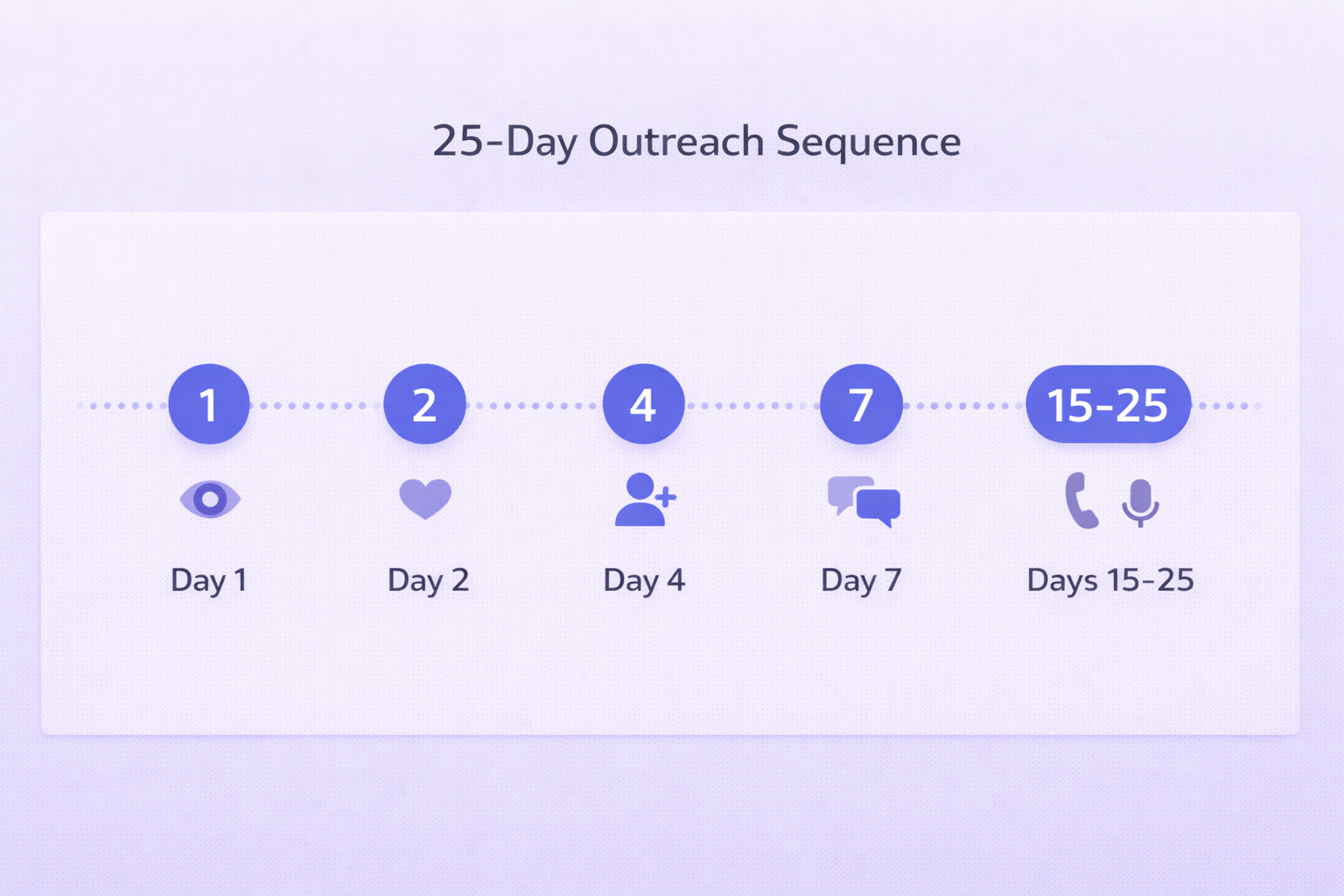
A proven 25-day sequence looks like this:
- Day 1: Visit their profile and follow their activity
- Day 2: Like or comment on a recent post
- Day 4: Send a personalized connection request
- Day 7: Message if connected / InMail if not
- Day 10: First cold email, referencing the LinkedIn context
- Day 15–25: Mix of LinkedIn voice notes, additional emails, and a break-up message
Want to automate this without getting flagged? See how LinkedIn message automation tools can run these sequences safely.
What About AI?
Is AI good for writing LinkedIn outreach? Yes — with guardrails.
Data from 2025 shows 56% of sales professionals use AI daily, and those individuals are 3.7x more likely to hit quota than those who don’t. AI is excellent for researching prospects, drafting personalized hooks from their recent posts, and identifying the optimal send time.
The best approach: use AI to do the heavy lifting on research and first drafts, then add your human layer to ensure tone and accuracy. AI that goes unchecked can produce messages that feel robotic — the opposite of what you need on LinkedIn.
Check out our guide on sales prospecting to see how AI fits into a modern outbound system.

