
LinkedIn Sales Navigator API: Complete Access Guide
- Sophie Ricci
- Views : 28,543
Table of Contents
professionals looking to automate their prospecting workflows. But here’s the thing—accessing it isn’t as simple as getting an API key and running scripts.
LinkedIn doesn’t offer a public API for Sales Navigator like most software platforms do. Instead, there are two very different paths you can take, each with its own set of rules, risks, and rewards.
🎯 Or Skip The API Hunt Entirely
Our LinkedIn outbound delivers 15-25% response rates with zero API complexity, account risks, or technical setup required.
Let’s break down everything you need to know.
What Is The LinkedIn Sales Navigator API?
The LinkedIn Sales Navigator API refers to programmatic ways of accessing Sales Navigator’s data and functionality. However, this term actually covers two completely different systems:
The official route: Sales Navigator Application Platform (SNAP) – a gated, partner-only program available exclusively to approved vendors like major CRM providers.
The unofficial route: Reverse-engineered private APIs that developers use through Python wrappers and scraping tools.
LinkedIn uses its Sales Navigator platform as a premium B2B intelligence tool. With over 1 billion members across 200 countries, LinkedIn dominates professional networking. In fact, 89% of B2B marketers use LinkedIn for lead generation, and 40% identify it as the most effective channel for driving high-quality leads.
The platform offers 50+ advanced search filters including job function, seniority, years at company, and technology stack. This makes it incredibly valuable for data enrichment and building targeted prospect lists.
How To Access LinkedIn Sales Navigator API
There are three main ways to access Sales Navigator data programmatically, each with different levels of complexity and risk.
The Official SNAP Integration (Partner Access)
SNAP (Sales Navigator Application Platform) is LinkedIn’s official API program. However, it’s exclusively available to approved vendors—primarily large CRM providers like Salesforce, HubSpot, and Microsoft Dynamics 365.
Important: As of August 2025, LinkedIn has paused accepting new SNAP partner applications indefinitely. There’s no public timeline for when applications will reopen.
If you’re an end user (not a vendor), you can still access official integration features through:
- Sales Navigator Advanced Plus plan with built-in CRM sync capabilities
- Pre-approved partner applications already integrated with Sales Navigator
The official route offers three service families:
Display Services: Embed Sales Navigator features directly into your CRM interface, showing profile panes, Account IQ, and relationship maps without leaving your workflow.
Sync Services: Automatically link CRM contacts to LinkedIn profiles and validate data. This service flags “no longer at company” status changes, maintaining clean records.
Analytics Services: Export Sales Navigator data for business intelligence tools like Tableau or Power BI through scheduled batch jobs.
Third-Party Scraping Tools
For teams that can’t access SNAP, commercial scraping tools offer a middle-ground solution. Popular options include:
- Evaboot – Browser-based lead list exporter
- Waalaxy – Automated prospecting workflows
- PhantomBuster – Cloud-based scraping automation
- Prospeo – Contact finder with CSV export
These tools handle the technical complexity and attempt to mitigate detection risks by managing request patterns and delays.
Python Wrappers and Custom Scripts
Some developers build custom solutions using Python libraries that connect directly to LinkedIn’s internal endpoints. The LinkdAPI wrapper and similar tools claim faster, more stable connections than traditional HTML scraping.
Critical warning: This approach carries extreme compliance risk. LinkedIn’s Terms of Service explicitly prohibit unauthorized automation and scraping.
Authenticating With LinkedIn Sales Navigator API
Authentication varies dramatically based on your access method.
Official SNAP Authentication
SNAP partners authenticate using OAuth 2.0 with application-specific credentials. Each application receives:
- Daily application limits (total API calls the app can make)
- Daily member limits (total calls a single user can make)
- Both limits reset at midnight UTC
Unofficial Method Authentication
Unofficial tools typically use one of these authentication methods:
Cookie-based authentication: Logging into LinkedIn through a browser, extracting session cookies, and using them in automated scripts.
Third-party API keys: Some commercial tools provide their own API keys that connect to their scraping infrastructure.
Credential pass-through: Directly providing your LinkedIn username and password to the tool (highest risk).
Pulling Data From LinkedIn Sales Navigator API
The data you can access depends entirely on your method.
Data Available Through Official SNAP
Profile Information:
- Current job title and company
- Profile photo and LinkedIn URL
- Employment history
- Connection degree
Account Intelligence:
- Company size and industry
- Recent news and updates
- Organizational charts
- Buying committee members
Real-Time Alerts:
- Job change notifications
- Company news mentions
- Content engagement signals
- Shared activity from team members
Data Available Through Unofficial Methods
Unofficial tools can extract similar data points, but with important caveats:
- Email addresses are rarely included (most professionals don’t display them publicly)
- Phone numbers are even less common
- Accuracy varies depending on profile completeness
- Volume is limited by detection algorithms
A typical extraction workflow looks like this:
- Define search criteria using Sales Navigator’s advanced filters
- Execute the search (either through browser automation or API calls)
- Iterate through results, extracting profile data
- Export to CSV or directly into your CRM
For complete contact information, most teams combine Sales Navigator data with specialized contact data providers like ZoomInfo or Cognism.
Key Features Of LinkedIn Sales Navigator API
Understanding the strategic value of Sales Navigator helps clarify why programmatic access is so sought after.
Advanced Filtering Capabilities
Sales Navigator offers over 50 granular filters that go far beyond basic LinkedIn search:
- Job function and seniority level
- Company size, industry, and growth stage
- Years in current role or at company
- Technology stack and tools used
- Geographic location and time zones
- Education and degrees
This level of targeting is unmatched by most B2B lead generation platforms.
Real-Time Professional Signals
The most valuable feature isn’t the data itself—it’s the timing signals:
Job change alerts notify you when prospects switch companies, creating perfect outreach moments. Research shows job change outreach generates significantly higher response rates than cold prospecting.
Content engagement alerts show when prospects interact with your company’s content, indicating existing awareness and interest.
News mentions highlight when target accounts experience funding rounds, acquisitions, or major announcements.
CRM Integration and Data Validation
For official SNAP users, automatic CRM synchronization solves the persistent challenge of data decay. Contact records are automatically updated when:
- Employees leave companies
- People change roles internally
- Profile information is updated
- Companies are acquired or rebranded
This automated validation is particularly valuable given that B2B contact data decays at approximately 25-30% annually.
Team Collaboration Features
Sales Navigator includes collaboration tools that become more powerful with API access:
- Shared lead and account lists
- Team notes and tags
- Activity tracking across team members
- Automated lead assignment workflows
Common Challenges Using LinkedIn Sales Navigator API
Let’s talk about the real obstacles you’ll face, regardless of which access method you choose.
The Gatekeeper Problem (Official Access)
The biggest challenge with SNAP is simply getting in. With applications currently paused, most organizations are completely locked out of official API access.
Even if applications reopen, LinkedIn evaluates:
- Your existing customer overlap with Sales Navigator users
- Product roadmap and use case
- Technical infrastructure and security practices
- Legal and compliance frameworks
This makes SNAP access practically impossible for small to mid-sized tech companies and internal development teams.
Account Restriction Risk (Unofficial Methods)
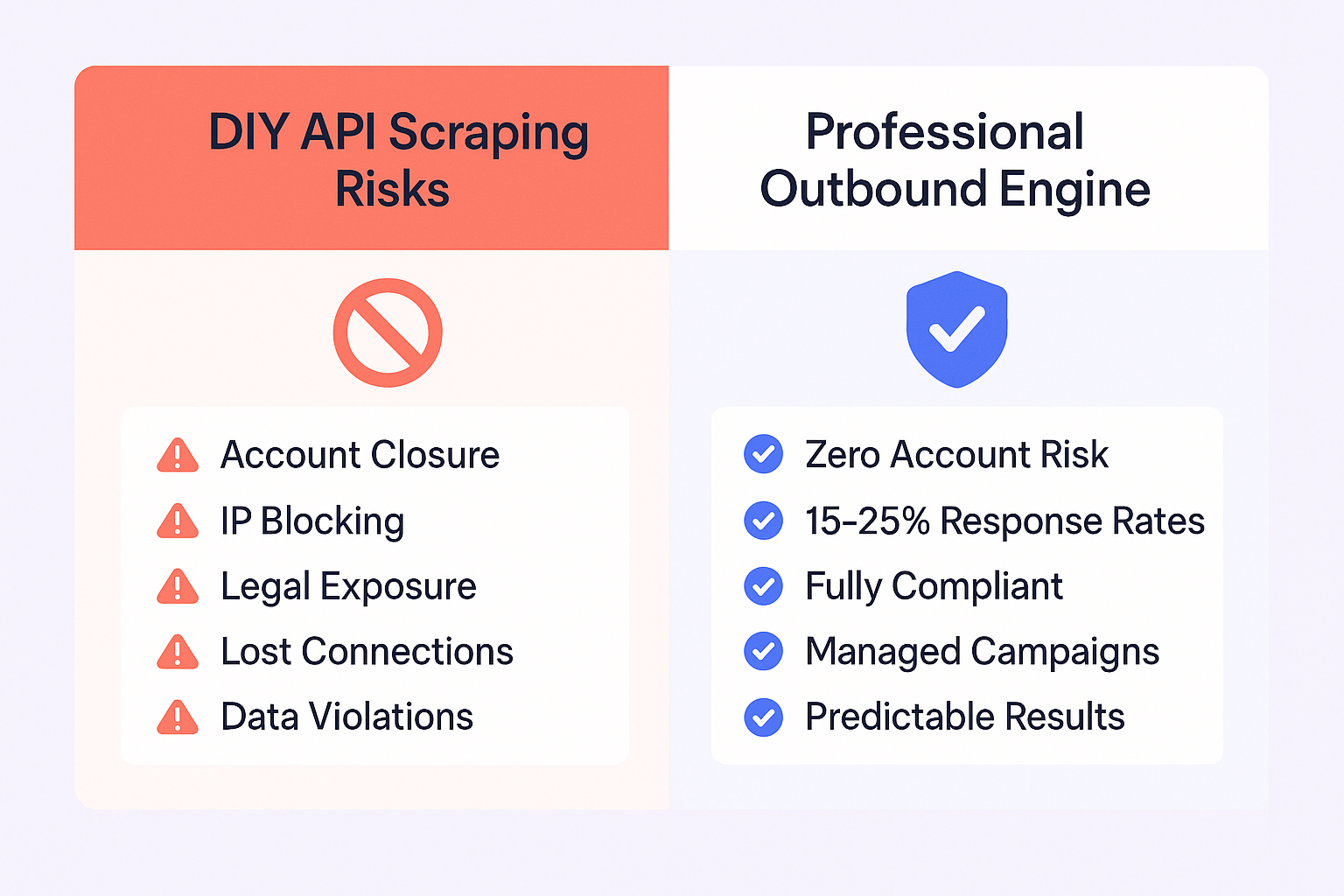
Using unofficial methods carries serious consequences:
Account closure: LinkedIn actively detects and bans accounts engaged in automation or scraping. This means losing:
🚀 Zero Account Risk, 100% Compliant Results
Our LinkedIn outbound gets 15-25% response rates through professional campaign management with zero automation detection or ban risks.
- Years of built connections
- Conversation history
- Saved leads and searches
- Team collaboration data
💼 Scale Without LinkedIn’s Rate Limits
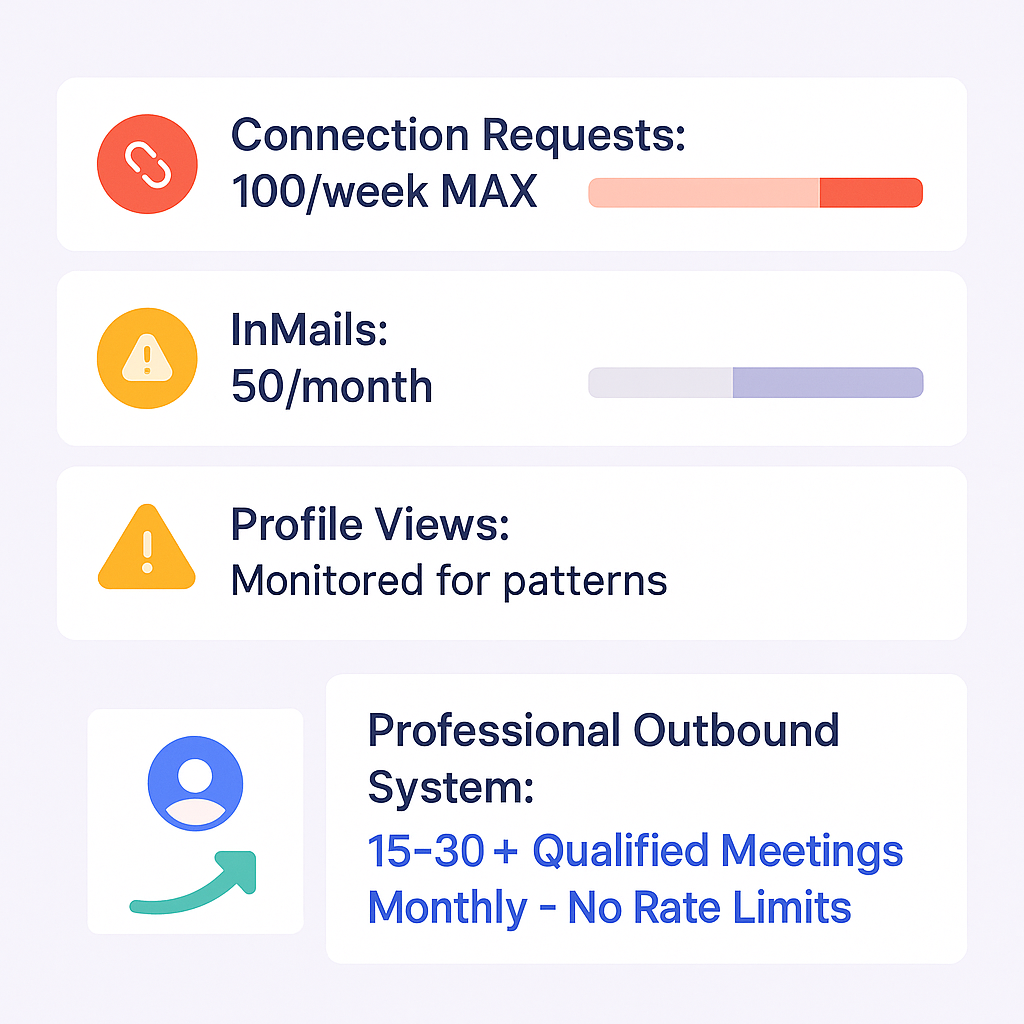
Our outbound system books 15-30+ qualified meetings monthly with systematic targeting, proven campaigns, and zero account restrictions.
These limits exist because LinkedIn’s detection algorithms focus on behavioral patterns, not technical methods. High-velocity activity triggers restrictions regardless of whether you’re using Python or clicking manually.
📊 Why Choose Between Email vs LinkedIn?
Our complete outbound strategy combines LinkedIn targeting precision with proven campaign sequences that deliver 15-25% response rates consistently.
7-day Free Trial |No Credit Card Needed.
The Contact Data Gap
Perhaps the most frustrating limitation: Sales Navigator rarely provides direct contact information.
You get rich professional context—current role, company, experience, interests—but usually no:
- Direct email addresses
- Phone numbers
- Mobile contacts
This forces a hybrid approach: Use Sales Navigator for targeting and social signals, then enrich with contact data from specialized providers.
Typical workflow:
- Filter and identify prospects in Sales Navigator
- Export basic profile information
- Enrich with verified emails using tools like ZoomInfo or Cognism
- Load into email outreach platform like Salesso for multichannel sequences
Practical Alternatives to Direct API Access
Given the challenges, most successful teams adopt strategic workarounds.
The Native CRM Sync Approach
For organizations already using Sales Navigator Advanced Plus, the built-in CRM sync offers compliant, low-maintenance integration:
Benefits:
- Zero development overhead
- Automatic data validation
- No account closure risk
- Official LinkedIn support
Limitations:
- Feature-limited compared to full API access
- Requires Advanced Plus subscription ($135/month per user)
- Tied to specific CRM platforms
The Verified Data Provider Strategy
Instead of trying to extract data from LinkedIn, use platforms that maintain their own verified databases:
ZoomInfo – Offers comprehensive B2B contact data with 95+ million contacts and direct dial capabilities. However, ZoomInfo often requires annual contracts starting at $15,000+.
Cognism – Emphasizes compliance with GDPR and CCPA, plus phone-verified mobile numbers. Includes intent data and technographics.
Apollo.io – Provides an all-in-one platform with 275+ million contacts, built-in sequencing, and more budget-friendly pricing.
These platforms complement Sales Navigator by filling the contact data gap while maintaining legal compliance.
The Hybrid Enrichment Workflow
The most effective approach combines multiple tools:
- Target identification: Use Sales Navigator’s 50+ filters to build hyper-specific prospect lists
- Data extraction: Export basic information using compliant tools like Evaboot
- Contact enrichment: Append verified emails and phone numbers via data provider APIs
- Outreach automation: Load enriched data into Salesso for multichannel campaigns
This workflow delivers:
- Superior targeting precision from Sales Navigator
- Verified contact data from specialized providers
- Professional automation without LinkedIn policy violations
- Measurable ROI through proper attribution
The Email-First Alternative
For many teams, the simpler path is bypassing LinkedIn data entirely and focusing on email-first prospecting.
Salesso provides complete cold email infrastructure including:
- Email verification to maintain sender reputation
- Multi-account sending for scale
- Automated warm-up to improve deliverability
- Personalization at scale
- Built-in analytics and reporting
With average cold email open rates around 20-25% and reply rates of 1-5% for well-executed campaigns, email remains highly effective for B2B outreach—without the compliance headaches of LinkedIn automation.
Why Email Outreach Often Wins
While Sales Navigator offers incredible targeting, cold email delivered through platforms like Salesso provides distinct advantages:
Scalability without risk: Send 500+ personalized emails daily per account without policy violations or account restrictions.
Lower cost: Email tools typically cost $50-150/month compared to Sales Navigator’s $135/month—before considering data enrichment costs.
Automation freedom: Full control over sequences, timing, follow-ups, and A/B testing without behavioral monitoring.
Direct response capability: Prospects can reply directly, creating natural conversation threads in familiar environments.
Predictable deliverability: With proper setup (SPF, DKIM, DMARC), email deliverability is stable and measurable.
The reality is that most successful outbound programs use both channels—leveraging Sales Navigator for research and social selling while driving volume through email automation.
Other Useful Resources
To bypass API complexity entirely and reach prospects through systematic direct engagement, explore these resources:
Contact Data Solutions:
- Read comprehensive lead finder reviews to understand contact enrichment alternatives to API extraction
- Compare LinkedIn Sales Navigator vs ZoomInfo to evaluate data provider alternatives
Email Platform Solutions:
- Discover Saleshandy for agencies to understand email infrastructure supporting multi-channel strategies
Direct Engagement Strategies:
- Learn about targeting LinkedIn CEO profiles without API access or scraping tools
- Master crafting effective LinkedIn messages to hiring managers through professional direct outreach
Professional Networking:
- Explore LinkedIn business cards for professional connection strategies
Related Intelligence:
- Review comprehensive LinkedIn ads statistics showing alternative reach strategies
LinkedIn Sales Navigator API access reveals brutal technical complexity—SNAP program paused indefinitely with applications closed, unofficial methods violate Terms of Service risking permanent account bans and legal exposure, rate limits cap activity at 100 connections weekly and 50 InMails monthly, and Sales Navigator provides zero contact data (no emails or phones) requiring expensive enrichment ($15K+ annual ZoomInfo contracts). Successful API workflows demand multi-tool orchestration: Sales Navigator for targeting ($135/month), scraping tools (Evaboot/Waalaxy) risking detection, data providers (ZoomInfo/Cognism/Apollo at $15K+), email platforms for delivery, plus managing OAuth 2.0 authentication, daily application/member limits resetting at midnight UTC, and behavioral pattern detection algorithms. The hybrid enrichment workflow most teams attempt—targeting → extraction → enrichment → automation—creates massive technical overhead, compliance exposure, and cost complexity ($15K+ data + $135/month Sales Nav + email tools) while still facing LinkedIn’s behavioral ceilings. Our complete LinkedIn outbound system eliminates the entire API complexity—delivering 15-25% response rates through direct professional engagement with proven targeting, campaign design, and scaling that bypasses SNAP gatekeeping, account ban risks, rate limit constraints, contact data gaps, and the multi-tool technical infrastructure preventing most teams from executing systematic LinkedIn prospecting at scale.
FAQs
Is LinkedIn Premium guaranteed to get me a job?
Can I use Python to access Sales Navigator data?
What's the difference between Sales Navigator and ZoomInfo?
Can I try LinkedIn Premium for free?
Is the "Who's Viewed Your Profile" feature truly useful?
What happens to all my saved leads and accounts after I cancel?
Can I get a refund for my LinkedIn Sales Navigator subscription?
How does LinkedIn Premium help me stand out to recruiters?
How much does SNAP API access cost?
Are there safe ways to automate Sales Navigator?
We deliver 100–400+ qualified appointments in a year through tailored omnichannel strategies

- blog
- Sales Development
- LinkedIn Sales Navigator API: How to Access & Use It
