🎉Find Prospects and Send Cold Emails & LinkedIn Outbound | All in One Place

LinkedIn Sales Navigator Certification: The 2025 Guide

Table of Contents

Text #1

Here’s the truth nobody tells you about the LinkedIn Sales Navigator certification: The badge is nice, but it won’t book you a single meeting.

You’re here because you want to know if the certification is worth your time. The real question is — will this help you fill your pipeline faster?

Here’s what you need to know upfront:

The certification takes 45 minutes and it’s free (with a Sales Navigator license or trial). It’s a smart addition to your profile that shows you’re serious about modern sales. But the badge alone won’t move the needle.

What actually matters? Mastering the tool itself.

Because here’s what most people miss: 78% of salespeople using social selling outsell their peers who don’t. The certification is just your entry ticket. The real game is learning to use Sales Navigator like a revenue-generating machine.

This guide covers both. You’ll learn how to get the certificate complete in under an hour, and more importantly, how to use the platform to actually hit your numbers.

What Is the LinkedIn Sales Navigator Certification?

Let’s clear up the confusion first. When people talk about the “LinkedIn Sales Navigator certification,” they could mean two very different things.

The Official Certification vs. Paid Training Programs

Option 1: The Free LinkedIn Essentials Certificate

Here’s the truth nobody tells you about the LinkedIn Sales Navigator certification: The badge is nice, but it won’t book you a single meeting.

You’re here because you want to know if the certification is worth your time. The real question is — will this help you fill your pipeline faster?

Here’s what you need to know upfront:

The certification takes 45 minutes and it’s free (with a Sales Navigator license or trial). It’s a smart addition to your profile that shows you’re serious about modern sales. But the badge alone won’t move the needle.

What actually matters? Mastering the tool itself.

Because here’s what most people miss: 78% of salespeople using social selling outsell their peers who don’t. The certification is just your entry ticket. The real game is learning to use Sales Navigator like a revenue-generating machine.

This guide covers both. You’ll learn how to get the certificate complete in under an hour, and more importantly, how to use the platform to actually hit your numbers.

What Is the LinkedIn Sales Navigator Certification?

Let’s clear up the confusion first. When people talk about the “LinkedIn Sales Navigator certification,” they could mean two very different things.

The Official Certification vs. Paid Training Programs

Option 1: The Free LinkedIn Essentials Certificate

This is the official badge from LinkedIn. It’s a 45-minute learning path called the “Sales Navigator: Essentials Certificate Course.”

  • Cost: Free with any Sales Navigator license
  • Time: 45 minutes to complete

This is the official badge from LinkedIn. It’s a 45-minute learning path called the “Sales Navigator: Essentials Certificate Course.”

  • Cost: Free with any Sales Navigator license
  • Time: 45 minutes to complete


  • What you learn: Basic features like Advanced Search, Lead Lists, and InMail
  • Where it shows: On your LinkedIn profile under certifications

Option 2: Third-Party Certified Training

These are expensive, multi-day workshops from sales training companies. They typically cost thousands of dollars and dive deep into strategy, templates, and advanced tactics.

Unless your company is paying, stick with the free official certification first.

Why This Certification Actually Matters

Let me hit you with some numbers that matter:

93% of sales executives have received no formal training on social selling. That means just getting this certification puts you ahead of most of your competition.

And the payoff is real:

  • Sales Navigator delivers a 312% ROI over three years according to Forrester research
  • Users save 15% of their time each week on research
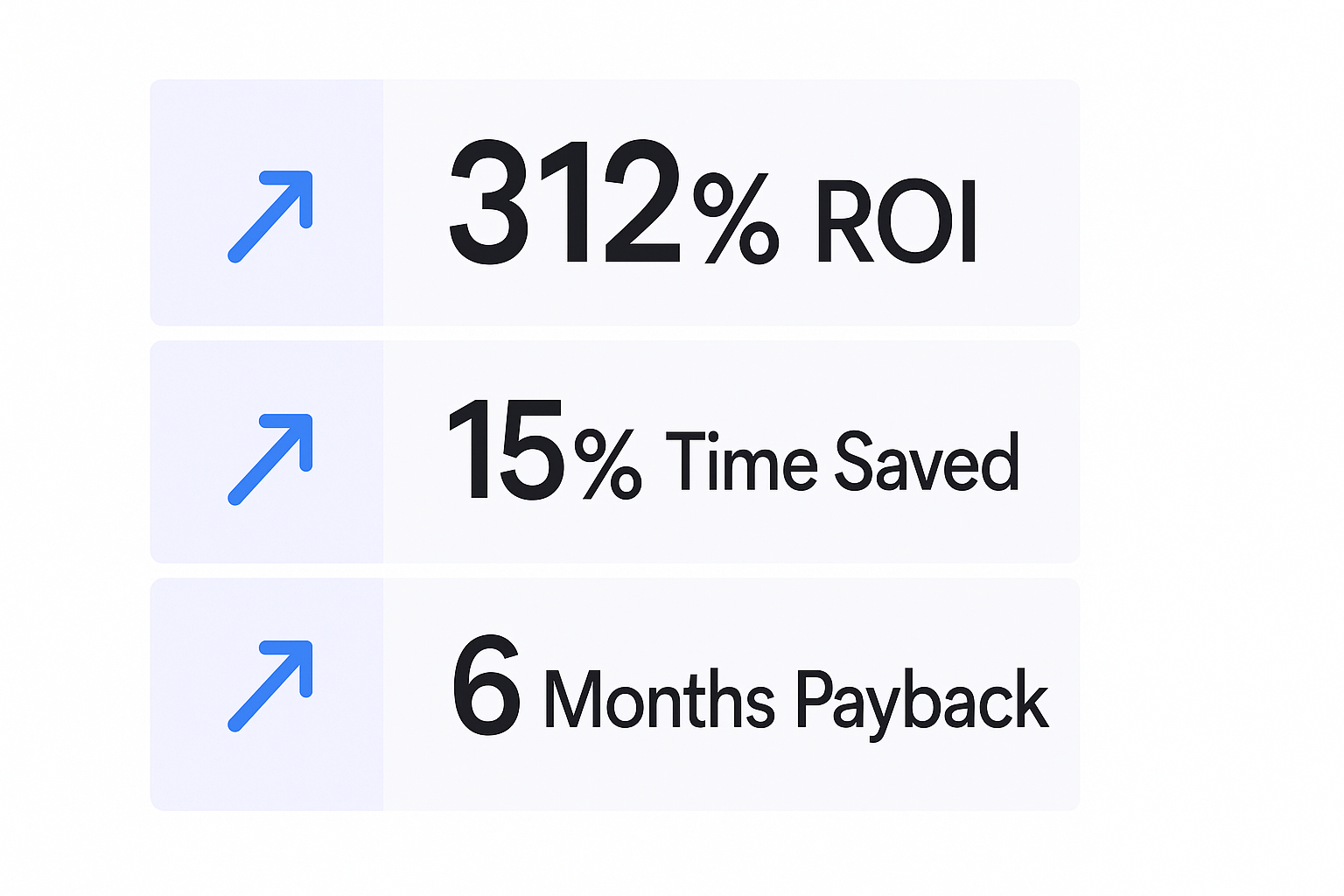


  • The tool pays for itself in less than 6 months

The certification proves you know how to use the most powerful B2B prospecting tool on the planet. It’s a signal to hiring managers and your current boss that you’re investing in skills that drive revenue.

🎯 Certified? Now Fill Your Pipeline.

Sales Navigator certification shows you the buttons. Our LinkedIn outbound engine books the meetings for you.

How to Get the LinkedIn Sales Navigator Certification (Step-by-Step)

Ready to get this done? Here’s your exact playbook.

Step 1: Get Access to Sales Navigator

You need an active Sales Navigator account. If you don’t have one:

  • Sign up for the 30-day free trial (no credit card required)
  • Choose any plan: Core, Advanced, or Advanced Plus

Step 2: Access the Training Portal

Go to training.sales.linkedin.com — this is LinkedIn’s dedicated sales training portal (separate from LinkedIn Learning).

Step 3: Complete the Essentials Course

Search for “Sales Navigator: Essentials Certificate Course” and start the learning path.

You’ll need to complete three modules:

  1. Sales Navigator Quick Start Guide
  2. When to Leverage LinkedIn and Sales Navigator (video)
  3. Sales Navigator: Essentials Learning Path (the main course)

Total time: 45 minutes.

At the end, you’ll complete a simple survey — that’s it. No complex exam.

Step 4: Add the Certificate to Your Profile (Don’t Skip This!)

This is where most people mess up. The certificate doesn’t automatically appear on your profile.

After completing the course, you’ll receive an email with your certificate. Now:

  1. Go to your main LinkedIn profile
  2. Click “Add profile section”
  3. Select “Licenses & Certifications”
  4. Fill in:
    • Name: Sales Navigator Essentials Certificate
    • Issuing Organization: LinkedIn
    • Issue Date: [Your completion month]
    • Credential URL: [Add the link from your email]

Now anyone viewing your profile — recruiters, managers, potential clients — sees you’re certified in the tool that 90% of top salespeople are already using.

📊 Badge Earned. Revenue Next?

You know Sales Navigator. We run complete LinkedIn campaigns: targeting, messages, and scaling that converts.

The Real Value: Beyond the Badge

Okay, you’ve got the certification. Now what?

The badge is great for your profile. But the real money is in mastering the tool to fill your pipeline with qualified leads. Let’s talk about what Sales Navigator actually does for you.

Why Sales Navigator Beats Every Other Prospecting Tool

Sales Navigator has 50+ filters that let you find exactly who you need to talk to. Not “kind of close” — exactly right.

  • Filter by seniority level, function, company size, industry, and even recent job changes
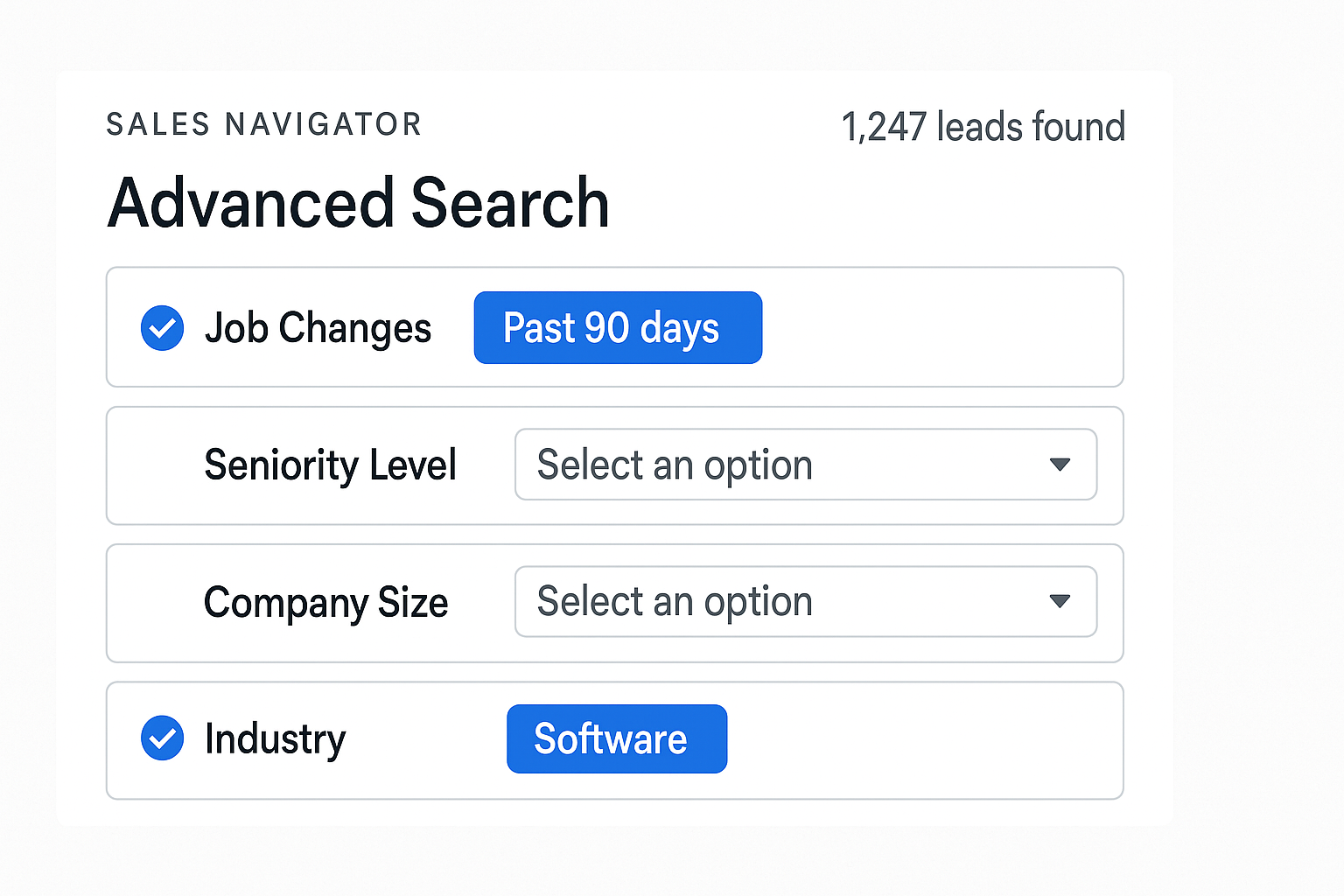


  • Use Boolean search to combine criteria (AND, OR, NOT)
  • Find people who are actively engaging on LinkedIn (the warm leads)

Compare that to cold email databases that might be outdated or generic lists that waste your time calling the wrong people.

The numbers back this up: Companies using Sales Navigator see a 10% revenue boost within three years just from better targeting.

💼 Stop Prospecting. Start Converting.

Done-for-you LinkedIn outbound campaigns with 15-25% response rates. Complete targeting, campaign design, and scaling included.

The Features That Actually Move the Needle

Let’s focus on the tools that matter:

  1. Advanced Search with Spotlight Filters

The “Job Changes” filter is gold. People who changed roles in the last 90 days are actively looking to make changes, buy new tools, and prove themselves. They’re your highest intent leads.

  1. Lead Lists and Real-Time Alerts

Save your perfect-fit prospects to lists, and Sales Navigator becomes your intel agent. You’ll get alerts when they:

  • Post content (perfect time to engage)
  • Change jobs (new opportunity)
  • Get promoted (budget might have increased)
  1. TeamLink (Your Secret Weapon)

Before you send a cold message, check if anyone on your team is connected to your prospect. Warm introductions can increase response rates by 5x compared to cold outreach.

  1. Relationship Map

This shows you who reports to whom inside your target accounts. You can see the entire buying committee and avoid the mistake of single-threading (relying on just one contact who might leave).

The Missing Piece: Sales Navigator + Email = Pipeline Gold

Here’s where most people hit a wall.

You’ve built a perfect list of 100 prospects in Sales Navigator. You’ve identified decision-makers, job changers, and people in your ideal company size.

Now what?

Sales Navigator won’t give you their email addresses. It’s designed to keep you inside LinkedIn, sending InMails (you get 50 per month on the Core plan).

But what if you want to run a multi-channel campaign? What if you want to combine LinkedIn connection requests with cold email follow-ups?

Why Top Performers Use Sales Navigator + Email Tools Together

Smart sales teams don’t choose between tools — they stack them:

  • Use Sales Navigator to find the right people (it has the best, most current career data)
  • Use email verification tools to get their contact info (like Salesso)
  • Run multi-touch campaigns across LinkedIn and email (15-25% response rates on LinkedIn vs. 5-8% for cold email alone)

Here’s the workflow that actually fills pipelines:

  1. Find: Use Sales Navigator’s Advanced Search to build a hyper-targeted list
  2. Verify: Export that list and run it through email verification to get valid email addresses
  3. Engage: Launch your multi-channel sequence (LinkedIn connection + cold email + follow-ups)

This is how you go from “I have a list” to “I have meetings booked.”

Want to see exactly how top sales teams find verified emails? We’ve built the infrastructure that connects your Sales Navigator targeting with the contact data you actually need.

🚀 Lists Built. Meetings Booked.

We run your LinkedIn outbound campaigns end-to-end while you focus on closing qualified prospects we deliver.

7-day Free Trial |No Credit Card Needed.

How to Actually Use Sales Navigator to Hit Your Numbers

Let’s get tactical. Here are the exact workflows that separate top performers from people who just have the certification.

Workflow 1: The “New Job” Gold Mine

Why it works: People who just started a new role are in “buying mode.” They need to prove themselves fast.

How to do it:

  1. Go to Advanced Search
  2. Use the “Job Changes: Past 90 Days” filter
  3. Add your other targeting (title, company size, industry)
  4. Save these leads to a list called “New Role – [Month]”
  5. Set up alerts for this list

When you reach out, your message is simple: “Congrats on the new role at [Company]. I noticed you just joined as [Title]. Most people in your position face [specific challenge]. Would it make sense to chat about how [your solution] helps?”

This approach works because you have context and timing on your side.

Workflow 2: The Warm Introduction Method

Why it works: Warm introductions get 5x higher response rates than cold messages.

How to do it:

  1. Find your ideal prospect in Advanced Search
  2. Click on their profile
  3. Check the “TeamLink” section (shows shared connections)
  4. Ask your colleague for an intro: “Hey [Colleague], I’m reaching out to [Prospect] at [Company]. I saw you’re connected. Would you be comfortable making an intro?”

Even a simple Slack message to your colleague beats any cold outreach.

Workflow 3: The Account Map Strategy

Why it works: You can’t close a deal by talking to just one person. You need to map the buying committee.

How to do it:

  1. Go to your target account’s page
  2. Open the “Relationship Map” tab
  3. Add key stakeholders (Sales Navigator will recommend them)
  4. Tag each person’s role: Decision Maker, Champion, Influencer, or Blocker
  5. Use TeamLink to find warm paths to each person

This is how you win complex deals. You’re not hoping your single contact has influence — you’re building relationships across the entire buying committee.

Conclusions

Let’s bring this full circle.

The LinkedIn Sales Navigator certification takes 45 minutes and costs nothing. It’s a smart move for your profile. Get it today.

But here’s what separates people who have the badge from people who actually hit their numbers:

Action.

The certification teaches you what the buttons do. Hitting your quota requires you to use those buttons every single day to find the right people, engage them at the right time, and build multi-threaded relationships.

Here’s your next step:

  1. Sign up for the 30-day free trial if you don’t have Sales Navigator yet
  2. Get the certification (45 minutes — just do it)
  3. Build your first targeted list using the “New Job” workflow
  4. Get their verified emails so you can run multi-channel outreach

And when you’re ready to turn your Sales Navigator lists into actual contact data, we’re here. Salesso helps sales teams verify emails and run campaigns that actually book meetings.

Because at the end of the day, the certification is just the starting line. The real race is filling your pipeline with people who actually want to talk to you.

FAQs

How much does the LinkedIn Sales Navigator certification cost?

The official LinkedIn Sales Navigator Essentials Certificate is completely free if you have an active Sales Navigator license. If you don't have a license, sign up for the 30-day free trial and complete the certification during the trial period at no cost.

How long does the Sales Navigator certification take?

The core learning path takes approximately 45 minutes to complete. There's no complex exam — just complete the modules and fill out a quick survey at the end.

Does the LinkedIn Sales Navigator certification expire?

No, the Sales Navigator Essentials Certificate does not expire. Once you complete the course, the certification is yours to keep and display on your profile permanently.

Is the Sales Navigator certification part of LinkedIn Learning?

Not exactly. It's hosted on LinkedIn's dedicated sales training portal at training.sales.linkedin.com, which is separate from the general LinkedIn Learning library. However, it follows the same "learning path" format.

Where does the Sales Navigator certificate show up on my profile?

The certificate does not appear automatically. You must manually add it to your LinkedIn profile under the "Licenses & Certifications" section after you receive your completion email.

Get Certified. We Book Meetings.

Learn Sales Navigator in 45 minutes. Let us run your LinkedIn outbound campaigns while you close deals.

Segmentation That Actually Converts

LinkedIn outbound targets precise demographics with strategic campaign design and scaling methods

How to Build a High-Converting B2B Sales Funnel from Scratch on LinkedIn ​