

LinkedIn Sales Navigator Statistics: The 2026 Data You Actually Need
- Sophie Ricci
- Views : 28,543
Table of Contents
312% three-year ROI – Forrester study found Sales Navigator users see $6.3 million in benefits against $1.5 million in costs over three years
Payback period is under 6 months – most enterprise software takes 12-18 months to show value, but Sales Navigator starts paying for itself almost immediately
Revenue increases accelerate each year: 5%, 8%, then 10% – showing teams get better results as they learn to use advanced features beyond basic LinkedIn Premium
InMail response rates: 18-25% compared to cold email’s 3-5% – representing a 5x difference in engagement effectiveness
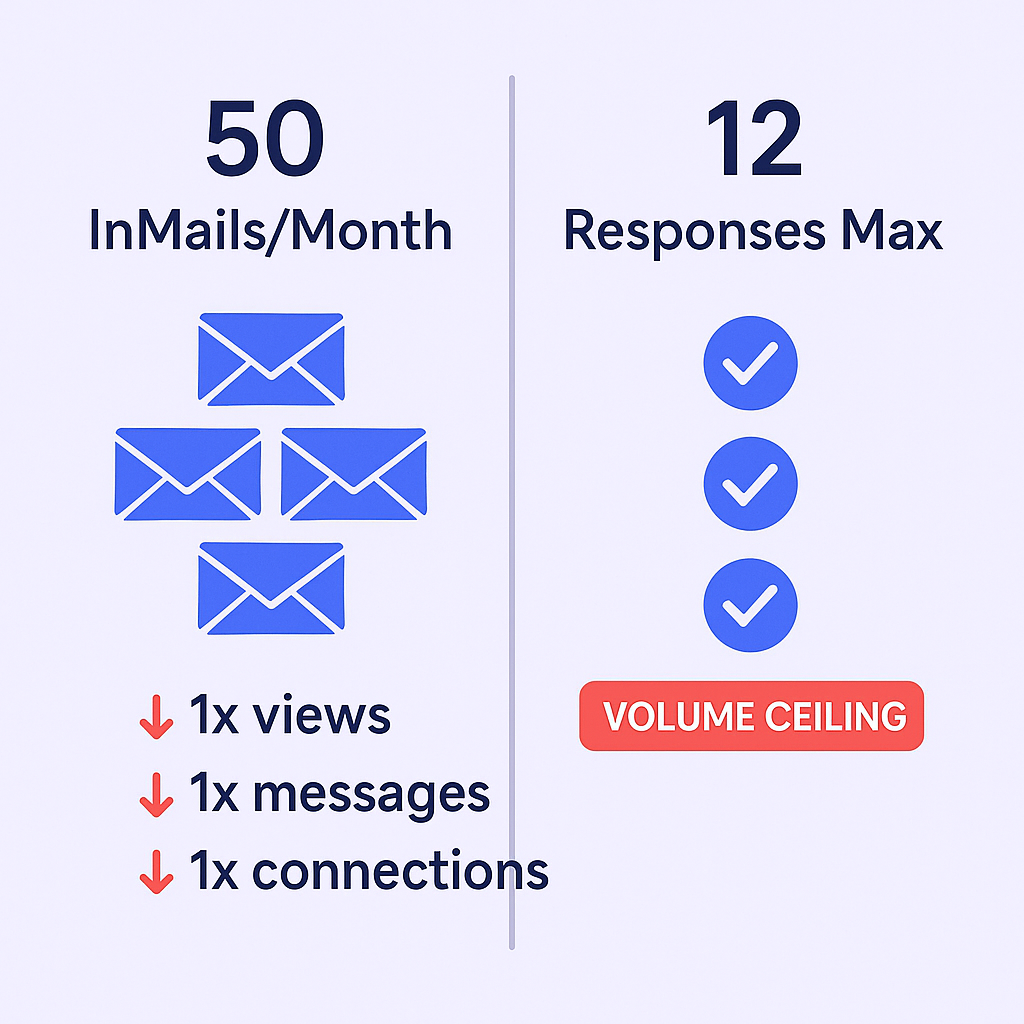
Only 50 InMails per month – even at 25% response rate, that’s just 12 conversations monthly, creating a hard volume ceiling
Win rates go up 17% – when using Sales Navigator versus standard prospecting methods by reaching actual decision-makers
Deal sizes increase by 42% – when sellers use the platform to identify and connect with senior executives instead of mid-level managers
Users with “Complete” profiles see 38% increase in pipeline – actively using all features drives finding more deals, not just closing them
Users save 15% of weekly research time – about 1.5 hours per week per person, totaling 75 hours reclaimed weekly for a 50-person team
15 minutes saved daily – by integrating Sales Navigator with CRM, eliminating tab-switching between LinkedIn, database, and Salesforce
700,000+ sales professionals use Sales Navigator – as their primary prospecting tool, most popular with companies between 51-1,000 employees
Top performers use Sales Navigator 4.1x more frequently – than average performers, living in saved searches, alerts, and relationship maps
Users with high SSI scores create 45% more opportunities – and are 51% more likely to hit quota when maintaining SSI above 65
Sales Navigator shows 2,500 search results vs free LinkedIn’s 100 – representing a 25x increase in accessible prospects per search
Combining LinkedIn touches with email increases engagement by 287% – compared to single-channel outreach, making hybrid strategies most effective
Â
You’re probably here because someone told you LinkedIn Sales Navigator is “essential” for B2B sales. And honestly? The data backs that up—sort of.
Here’s the contrast nobody talks about: Sales Navigator delivers a 312% ROI over three years and finds prospects with near-perfect accuracy. But it caps you at 50 InMail messages per month. That’s 600 messages a year. Most sales teams send that in a week through cold email.
So what’s the truth? The statistics show Sales Navigator is incredible at finding the right people. But terrible at reaching them at scale.
This guide breaks down the actual linkedin sales navigator statistics that matter—the ones that’ll help you decide if it’s worth $1,200+ per year, and more importantly, how to use it without hitting its built-in volume ceiling.
LinkedIn Sales Navigator Statistics
The ROI Numbers (And What They Really Mean)
Let’s start with what LinkedIn wants you to know:
312% three-year ROI. Forrester’s Total Economic Impact study found that sales navigator users see a return of $6.3 million in benefits against $1.5 million in costs over three years. That’s a $4.7 million net present value.
Â

Â
But here’s what matters more: The payback period is under 6 months. Most enterprise software takes 12-18 months to show value. Sales Navigator starts paying for itself almost immediately.
The revenue growth tells a better story:
- Year 1: 5% revenue increase
- Year 2: 8% revenue increase
- Year 3: 10% revenue increase
That accelerating curve? That’s your team learning to actually use the platform’s advanced features instead of just treating it like expensive LinkedIn Premium.
Performance Statistics That Actually Impact Your Day
Response rates: InMail messages get an 18-25% response rate compared to cold email’s 3-5%. That’s a 5x difference. But remember—you only get 50 InMails monthly. Even at 25% response rate, that’s 12 conversations per month.
Â

Â
🚀 12 Conversations Monthly Isn’t Enough
Our LinkedIn outbound engine delivers 680+ qualified meetings monthly—no InMail limits, no caps
Win rates go up 17% when using sales navigator versus standard prospecting methods. Why? Because you’re reaching the actual decision-maker instead of gatekeepers.
Deal sizes increase by 42% when sellers use the platform to identify and connect with senior executives. Access linkedin’s executive-level profiles and suddenly you’re talking to VPs instead of managers.
Pipeline expansion: Users with “Complete” profiles (actively using all features) see a 38% increase in pipeline. The platform isn’t just helping close deals—it’s helping find more of them.
The Hidden Time Savings
This is where the statistics get interesting:
Users save 15% of their weekly research time—about 1.5 hours per week per person. For a 50-person sales team, that’s 75 hours reclaimed every single week.
15 minutes saved daily by integrating Sales Navigator with your CRM. No more tab-switching between LinkedIn, your database, and Salesforce.
But here’s the contrast: You save time finding people, then hit the InMail limit and waste that time manually copy-pasting into cold email tools.
âš¡ Stop Hitting LinkedIn’s Volume Ceiling
We handle targeting 65M+ professionals, campaign design, and scaling—completely done-for-you LinkedIn outreach
Adoption and Usage Statistics
700,000+ sales professionals use sales navigator as their primary prospecting tool. The platform is most popular with companies between 51-1,000 employees—the mid-market sweet spot where LinkedIn’s data accuracy matters most.
The power user effect is real: Top performers use Sales Navigator 4.1x more frequently than average performers. They’re not just logging in to check profiles—they’re living in saved searches, alerts, and relationship maps.
The Social Selling Index (SSI) Connection
LinkedIn’s proprietary Social Selling Index measures how well you’re using the platform. The statistics show a direct correlation to revenue:
- 45% more opportunities created by users with high SSI scores
- 51% more likely to hit quota when maintaining an SSI above 65
- Top 1% threshold: SSI score of 75 or higher
Think of SSI as your “are you actually using this thing” score. Below 40? You’re wasting your subscription.
Search and Visibility Limits (The Part LinkedIn Doesn’t Highlight)
Free LinkedIn users hit the Commercial Use Limit at around 300 searches per month. After that, search is disabled until the next billing cycle.
Sales Navigator removes search limits but caps viewable results at 2,500 profiles per search. Run a search for “Marketing Managers in USA” and you’ll see “150,000+ results” but can only access the first 2,500.
The workaround? Slice your searches geographically. Instead of searching the entire USA, search California, then New York, then Texas separately.
Free users see 100 search results maximum (10 pages). Sales Navigator expands this to 2,500 results (100 pages). That’s a 25x increase in accessible prospects per search.
LinkedIn Sales Navigator vs Premium: What the Data Shows
Here’s the real comparison most people miss:
Feature | Premium Business | Sales Navigator |
InMail Credits | 15/month | 50/month |
Search Filters | Basic (Location, Industry) | 50+ advanced filters |
Lead Lists | No | Unlimited |
CRM Integration | No | Yes (Advanced plans) |
Commercial Use Limit | Yes (~300 searches) | No limit |
Premium costs $59.99/month. Sales Navigator Core starts at $99.99/month. That $40 difference buys you 35 extra InMails and unlimited search capability.
But here’s what nobody mentions: Premium still has the Commercial Use Limit. Heavy users get blocked mid-month. Sales professionals can’t afford that.
The Data Accuracy Advantage
This is where Sales Navigator genuinely wins:
LinkedIn uses first-party data—people update their own profiles when they change jobs, get promotions, or move companies. The accuracy is near 100% for current employment status.
Competitors like ZoomInfo and Apollo use third-party data (scraped and aggregated). Their databases might show someone as “VP of Sales” three months after they’ve left the company.
The trade-off? Sales Navigator doesn’t provide direct phone numbers or email addresses for most profiles. You can identify the perfect prospect but can’t directly contact them unless they accept your connection request or you use an InMail.
The Hybrid Strategy Statistics
Here’s where the data gets interesting for practical application:
Cost per message: An InMail costs roughly $1.60 per send (based on subscription divided by credits). Cold email costs fractions of a cent per send.
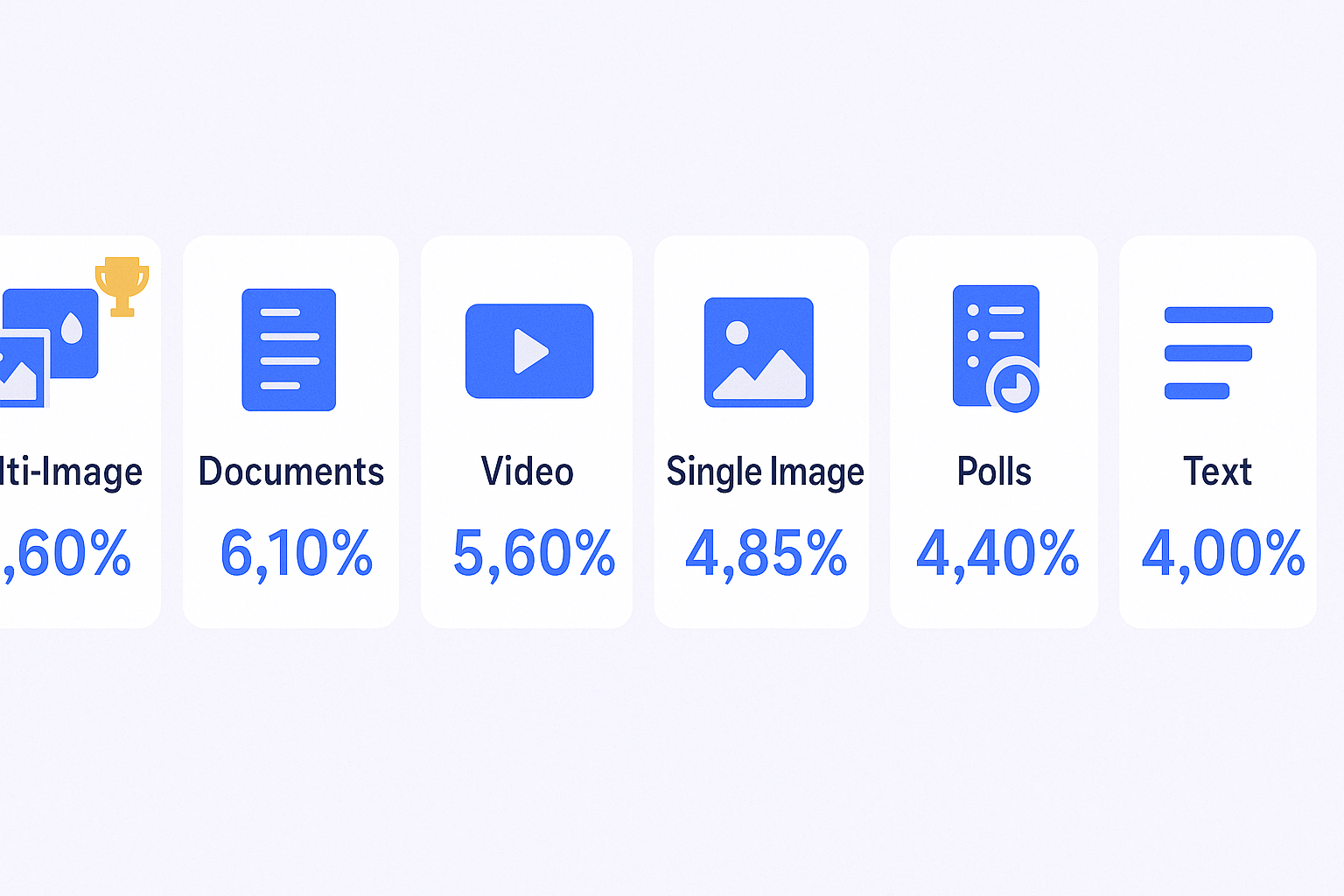
Multi-channel effectiveness: Combining LinkedIn touches with email touches increases engagement by 287% compared to single-channel outreach.
Â

Â
 📈 287% Higher Engagement Without Tools
Our complete LinkedIn outbound system delivers 15-25% response rates at scale—targeting, campaigns, and execution included
The winning strategy emerging from the data:
- Use Sales Navigator’s advanced search filters to identify the perfect 100 prospects
- Export that data using third-party tools (Wiza, Evaboot, etc.)
- Enrich with email addresses
- Reserve InMail for the top 20 highest-value targets
- Send the remaining 80 through cold email software at scale
This is where platforms like Salesso become essential. You’ve used Sales Navigator to identify prospects with near-perfect accuracy. Now you need to actually reach them without hitting the 50-message monthly cap.
Salesso handles the cold email infrastructure—verification, warmup, automated sequences—while Sales Navigator handles the intelligence. You get the best of both: accurate targeting and unlimited volume.
Pricing Reality Check (2025)
Sales Navigator Core: $99.99/month ($79.99/month annually)
- 50 InMails
- Advanced search filters
- Lead lists and alerts
Sales Navigator Advanced: $149.99/month
- Everything in Core
- TeamLink (find warm introductions through colleagues)
- Smart Links (track content engagement)
- CSV upload for list matching
Sales Navigator Advanced Plus: Enterprise pricing (~$1,600/year/seat)
- Everything in Advanced
- CRM integration (Salesforce, Microsoft Dynamics)
- Data validation
- ROI reporting dashboards
ROI calculation: If the platform saves you 6 hours monthly at a $30/hour cost to your company, that’s $180 in time savings—exceeding the $149.99 Advanced subscription cost. Add the 42% increase in deal size and the financial argument is solid.
The Integration Statistics
CRM integration (available on Advanced Plus) delivers additional efficiency:
- Data validation reduces duplicate records by automatically matching LinkedIn profiles to CRM contacts
- Relationship mapping shows which colleagues have connections to target accounts
- Account IQ (AI-powered summaries) saves an estimated 15 minutes daily on research
Teams using the full CRM integration report faster sales cycles because they’re not manually updating contact information or researching company news.
Why This Matters (And What You Should Actually Do)
The statistics paint a clear picture: Sales Navigator is powerful for precision targeting and relationship intelligence in b2b sales. The data accuracy, deal size increase, and win rate improvements are real.
But the volume limitation is also real. Fifty InMails per month is insufficient for most sales teams.
The answer isn’t choosing Sales Navigator or cold email. It’s using both strategically:
For prospecting intelligence: Sales Navigator
For outreach volume: Cold email platforms like Salesso
For highest-value targets: InMail
For everyone else: Automated email sequences
Think of it like this: Sales Navigator is your sniper rifle—incredibly accurate but slow to reload. Cold email is your assault rifle—less precise per shot but you can take hundreds of shots per day.
The teams crushing quota in 2025? They’re using both.
💼 Ready to Scale Past Navigator's Limits?
Book a strategy meeting and see how our LinkedIn outbound engine generates 40%+ engagement without subscriptions
7-day Free Trial |No Credit Card Needed.
Conclusion
The linkedin sales navigator statistics for 2025 confirm what sales professionals already suspected: the platform delivers measurable ROI through better targeting, higher win rates, and larger deal sizes.
312% ROI, sub-6-month payback, 17% higher win rates—these aren’t vanity metrics. They’re revenue drivers.
But the 50-InMail monthly cap is a hard ceiling on volume. Sales Navigator finds the right prospects. You still need infrastructure to reach them at scale.
That’s where cold email outreach completes the picture. Use Sales Navigator for precision. Use Salesso for volume. Together, you’re not compromising on quality or quantity.
Want to see how Salesso handles the cold email infrastructure while you focus on targeting? We provide email verification, unlimited sending capacity, and automated warmup—everything Sales Navigator doesn’t do.
FAQs
Where is Sales Navigator on LinkedIn?
Is LinkedIn Sales Navigator included in Premium?
How many InMails do you get with Sales Navigator?
Can you export leads from Sales Navigator to Excel?
Is Sales Navigator worth it for small businesses?
- blog
- Statistics
- LinkedIn Sales Navigator Stats 2025: ROI & Performance Data
