

- blog
- Sales Development
- LinkedIn Sales Navigator vs Recruiter: 2025 Comparison Guide
LinkedIn Sales Navigator vs Recruiter: Which Tool Actually Finds Your Next Deal?
Table of Contents
Here’s the uncomfortable truth: LinkedIn has two premium tools that look eerily similar, cost hundreds of dollars monthly, and their names barely explain what they do.
You’re here because you need to prospect, build pipeline, and actually close deals. The last thing you need is to pay $170/month for the wrong tool that hides your prospects and gives you fewer resources than the cheaper option.
Let’s cut through the confusion with one definitive sentence:
Sales Navigator finds clients. Recruiter finds employees.
🎯 Skip the Learning Curve Entirely
Get expert-managed LinkedIn campaigns delivering 15-25% response rates without buying any tools
For anyone in sales prospecting or business development, this distinction changes everything. With 40% of B2B marketers citing LinkedIn as the most effective channel for driving high-quality leads, choosing the right tool isn’t just about features—it’s about whether you can access your prospects at all.
Â

Â
Quick Comparison: What You’re Actually Getting
Feature | Sales Navigator (Core) | Recruiter Lite | Winner |
Monthly Price | ~$100 | ~$170 | Sales Navigator |
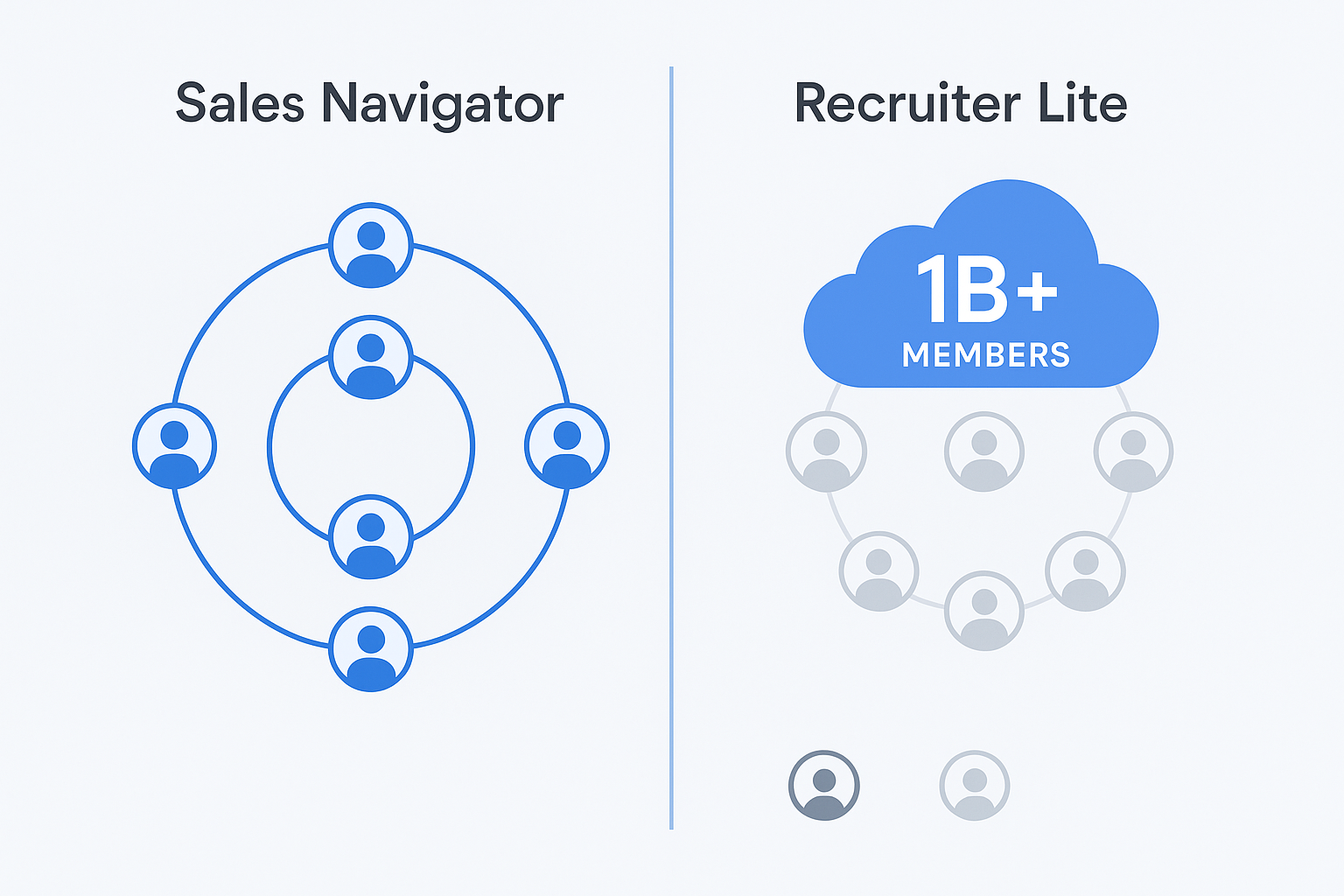
Network Access | Full 1B+ database | Limited to 3rd-degree | Sales Navigator |
Monthly InMails | 50 | 30 | Sales Navigator |
Primary Purpose | Finding clients | Finding candidates | Sales Navigator |
Key Filters | Buyer intent, tech stack, growth signals | Skills, graduation year | Sales Navigator |
CRM Integration | Salesforce, HubSpot, Dynamics | None (Lite version) | Sales Navigator |
The pattern is impossible to miss. Sales Navigator costs 40% less, provides more InMails, and gives you access to everyone on LinkedIn—not just people loosely connected to your network.
But here’s the real “gotcha” that ends the debate: To get full database access in a Recruiter product, you’d need to upgrade to Recruiter Corporate at $900-$1,080 per month. Sales Navigator provides this essential feature for $99.
Unique Filters of LinkedIn Recruiter
Let’s be fair—Recruiter Lite does have exclusive filters. They’re just designed for screening job candidates, not qualifying business prospects.
“Skills & Assessments” finds candidates who’ve listed specific skills or passed LinkedIn’s skill quizzes. For hiring a Python developer? Perfect. For finding the VP who manages the budget? Completely irrelevant. Skills are self-reported, often unreliable, and don’t correlate to buying authority.
“Year of Graduation” searches for professionals who graduated in specific years. This is a classic HR filter for university recruiting programs. In sales, you care about decision-making power and budget authority—not which year someone got their degree. Sales Navigator’s “Years of Experience” filter actually identifies senior decision-makers.
These aren’t “bad” filters. They’re just the wrong filters for social selling and B2B prospecting.
Exclusive Filters in Sales Navigator
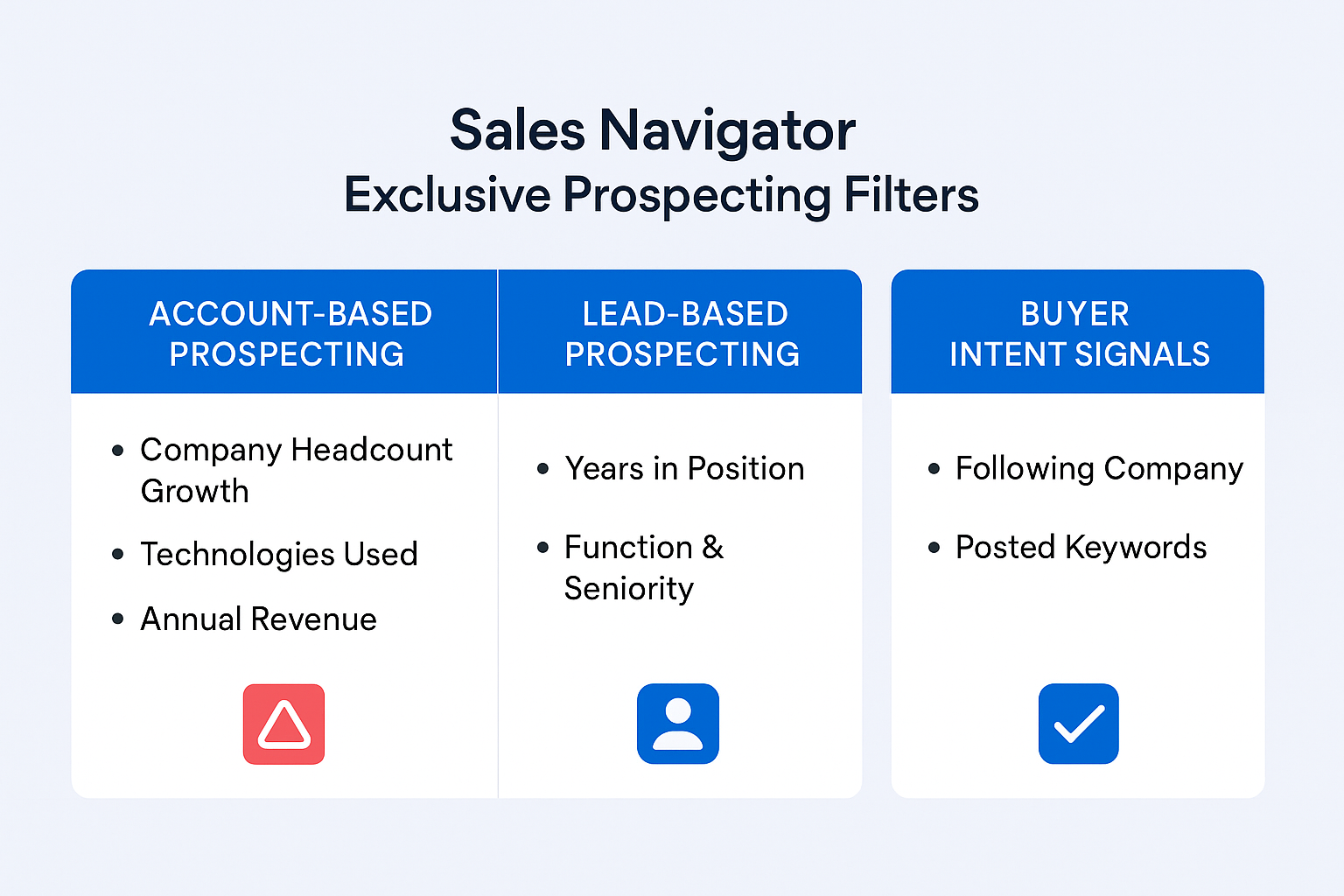
This is where the real prospecting power lives. These filters exist only in sales navigator and they’re built for one purpose: finding and qualifying buyers.
Â

Â
Account-Based Prospecting (Finding the Right Companies)
Company Headcount & Headcount Growth: Don’t just find companies of the right size—find companies that are growing. A fast-growing sales team is a massive buying signal for CRM tools, data providers, or sales enablement platforms. This filter finds expansion before your competitors do.
Technologies Used: This is pure gold. Pull an instant list of every company using your competitor’s technology. Your outreach writes itself: “I noticed you’re using [Competitor]—here’s why companies are switching to us.” This single filter can build your entire prospecting list.
Annual Revenue: Instantly eliminate companies too small to afford your product. Stop wasting time on unqualified accounts. Focus where the budget actually exists.
Lead-Based Prospecting (Finding the Right People)
Years in Current Company & Position: A VP who started 3-6 months ago is often in their “new budget, new tools” honeymoon phase. They’re evaluating vendors, building their tech stack, and establishing credibility with quick wins. This is your window.
Function & Seniority Level: Search for “Marketing” (Function) + VPs (Seniority) without drowning in results from “Marketing Interns” and “Marketing Analysts.” Precision matters when you’re building a prospecting list.
Buyer Intent Signals (Finding the Warmest Prospects)
Following Your Company: These prospects already have brand awareness. They’ve taken action to follow you. Start here—they’re the lowest-hanging fruit.
Posted Content Keywords: Find people actively talking about the problem you solve. A cybersecurity salesperson can search for VPs of IT who’ve posted about “ransomware” in the last 30 days. That’s not cold prospecting—that’s responding to an expressed need.
This isn’t random functionality. These filters map directly to lead generation for B2B SaaS workflows: Research → Target → Qualify → Engage.

âš¡ We Handle All This For You
Complete LinkedIn outbound: targeting strategy, campaign design, and systematic scaling—no Sales Navigator subscription needed
Mastering Boolean Search
Here’s the power-user move: Boolean search works on both platforms, but it’s exponentially more valuable on sales navigator because you’re searching the full database.
Boolean operators—AND, OR, NOT, and “quotes”—let you write ultra-specific search queries that filters alone can’t achieve.
Copy-Paste Templates for Sales Prospecting
Finding multiple specific titles:
(“VP Marketing” OR “Head of Marketing” OR “CMO”) NOT (“Assistant” OR “Intern” OR “Analyst”)
Â
Combining industries for complex territories:
(SaaS OR “Software”) AND (“Financial Services” OR “Fintech”)
Â
Pro tip: Use Boolean in both the ‘Job Title’ field and the ‘Keyword’ field. This catches people who don’t have “Growth” in their title but mention it 20 times in their About section.
The difference? On Recruiter Lite, you’re searching a fraction of LinkedIn. On sales navigator, you’re searching everyone.
LinkedIn Recruiter vs Sales Navigator – Advanced Filters Made Simple
Beyond standard filters, both tools offer dynamic “Spotlight” features that prioritize who to contact first. But again, they’re built for completely different goals.
Sales Navigator Spotlights (The “Warm Intro” Toolkit)
Job Changes: This is the #1 trigger event in B2B sales. Decision-makers are 62% more receptive to outreach after changing jobs. They’re building new processes, evaluating new vendors, and establishing quick wins. This filter is pure pipeline.
Shared Experiences: The personalization angle that breaks the ice. “Hey, I see we both worked at [Company]” or “both went to [University]” warms up cold outreach instantly.
TeamLink (Advanced Plan): The “get a warm intro” button. It scans your entire company’s network and shows who knows your prospect. This is how you get into enterprise accounts—through mutual connections, not cold InMails.
Recruiter Lite Spotlights (The “Candidate” Toolkit)
Open to Work: The famous green banner. Useful if you’re hiring. Completely irrelevant if you’re selling. You don’t care if a prospect is “open to work”—you care if they’re open to buying.
More Likely to Respond: An AI-driven signal for active LinkedIn users. It’s helpful, but Sales Navigator’s buyer intent filters provide far more actionable intelligence for B2B sales.
Core Functions
After building your list, what happens next? The core functions reveal that these tools live in completely different universes.
LinkedIn Sales Navigator Features (Your Prospecting Command Center)
Lead & Account Lists: This is your territory management system. Prospects aren’t just “found”—they’re organized into Lead Lists and Account Lists. Build your pipeline outside your CRM, segment by industry, priority, or deal stage.
Real-Time Alerts: Your automated intelligence feed. When a saved lead posts on LinkedIn, gets promoted, or their company hits the news, you get an alert. This is your “reason to reach out” that turns cold outreach into timely, relevant conversations.
CRM Integration (The Game-Changer):
This is where sales productivity multiplies. Recruiter Lite has zero integrations—it’s a data island. Sales Navigator (Advanced & Advanced Plus) syncs directly with Salesforce, HubSpot, and Microsoft Dynamics.
Your entire sales life lives in the CRM. A tool that doesn’t integrate creates copy-paste admin work that kills productivity. Sales Navigator Advanced Plus syncs leads, accounts, and activities. It writes back InMails and notes. You can see LinkedIn data inside your HubSpot or Salesforce contact record.
A Forrester study found that linkedin sales navigator pays for itself in less than 6 months, largely because of this workflow efficiency.
🚀 Eliminate the Tool Stack Completely
Our done-for-you LinkedIn outbound delivers higher response rates than DIY Sales Navigator—no learning required
LinkedIn Recruiter Features (A Hiring Manager’s Dashboard)
Projects: Instead of “Lead Lists,” Recruiter uses “Projects”—essentially folders for job requisitions. “Open Role: Java Developer, New York” is the use case.
Job Posting & Applicant Management: Core functionality for managing job postings and the applicants who respond to them.
Candidate Pipelines: A lightweight tracking system to move candidates from “Sourced” to “Contacted” to “Interviewing.”
The pattern is unmistakable: every feature is designed for filling a position, not filling a pipeline. Using Recruiter for prospecting is like using your company’s HR portal to find new customers. It’s simply not what it’s for.
LinkedIn Sales Navigator vs Recruiter Pricing Comparison
Let’s talk money. The pricing reveals the fundamental value mismatch for sales professionals.
LinkedIn Recruiter Lite Pricing
Price: ~$170/month or ~$1,680/year
What Sales Professionals Get:
- Smaller database (limited to 3rd-degree network only)
- Fewer InMails (only 30)
- Wrong filters (built for HR, not sales)
- No CRM integration
The Verdict: For prospecting and business development, this is objectively a bad investment. You’re paying more for less access and fewer relevant features.
LinkedIn Sales Navigator Pricing
Tier 1: Sales Navigator Core
- Price: ~$100/month or ~$960/year
- What You Get:
- Full 1B+ LinkedIn database
- 50 InMails per month
- All prospecting filters
- Basic search and list management
- For Who: Individual sales professionals, solopreneurs, and anyone building their own pipeline
Tier 2: Sales Navigator Advanced
- Price: ~$150/month
- What You Get:
- Everything in Core
- TeamLink (warm intro finder)
- Basic CRM integration
- Team collaboration features
- For Who: Sales teams who need to leverage company networks and share prospect intelligence
Tier 3: Sales Navigator Advanced Plus
- Price: Custom pricing, starts ~$1,600/seat/year
- What You Get:
- Everything in Advanced
- Deep CRM integration (activity write-back)
- Advanced reporting and analytics
- API access
- For Who: Enterprise teams living in their CRM who want zero manual data entry
The math is simple: Sales Navigator Core costs 40% less than recruiter lite while providing a better tool with more prospects and more features. For prospecting professionals, the choice isn’t even close.
💼 Better Than Buying Either Tool
Get 15-25% response rates with fully managed LinkedIn campaigns—targeting, messaging, and scaling handled professionally
7-day Free Trial |No Credit Card Needed.
Conclusions
If you’re in sales, business development, or client acquisition, this isn’t a debate. LinkedIn Sales Navigator is built for your workflow.
It costs less than recruiter lite. It provides 20 more monthly InMails. And most critically, it gives you access to the entire 1 billion+ member database while Recruiter Lite hides millions of potential prospects from view.
The data backs this up: 78% of salespeople engaged in social selling are outselling their peers who aren’t. But that only works when you’re using the right tool to find the right prospects.
Sales Navigator’s filters, features, and integrations are designed for the sales journey: Research → Target → Qualify → Personalize → Engage → Close. Recruiter’s entire design is for HR: Source → Screen → Interview → Hire.
Now that you know how to build a perfect, hyper-targeted prospecting list with linkedin sales navigator, here’s the next challenge every sales professional faces: LinkedIn is a closed system. You can’t export email addresses.
You’ve found your perfect prospects. You’ve qualified them with advanced filters. But to actually reach out at scale, you need verified contact information. That’s where email extraction tools come in—giving you the verified email addresses to take your LinkedIn list and start real conversations.
That’s exactly where Salesso comes in. We provide verified email addresses for your LinkedIn prospects, eliminating the manual work of finding contact information. With Salesso, you transform your targeted LinkedIn lists into actionable outreach campaigns—complete with verified emails that actually land in inboxes.
FAQs
What is the main difference between Sales Navigator and Recruiter?
Can I use LinkedIn Sales Navigator for recruiting?
Is LinkedIn Recruiter Lite worth it for a sales team?
Which is better: LinkedIn Sales Navigator vs Recruiter Lite?
How do I get emails from my LinkedIn Sales Navigator list?
Stop Tool Shopping, Start Closing Deals
Get 15-25% response rates with complete LinkedIn outbound—no Sales Navigator complexity required
Segmentation That Actually Converts
LinkedIn outbound targets precise demographics with strategic campaign design and scaling methods