
You were logged in from your office laptop, your VA checked messages from overseas, and now LinkedIn thinks someone stole your credentials. Sound familiar?
The question “how many parallel IP addresses can I use LinkedIn account from” isn’t just technical curiosity. It’s survival. LinkedIn restricts accounts accessed from multiple IPs simultaneously—often permanently.
Here’s what you need to know to protect your account while scaling outreach.
The harsh reality: LinkedIn allows ZERO truly parallel IP addresses. The platform treats simultaneous logins from different locations as security breaches, not efficient sales operations.
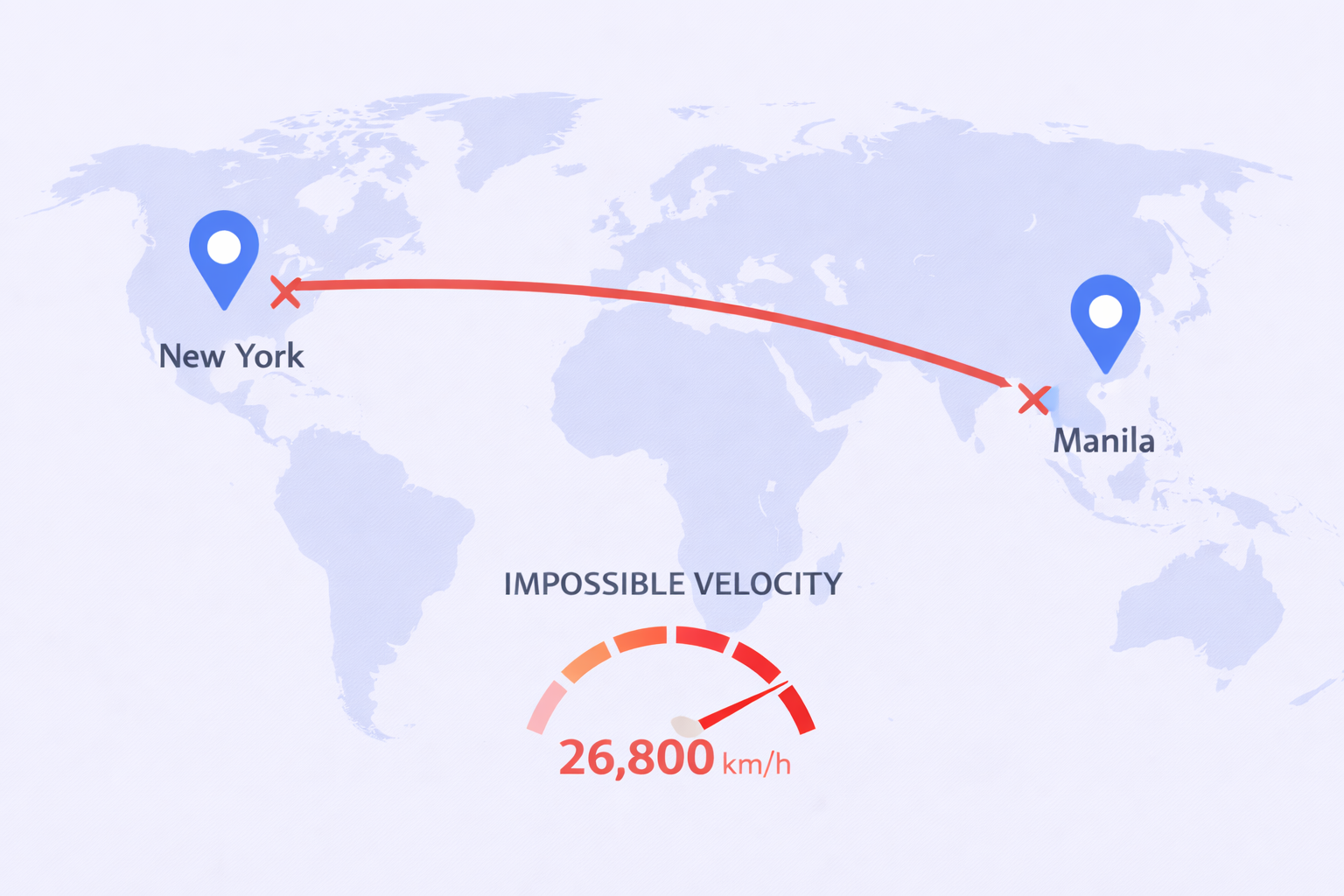
Think about it this way. You log in from New York at 10:00 AM. Your assistant logs in from Manila at 10:15 AM. To LinkedIn’s security system, you just traveled 6,700 kilometers in 15 minutes. That’s physically impossible.
LinkedIn’s “Impossible Travel” algorithm calculates the distance between login locations and the time elapsed. Any velocity exceeding normal air travel speed triggers immediate flags. In this example, the implied velocity is 26,800 km/h—faster than any commercial aircraft.
The system isn’t designed to accommodate multiple users on one account. LinkedIn’s entire value proposition depends on one profile equaling one human being. When you share account access, you’re violating their User Agreement and triggering security protocols built to protect against credential theft.
How LinkedIn Detects Multiple IPs
LinkedIn employs sophisticated detection mechanisms far beyond simple IP tracking. Your account has a dynamic “Trust Score” that determines how much unusual behavior triggers restrictions.
The Trust Score Components
Account age plays a massive role. A five-year-old account with consistent organic activity can withstand minor IP inconsistencies. A brand-new account logging in from three different countries gets banned instantly. LinkedIn processes over 1 billion interactions daily, and their algorithms have learned to distinguish human behavior from automation patterns.
Your Social Selling Index (SSI) acts as reputation capital. Accounts that engage genuinely, message accepted connections, and build networks naturally earn buffer against flags. Think of it as goodwill—the higher your SSI, the more tolerance for occasional anomalies.
But here’s where it gets sophisticated: behavioral biometrics. LinkedIn doesn’t just track where you log in. They track how you navigate. Mouse movement patterns, typing speed, scroll behavior—humans move chaotically, while bots follow linear, high-velocity patterns. Your VA working from a script creates distinctly different navigation patterns than your organic browsing.
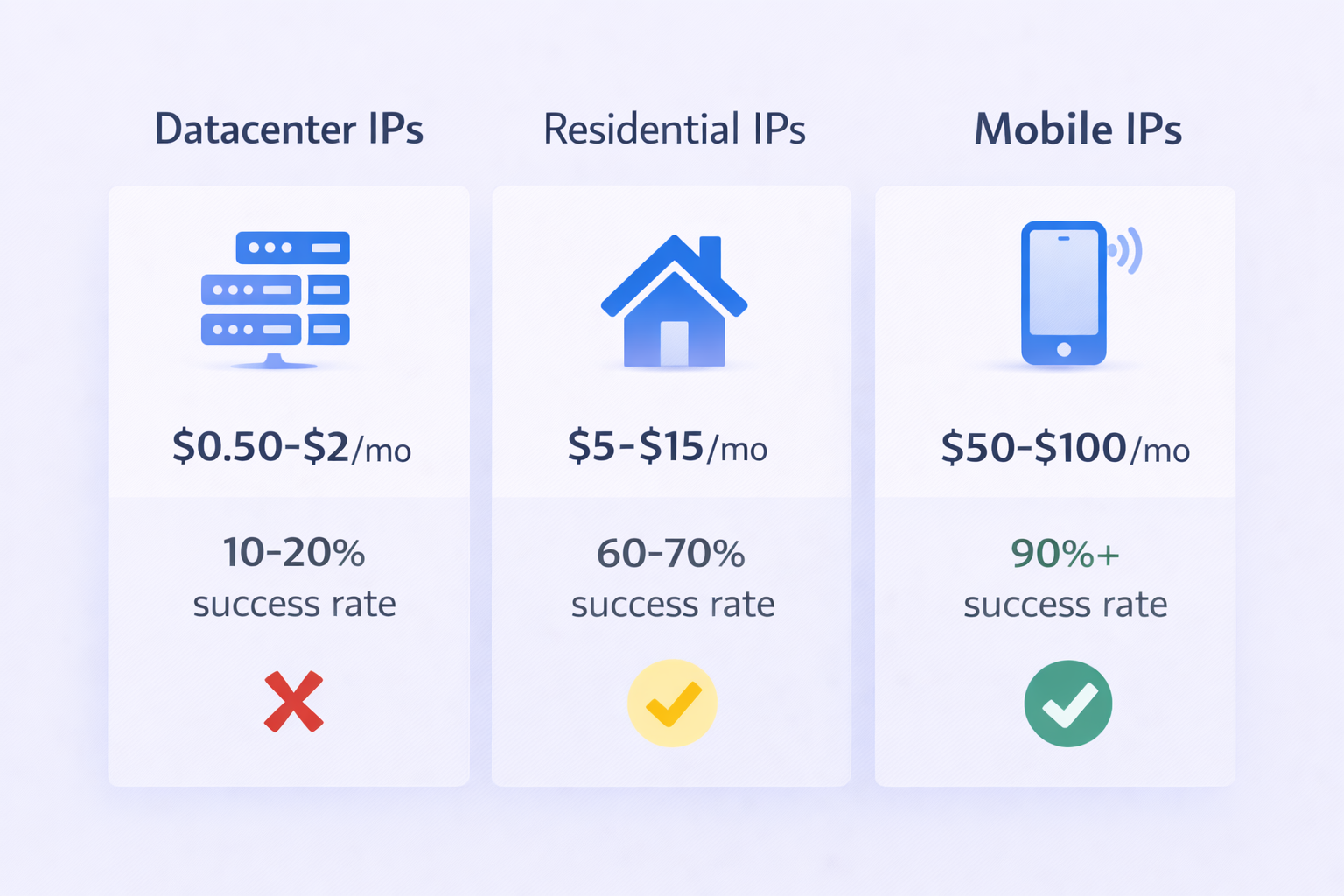
According to security researchers, datacenter IPs have a 10-20% success rate on protected platforms like LinkedIn. The platform immediately recognizes traffic from AWS, Google Cloud, or DigitalOcean servers because these IPs register to “Hosting” organizations, not consumer ISPs. Normal humans don’t browse LinkedIn from server racks.
Residential IPs fare better. Traffic from consumer ISPs like Comcast or AT&T carries baseline trust because it originates from actual households. However, you need static residential IPs—not rotating proxies that change with every request. Rotating IPs create the same “Impossible Travel” scenario LinkedIn algorithms flag aggressively.
Mobile 4G/5G IPs offer the highest protection. Due to Carrier-Grade NAT (CGNAT), thousands of users share single public IP addresses. LinkedIn cannot ban mobile IPs without affecting thousands of legitimate users, creating what security experts call “herd immunity.” This makes mobile proxies the safest option for high-value accounts.
The economics reflect these trust levels. Datacenter IPs cost pennies ($0.50-$2/month) but offer minimal protection. Residential IPs run $5-$15 per GB with moderate safety. Mobile IPs cost $50-$100 monthly but provide maximum account security.
The Session Limit Reality
Beyond IP addresses, LinkedIn restricts simultaneous active sessions. While there’s no published maximum, operational data suggests performance degrades significantly beyond 3-5 active sessions.
Active sessions include desktop browsers, mobile apps, Sales Navigator, and third-party automation tools. When you exceed the limit, LinkedIn’s backend expires the oldest token. You experience this as random forced logouts—a symptom of session conflicts when multiple people access one account simultaneously.
The “Where You’re Signed In” dashboard in Settings serves as your audit trail. If this list shows 20+ active sessions from 10 different cities, your account sits in a fragile state. LinkedIn’s security bots read this data. A clean list (one desktop, one mobile) signals a secure, single-owner account.
This mirrors Microsoft Exchange principles—LinkedIn runs on Microsoft infrastructure. Users report “too many active sessions” errors when session tables fill, though LinkedIn keeps exact thresholds deliberately opaque.
Browser Fingerprinting: The Hidden Tracker
Even perfect IP masking doesn’t protect you from browser fingerprinting. Your browser creates a unique identifier independent of cookies or IP addresses.
Canvas fingerprinting exploits subtle differences in graphics cards, drivers, and font rendering. When your browser draws a hidden image using HTML5, the resulting data creates a unique “Canvas Hash” that persists even after clearing cookies. AudioContext processing, screen resolution, installed fonts, and User-Agent strings all contribute to device identification.
When multiple users share an account, fingerprint inconsistencies appear immediately. Your MacBook Pro generates a completely different hardware signature than your VA’s Windows desktop. LinkedIn’s security model treats rapid device oscillation as account sharing or bot farm activity.
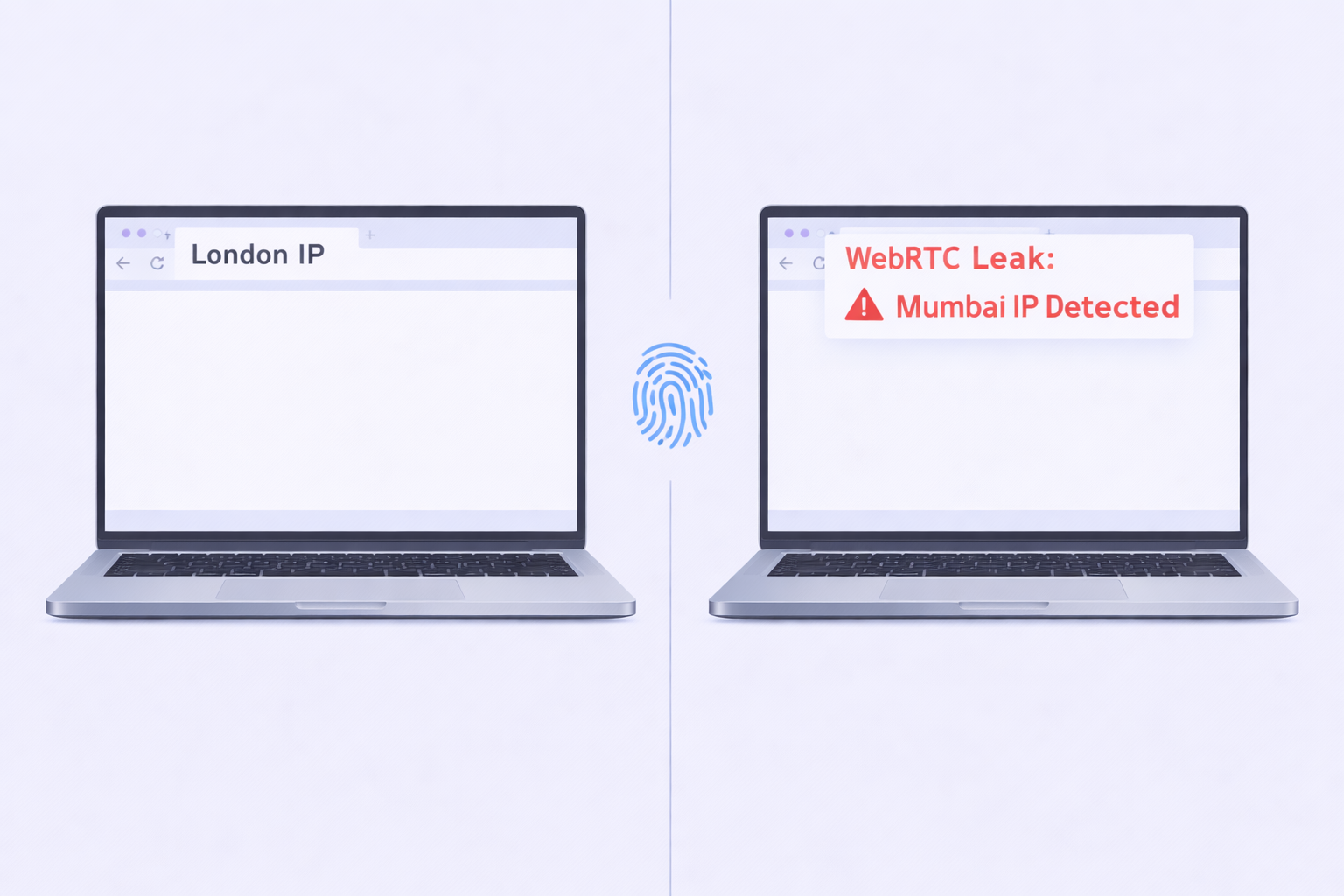
WebRTC leaks compound the problem. This protocol for browser-based calls can bypass proxy configurations to reveal your actual local IP address. Even when your proxy routes traffic through London, WebRTC might report your real Mumbai IP. This discrepancy definitively proves proxy usage to LinkedIn’s security system.
Safe Practices for Account Access
The operational answer is clear: you cannot safely use parallel IP addresses. The goal isn’t parallelism—it’s consistency.
The Zero Parallel Doctrine
Assign one dedicated static residential IP to every LinkedIn account. Never let it float. Even with identical IPs, two people shouldn’t click buttons simultaneously. Schedule shifts to avoid velocity traps.
Mandate anti-detect browsers if VAs access accounts. These tools create virtual profiles with specific proxy IPs and fingerprints. When your VA opens the profile, they inherit the exact same digital identity. To LinkedIn, it appears as one consistent computer regardless of physical location.
Keep mobile apps exclusively for account owners. The mobile IP (4G) generally coexists with static desktop proxy IPs without triggering bans, provided geographic locations aren’t wildly different. Don’t be in London on mobile while your desktop shows New York simultaneously.
Volume limits matter equally. LinkedIn’s hard cap sits at approximately 100 connection requests per week. Safe daily limits include 20-25 connection requests and 100-150 messages. According to LinkedIn job statistics, the platform processes millions of job applications monthly—but aggressive automation still gets flagged.

