
Mastering LinkedIn Live: Your Complete Guide to Building Authority Through Live Streaming
- Sophie Ricci
- Views : 28,543
Table of Contents
Remember the last time you attended a virtual event that felt… well, actually exciting? Yeah, me neither. Most online presentations feel like watching paint dry in slow motion.
But here’s where things get interesting. LinkedIn Live is changing the game for professionals who want to build genuine connections without the soul-crushing boredom of traditional webinars. Think of it as your personal broadcast studio that reaches decision-makers directly where they already spend their time.
LinkedIn has over 1.2 billion members as of 2025, and the platform’s algorithm heavily favors video content. We’re talking about a 40% increase in video engagement compared to last year. That’s not just a trend – that’s a tidal wave you want to ride, not fight against.
The best part? You don’t need a Hollywood budget or a film degree. You just need to understand how live streaming works, what your audience actually wants, and how to deliver value without putting people to sleep.
Let me walk you through everything you need to know.
Why LinkedIn Live Actually Works (And Why You Should Care)
Here’s the uncomfortable truth: Most professionals are drowning in generic content. Another “5 tips” blog post. Another recycled webinar. Another automated message pretending to be personal.
LinkedIn Live cuts through that noise like a hot knife through butter. When someone sees that little “LIVE” notification, their brain registers it as important. Scarce. Worth paying attention to right now – not later, not tomorrow, but immediately.
The psychology is simple but powerful. Live streams generate 7x more reactions and 24x more comments than regular video uploads. Why? Because your audience knows you can’t fake it. No editing. No do-overs. Just real conversation happening in real time.
And if you’re wondering whether this applies to your industry – it does. LinkedIn’s largest age group is 25-34 (50.6%), followed by 35-54 (21.2%). These are professionals actively making decisions, not casually scrolling. 63% of millennials consistently watch live streams, and they’re now in positions where they actually have buying power.
The Technical Setup That Won’t Make You Want to Quit
Look, I’m going to be honest with you. The technical side can feel overwhelming at first. But here’s the good news: you only need to set it up once, and then it’s smooth sailing.
Your internet connection is everything. Bad internet = unwatchable stream. Period. Here’s what you need:
Plug directly into your router with an ethernet cable. Wi-Fi is convenient until it drops your stream halfway through your best point. Get at least 10 Mbps upload speed – test this at speedtest.net before you even think about going live.
Now, audio. This is where most people mess up completely. Your audience will tolerate okay video quality, but terrible audio makes them leave instantly. Invest in a decent USB microphone like the Shure MV7 or Samson Q2U. These dynamic mics reject background noise naturally, so keyboard clicks and room echo won’t ruin your broadcast.
For video, your laptop webcam works fine to start. But if you want that professional edge that makes people take you seriously? A mirrorless camera with a capture card (like the Sony ZV-E10 + Elgato Cam Link) creates that depth-of-field effect that screams “this person means business.”
Lighting matters more than you think. A simple ring light positioned at 45 degrees to your face makes you look dramatically more professional. You don’t need expensive equipment – just intentional setup.
For software, Restream is the strategic choice if you want to maximize reach. It lets you broadcast to LinkedIn, YouTube, and X simultaneously, so your content works three times as hard. Plus its chat overlay shows comments from all platforms, which keeps your audience engaged.
Pro tip: Start your stream 10 minutes before your scheduled start time. Display a “Starting Soon” graphic while the connection stabilizes. This simple buffer prevents that awkward “can you hear me?” opening that kills momentum.
If you’re looking to automate your outbound beyond live streaming, check out these LinkedIn automation tools that complement your live strategy perfectly.
📊 LinkedIn Live + Outbound = Meeting Pipeline
We combine live authority building with systematic LinkedIn prospecting for consistent results
Content Strategy That Keeps People Actually Watching
Here’s where most people completely bomb. They treat LinkedIn Live like a corporate webinar – stiff, scripted, and painfully boring. The average watch time is 11 minutes, which means you’ve got a tiny window to deliver value before people bounce.
Your opening matters more than anything else. Don’t wait for people to join. Start with a hook that makes scrollers stop immediately. Something like: “If you’re sending ‘just checking in’ messages, you’re bleeding money. Let’s fix that right now.”
The first 15 seconds determine everything. If you don’t grab attention instantly, you’ve already lost. No long intros. No thanking people for joining. Just immediate value.
Structure your content for speed. The 0-2 minute mark is your cold open – the hook that stops the scroll. Minutes 2-15 deliver your core value using screen sharing when possible (show, don’t just tell). Minutes 15-25 handle Q&A and audience interaction. Minutes 25-30 wrap up with clear next steps.
Want to generate sales leads on LinkedIn consistently? Your live streams should lead viewers toward specific actions, not vague suggestions.
Interactive elements are non-negotiable. Launch polls every 10 minutes to reset attention spans. Questions like “Are you hitting your goals this month? Yes/No” get instant engagement and give you real-time feedback. Polls doubled their engagement rate in early 2025, jumping from 2.2% to 4.4%.
Consider featuring guests who bring different perspectives. The “Guest Link” feature in StreamYard makes this dead simple – guests just click a link, no technical setup required. Interview formats work incredibly well because they feel conversational rather than presentation-y.
🎯 Turn LinkedIn Viewers Into Qualified Meetings
Our targeting and campaign design turns LinkedIn authority into predictable pipeline growth
The Pre-Event Strategy Nobody Talks About
Broadcasting to zero people is pointless. You need audience before you need content. Here’s how to actually get people to show up:
Max out your weekly invite limit (1,000 invites) by inviting relevant connections to your event. LinkedIn shows these invites prominently, and people who register get reminders before you go live.
Create a social kit – a graphic and caption that your team can share. Every single person in your network should be promoting the stream. Employee advocacy multiplies reach exponentially without spending a dollar on ads.
For understanding current LinkedIn marketing statistics that inform your strategy, check out the latest data on what’s actually working right now.
Send targeted emails to prospects who haven’t responded to your outreach in 30+ days. Frame it as valuable content, not a sales pitch: “We’re doing a live breakdown of email sequences that booked meetings with [competitor]. Thought you might want the templates we’re sharing. Can I send you the calendar invite?”
This is crucial: You’re offering value first, asking permission second. The friction is so low that response rates are typically 10-15% higher than standard sales emails.
💼 Skip the Tech, Get Meetings Instead
We handle LinkedIn prospecting and email outreach while you focus on closing deals
After the Stream: Making Your Content Work Harder
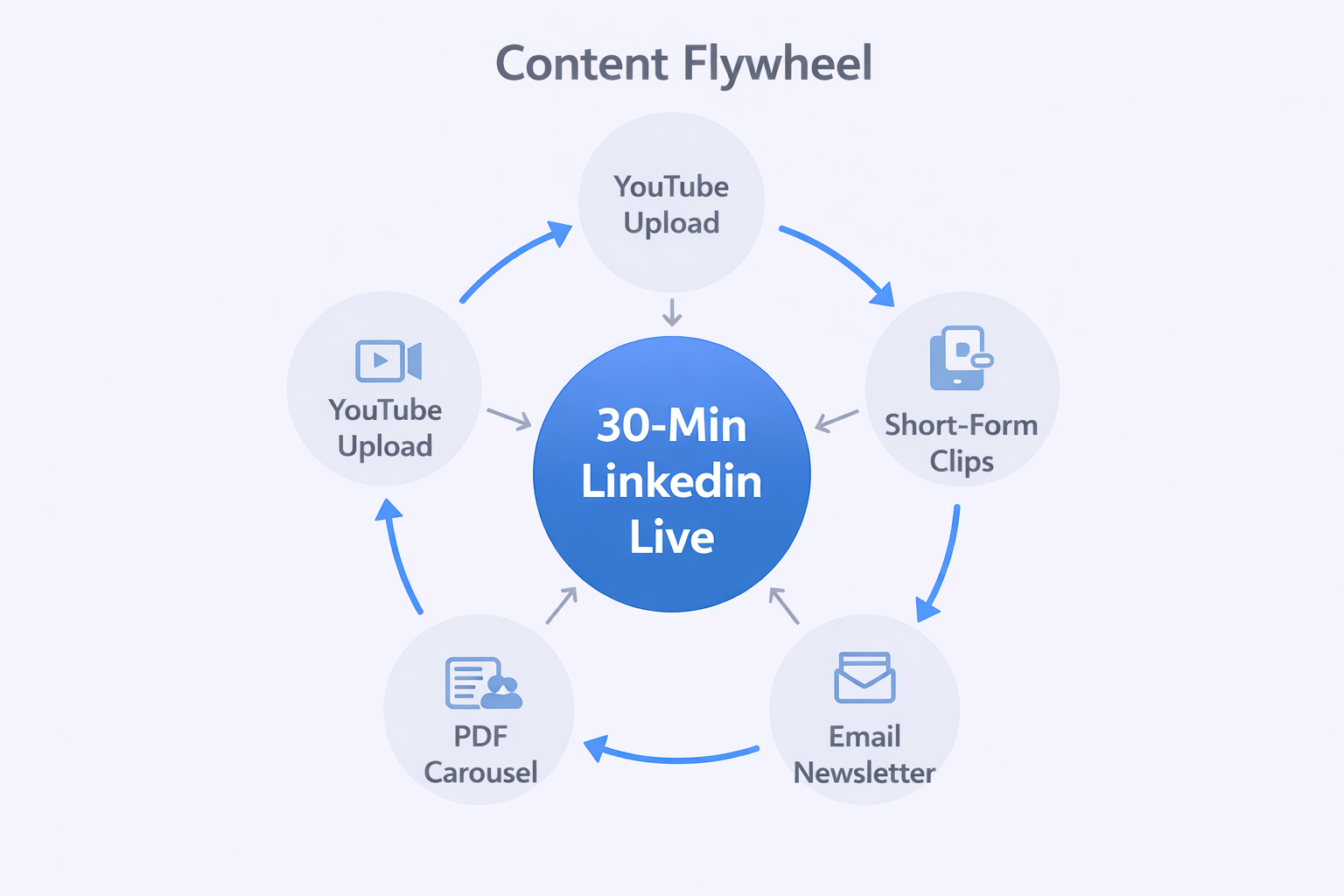
Your 30-minute stream should generate at least two weeks of content. Here’s the system:
Upload the full recording to YouTube with timestamped chapters for SEO. This creates evergreen content that continues working long after the live event ends. Use tools like workflow automation software to streamline your post-production process.
Extract short clips using OpusClip or similar tools. These vertical videos go to LinkedIn (as regular posts), TikTok, Instagram Reels, and YouTube Shorts. Each clip extends your reach to people who missed the live stream.
Convert your slides into a PDF carousel and upload it as a LinkedIn document post. Document posts have a 5.85% engagement rate, making them surprisingly effective for extending your message.
Embed the recording in your email newsletter. This drives subscribers back to your LinkedIn profile and increases your visibility with existing connections.
Capture attendee data strategically. Use tools like PhantomBuster to export the registrant list, then enrich it with verified email addresses using your cold email software.
Send different messages to attendees (“Great seeing you on the stream – loved your question about X”) versus no-shows (“Missed you at the live session – here’s the recording and templates we shared”). Both groups are warm leads who showed interest. Don’t waste them.
For those implementing LinkedIn message automation, your live stream viewers become high-intent prospects for automated follow-up sequences.
Advanced Strategies for Serious Growth
Consistency beats perfection every single time. Going live once every three months won’t build anything. Weekly or bi-weekly streams create audience expectation and algorithmic favor.
LinkedIn’s algorithm rewards creators who show up regularly. After you’ve done 6-8 consistent streams, you’ll notice your reach expanding beyond your immediate network.
Thought leadership isn’t built in a day – it’s built through repeated, valuable contributions over time. Each stream positions you as someone who actually knows their stuff rather than someone who just talks about knowing their stuff.
Consider creating a series using LinkedIn’s series feature. When someone registers for one event, they’re automatically registered for the entire season. This builds momentum and creates appointment viewing.
Hybrid content works brilliantly: Run a live stream discussing LinkedIn prospecting techniques, then use those same principles in your actual outreach. Check out these LinkedIn prospecting strategies that align perfectly with live content creation.
Want an edge? Use LinkedIn’s Thought Leader Ads to promote your best clips with paid spend. You can target specific companies and job titles, forcing your face into feeds of prospects who need to see you. This creates “familiarity bias” at scale – people feel like they know you before you’ve even connected.
For professionals in transition, particularly active duty military members moving into civilian roles, LinkedIn Live offers a unique platform. Veterans bring discipline and process orientation that translates perfectly to sales roles, and live streaming showcases those strengths authentically. Consider hosting dedicated sessions on military-to-civilian transitions – this community is highly networked and shares valuable content aggressively.

🔥 Authority + Outbound = Revenue Growth
We combine your LinkedIn presence with systematic prospecting that fills your pipeline monthly
7-day Free Trial |No Credit Card Needed.
Making It All Come Together
LinkedIn Live isn’t just another marketing tactic – it’s a strategic advantage for professionals who understand how attention works in 2025. While your competitors are still sending the same tired cold emails and hoping for 1-5% response rates, you’re building genuine authority that makes prospects come to you.
The technical setup feels complex at first, but remember: you only set it up once. Your first stream won’t be perfect, and that’s completely fine. Your fifth stream will be noticeably better. By your tenth, you’ll wonder why you didn’t start sooner.
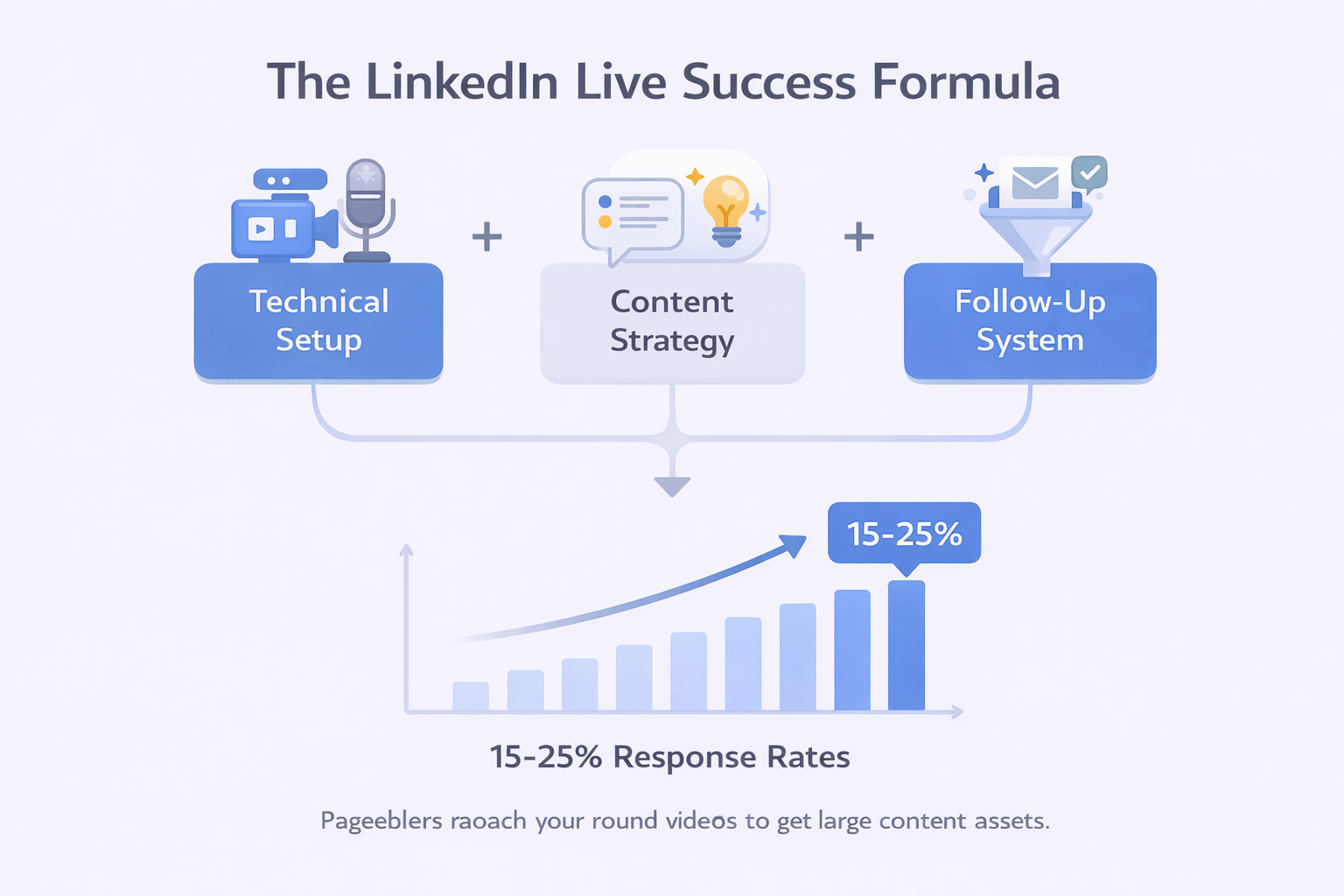
The real magic happens when you combine live streaming with systematic outreach. Use LinkedIn Live to build authority and trust at scale, then follow up with personalized messages to warm leads who already recognize your name. This combination converts 3-5x better than cold outreach alone.
Start simple. Pick a single topic you could talk about for 20 minutes without notes. Schedule your first stream three weeks out. Promote it to your network. Show up, deliver value, and learn from the experience. Then do it again.
The professionals who master LinkedIn Live in 2025 won’t just have a larger audience – they’ll have deeper relationships, higher conversion rates, and significantly easier sales conversations. Because when prospects already trust you before the first call, closing becomes natural rather than combative.
Your competitors are still figuring out if they should try live events or stick with email. While they’re debating, you’re building an unfair advantage.
The question isn’t whether LinkedIn Live works. It’s whether you’re going to use it before or after your competition does.

FAQs
How often should I go live to see real results?How often should I go live to see real results?
What if I mess up or have technical problems during the stream?
Can LinkedIn Live really replace traditional cold outreach for lead generation?
What equipment do I absolutely need to get started?
Do I need special permissions to use LinkedIn Live?
We deliver 100–400+ qualified appointments in a year through tailored omnichannel strategies
- blog
- Sales Development
- Mastering LinkedIn Live: 2025 Strategy Guide