
But here’s the thing – while most people are getting ignored, the few who understand the psychology and mechanics of effective meeting request emails are seeing incredible results. Personalized emails are 26% more likely to be opened, and well-crafted meeting requests can generate six times more responses than generic ones.
This isn’t about sending more emails. It’s about sending smarter ones.
How to Write a Meeting Request Email? (Step-By-Step Process)
Writing a meeting request email that gets replies comes down to mastering five core elements. Each piece serves a specific purpose in moving your prospect from skepticism to scheduling that call.
Craft a Subject Line That Earns the Open
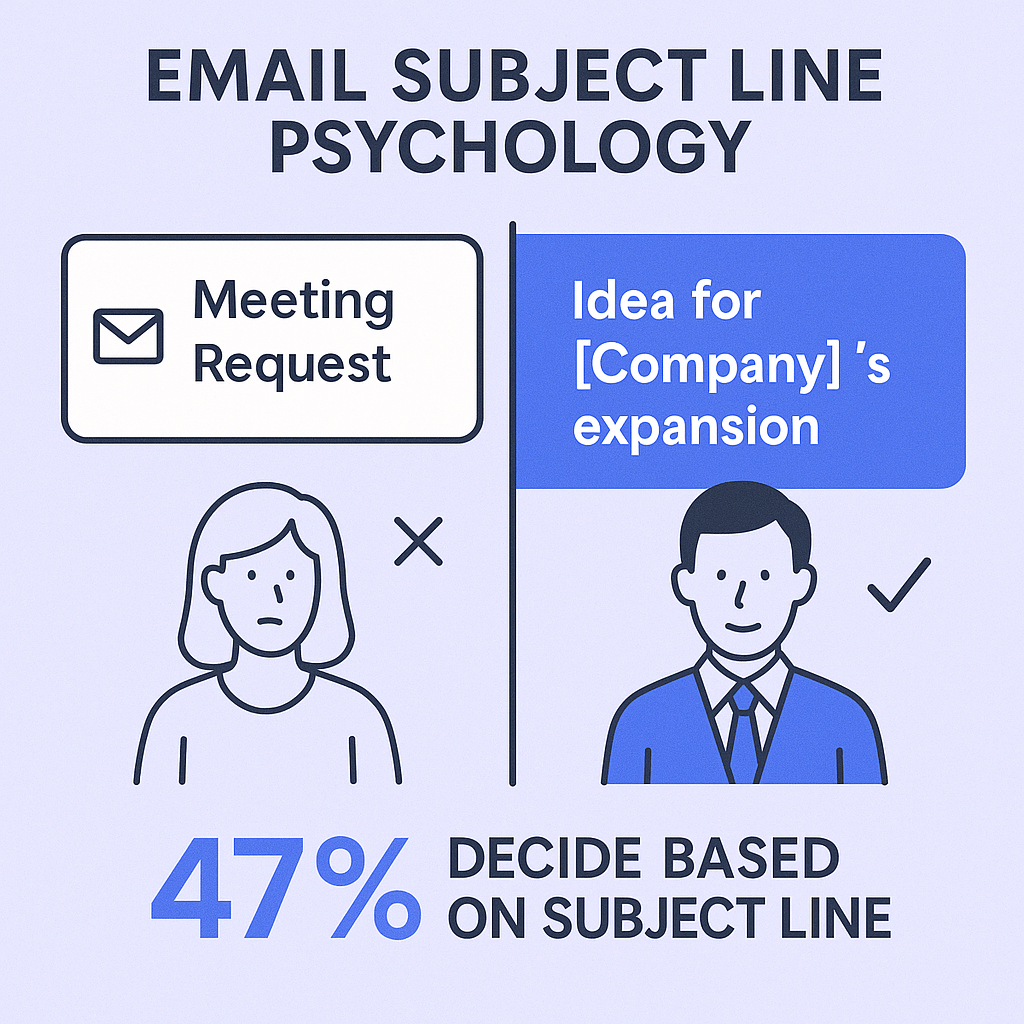
Your subject line has one job: get your email opened. With 47% of recipients deciding whether to open an email based on the subject line alone, this is your make-or-break moment.
The winning formula:
- Keep it to 3-4 words maximum for highest response rates
- Include personalization beyond just their name
- Lead with value, not your needs
- Reference something specific about them or their company
Examples that work:
- “Idea for [Company]’s expansion”
- “Question about your LinkedIn post”
- “Following up from [Event]”
Avoid these subject line killers:
- “Meeting Request” (generic and sender-focused)
- “Quick Question” (overused and vague)
- “Introduction” (doesn’t promise value)
Open With Relevance, Not Your Resume
The first sentence determines whether they’ll read the rest. Skip the traditional “My name is…” opening. Instead, immediately answer their mental question: “Why are you emailing ME?”
Effective opening hooks:
- Reference a mutual connection: “Sarah from your marketing team suggested I reach out…”
- Acknowledge recent company news: “Congratulations on the Series B funding…”
- Engage with their content: “I saw your article on remote team management…”
- Make a relevant observation: “I noticed you’re hiring several new sales reps…”
Build Your Value Proposition Using the PAS Framework
Your email body should follow the Problem-Agitate-Solve structure while staying between 101-200 words total. This length generates the highest reply rates.
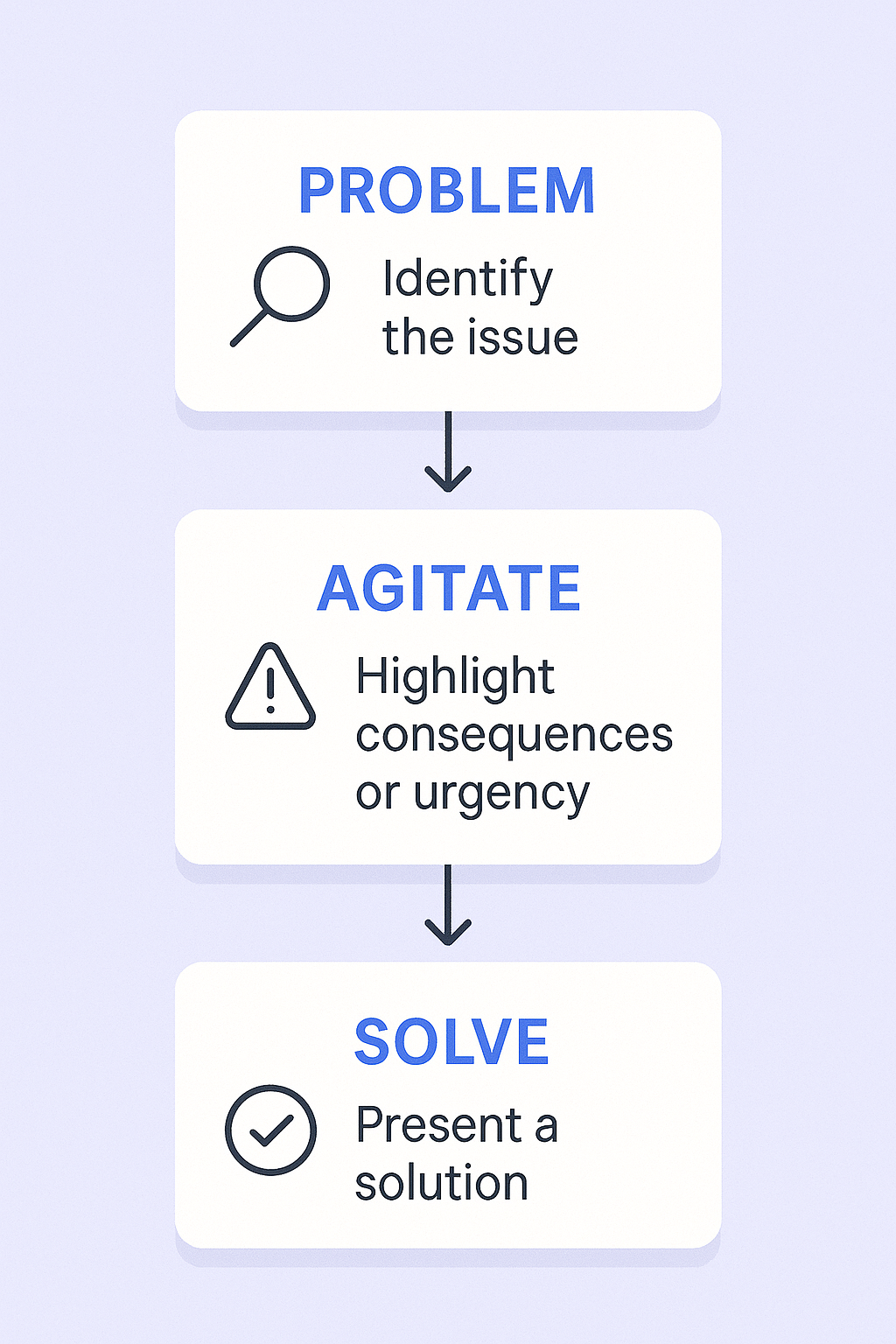
Problem: Identify a specific challenge relevant to their role or industry Agitate: Briefly highlight the consequences of this problem Solve: Present your solution as the clear path forward
Example: “I noticed [Company] recently entered the European market. Many SaaS companies expanding internationally struggle with data compliance requirements in different regions.
This often leads to stalled deals and unexpected legal risks, which can delay revenue recognition by weeks.
We help companies like yours automate compliance checks across 15+ international markets, which saved our last client an average of 3 weeks in their sales cycle.”
Make Your Call-to-Action Effortless
Your CTA should be specific, low-commitment, and easy to act on. Vague requests like “let me know what you think” place the cognitive burden on the prospect.
Two effective CTA styles:
Interest-based (softer approach):
- “Is exploring a more efficient approach on your radar?”
- “Worth a 15-minute conversation to discuss further?”
Time-based (more direct):
- “Would Tuesday at 10 AM or Thursday at 2 PM work for a brief call?”
- “Are you available for a 15-minute chat next week?”
Pro tip: When using calendar links, propose specific times first, then offer the link as an alternative. This feels more personal while maintaining efficiency.
Include a Professional Email Signature
Your signature builds credibility without cluttering your email body. Include:
- Full name and title
- Company name with hyperlinked website
- LinkedIn profile URL
- Phone number (optional but recommended)
Meeting Request Email Templates for Different Purposes
Here are proven templates you can customize for your specific situations. Remember to personalize the opening and closing lines for maximum effectiveness.
Cold Outreach Templates
Template 1: The Classic Problem-Solution
Subject: Idea for improving [Company]’s [specific area]
Hi [First Name],
I noticed on your website that [Company] is focused on [specific company goal]. Many companies making this transition struggle with [specific problem].
This often leads to [negative consequence] and can impact [relevant business metric].
We help companies like yours solve this by [brief solution description], which helped our last client [specific quantifiable result].
Would you be open to a 15-minute call next week to explore if this could be a fit for your team?
Best, [Your signature]
Template 2: The Attention-Grabbing Opener
Subject: A 30% increase in [relevant metric]?
Hi [First Name],
What if you could increase your [relevant business process] by 30% in the next quarter without additional headcount?
Companies like [similar company] are achieving this by [brief explanation of approach]. This allows their teams to focus on [higher-value activity], dramatically improving [desired outcome].
Is this approach on your radar? If so, I can share a brief case study on how they implemented this strategy.
Template 3: The Value-First Approach
Subject: This might be useful for your team at [Company]
Hi [First Name],
I saw your recent LinkedIn post about [specific topic]. It’s a complex challenge that many leaders in your space are tackling right now.
My team recently published a comprehensive report on [related topic], which includes a checklist for [specific outcome they’d want].
I thought you might find it valuable. No strings attached.
Here’s the link: [Link to resource]
Hope it’s helpful!
Follow-Up Templates
Template 4: The Gentle Follow-Up
Subject: Re: [Original Subject Line]
Hi [First Name],
Just wanted to gently follow up on my email below.
Is solving [pain point mentioned] a priority for you right now?
Template 5: The Re-Engagement Check
Subject: Still on your radar?
Hi [First Name],
We chatted a while back about [topic discussed], and I wanted to check if it’s still a priority for you or if things have shifted.
No pressure either way. Just happy to reconnect if the timing makes sense.
Let me know if it’s worth revisiting or if I should circle back later in the year.
Salesso Spotlight: Scale Your Outreach
Book 10x more meetings with verified emails
Get Started
Event and Referral Templates
Template 6: Post-Event Follow-Up
Subject: Great connecting at [Event Name]
Hi [First Name],
It was a pleasure meeting you at [Event Name] yesterday. I really enjoyed our conversation about [specific topic discussed].
As we discussed, improving your [objective mentioned] is a key focus for your team this quarter. I’ve attached a brief case study showing how we helped [similar company] tackle that exact challenge.
Do you have 15 minutes on Thursday to continue our conversation?
Template 7: The Referral Introduction
Subject: Introduction from [Referrer’s Name]
Hi [First Name],
Our mutual connection, [Referrer’s Name], suggested I get in touch with you.
I was explaining how we help companies in the [industry] space achieve [specific outcome], and they mentioned you were the best person to speak with at [Company] regarding [relevant area].
We recently helped [Client Name] [achieve quantifiable result]. Would you be open to a brief call next week to explore if we could drive similar results for your team?
Turns Out… Writing Meeting Request Emails That Get Replies Isn’t That Hard After All!
The data tells a clear story: personalization and relevance win. While average reply rates hover around 5.1%, emails with personalized subject lines see a 26% higher open rate. The key is moving beyond surface-level personalization like first names to trigger-based outreach that responds to specific events or actions.
Pro strategies that separate top performers:
Beyond Basic Personalization: Reference recent funding announcements, new hires, LinkedIn posts, or market expansions. This demonstrates research and creates immediate relevance.

