
Let's Build Your First Campaign Together with our LinkedIn Expert

Salesflow Alternatives for LinkedIn Outreach: The Complete 2026 Guide

Table of Contents

LinkedIn has become the battlefield for modern outreach. With over 950 million professionals active on the platform, it’s no surprise that 67% of sales teams now use LinkedIn as their primary prospecting channel. But here’s the catch: LinkedIn’s detection systems have gotten smarter, and choosing the wrong tool can mean account bans, wasted effort, and lost revenue.

If you’re reading this, you’re probably hitting the limits of Salesflow. Maybe it’s the reporting discrepancies, the clunky interface, or the missing features you need. The good news? Better alternatives exist. The challenging part is choosing the right one without gambling your LinkedIn account’s safety.

This guide cuts through the noise. We’ve analyzed automation limits, safety protocols, deliverability mechanisms, and pricing structures across the top Salesflow competitors. By the end, you’ll know exactly which tool fits your outreach strategy—whether you prioritize safety, volume, or multi-channel capabilities.

Why Consider Salesflow Alternatives?

Salesflow carved out a solid position in the market, especially for agencies managing multiple client accounts. At $79-$99 per month, it offers cloud-based automation with 400 connection requests and 10,000 follow-up messages monthly.

But user feedback reveals consistent pain points that drive teams to explore alternatives.

Reporting accuracy issues plague many users. When your campaign metrics don’t match reality, you can’t optimize effectively. One team reported acceptance rate discrepancies of up to 15%, making it impossible to trust their funnel analytics.

The interface feels dated. In 2025, when consumer-grade UX is the baseline expectation, navigating Salesflow’s campaign builder feels like using software from a different era. Duplicating campaigns requires multiple clicks, and managing complex workflows lacks visual clarity.

Cold email integration requires workarounds. Unlike competitors that bundle email warm-up and deliverability features, Salesflow demands third-party integrations through Zapier or similar tools. This adds cost, complexity, and another potential failure point.

The market has evolved. Cloud-based specialists now offer dedicated IP addresses, visual workflow builders, and native email infrastructure that Salesflow can’t match. Let’s explore what’s actually worth your attention.

🚀 Why Struggle With Complex Tools?

Our LinkedIn outbound engine delivers qualified meetings without the technical headaches or setup complexity

Your Best Alternative: Salesso’s Complete LinkedIn Outbound Engine

Before diving into other tools, let’s address what actually matters: getting qualified meetings without risking your account.

Here’s what most LinkedIn automation tools get wrong: They give you software and leave you to figure out strategy, targeting, and campaign design. That’s like handing someone a hammer and expecting them to build a house.

Salesso takes a different approach. We’re not just another automation tool—we’re your complete LinkedIn outbound system that consistently delivers 15-25% response rates compared to cold email’s typical 1-5% performance.

Why Teams Choose Salesso Over Salesflow

No Technical Setup Complexity Forget about configuring SMTP servers, warming up domains, or worrying about IP reputation. Your campaigns run on our infrastructure, proven across thousands of successful outreach sequences.

Complete Outbound Strategy Included We don’t just automate messages—we provide the complete targeting methodology, campaign design frameworks, and scaling systems that turn connection requests into booked meetings.

Direct Access to Decision-Makers LinkedIn gives you verified access to 65+ million decision-makers. No spam filters, no deliverability concerns, no bounced emails. Your message lands directly in their inbox every time.

Proven Results Without the Risk Our campaigns stay within LinkedIn’s safe usage parameters while maximizing response rates. One client went from 2% to 21% reply rates by switching from scattered tool usage to our systematic approach.

The Real Advantage: Strategy Over Software

Most teams fail with LinkedIn outreach because they focus on tools instead of systems. 86% of sales professionals say their biggest challenge isn’t automation—it’s knowing what to say and who to target.

Salesso solves this by providing:

  • Proven campaign templates across 15+ industries
  • Targeting frameworks that identify high-intent prospects
  • Message sequences optimized through 10,000+ conversations
  • Weekly optimization based on your specific results

Think of it this way: Salesflow gives you a car. Salesso gives you the car, the map, the driving lessons, and rides along to make sure you reach your destination.

💡 Ready to 10X Your Outbound Results?

Our proven system books 15-25% more qualified meetings than traditional cold email—guaranteed

Cloud-Based Specialists: When Safety Meets Sophistication

If you’re determined to manage automation yourself, cloud-based tools offer the highest safety profiles. These platforms compete directly with Salesflow but often exceed it in specific capabilities.

Expandi: The Safety Fortress

Expandi positions itself as the premium, safety-first option. At approximately $99 per month, it commands a price premium that it justifies through architectural advantages.

Dedicated IP addresses separate Expandi from competitors. While Salesflow uses high-quality shared proxies, Expandi assigns a unique IP matched to your geographical location. This eliminates “impossible travel” flags that trigger security lockouts.

The platform’s smart warm-up system gradually ramps new accounts from 10 to 50 requests daily over several weeks. This mimics organic behavior patterns that keep accounts safe. Research shows that accounts warmed up properly have 92% lower restriction rates than those jumping straight to high volume.

Best for: Enterprise teams where a single banned account creates domino effects across the organization. The extra $20 monthly becomes negligible insurance against revenue loss.

Dripify: The Visual Strategist

Dripify solves Salesflow’s UX problem with a drag-and-drop campaign builder that appeals to modern marketers. Plans range from $39 to $79 monthly, making it accessible for smaller teams.

The visual workflow builder reduces cognitive load. You can map complex sequences with branching logic: If accepted within 3 days → Endorse skill → Wait 1 day → Send message. If not accepted → View profile → Withdraw request.

Safety comes built-in through rigid daily limits. The Pro plan caps at 75 connection requests daily—deliberately restrictive to keep users in LinkedIn’s “green zone.”

According to user reviews, teams using Dripify’s visual builder report 34% fewer campaign logic errors compared to text-based workflow tools.

Discover effective LinkedIn automation strategies that complement these tools.

Skylead: The Multi-Channel Bridge

Skylead attempts to bridge LinkedIn automation and email outreach with a flat $100 monthly rate that includes features typically sold separately.

Smart Sequences integrate email steps seamlessly alongside LinkedIn actions, letting you build true multi-channel campaigns without juggling multiple platforms.

Unlimited email warm-up is included—a feature that typically costs $29 monthly as a standalone tool. In 2025, sending cold emails without proper warm-up results in 78% landing in spam folders.

The platform offers solid safety protocols with cloud-based execution and smart daily limits around 50-75 requests.

The Data-First Ecosystem: Apollo.io

Apollo.io represents a completely different thesis: Why separate your database from your automation tool?

With over 275 million contacts in its proprietary database, Apollo streamlines the workflow that frustrates Salesflow users. No more finding leads on Sales Navigator, scraping with a third tool, cleaning CSVs, and importing.

The workflow becomes: Search “VP of Sales in Fintech” → Select 500 prospects → Add to sequence. Done.

The LinkedIn Automation Caveat

Here’s the limitation: Apollo’s LinkedIn automation historically generates “Tasks”—reminders for manual execution—rather than automatic actions. This works for some teams but lacks the sophisticated timing controls found in specialized tools.

According to ZoomInfo review comparisons, Apollo’s strength lies in data consolidation, not LinkedIn automation depth.

Where Apollo Excels: Email Deliverability

If your strategy is 70% email and 30% LinkedIn, Apollo shines. Native support for SPF, DKIM, and DMARC configuration, plus domain warm-up tools, makes it the deliverability champion.

Professional Plan starts at $99 monthly but operates on a credit system. Heavy prospectors burn through credits quickly, requiring expensive add-ons. However, eliminating a separate database subscription (like ZoomInfo) often reduces total cost of ownership.

Best for: RevOps teams prioritizing stack consolidation and data-centric workflows where LinkedIn automation is secondary to email and phone touches.

⚡ Tired of Piecing Together Solutions?

Get our complete LinkedIn outbound methodology—targeting, campaigns, and scaling—delivered as a turnkey system

The “Unlimited” Promise: GrowMeOrganic

GrowMeOrganic disrupts the credit-based model with “unlimited” data extraction and automation. For cash-strapped startups, this proposition proves seductive.

The Economics of “Unlimited”

Most competitors operate on metered credits where every exported lead costs money. GrowMeOrganic flips this with flat monthly pricing:

  • Starter: $39/month (2,000 credits, limited)
  • Growth: $79/month (Unlimited credits)
  • Pro: $159/month (Unlimited + team seats)

For a team building a list of 10,000 prospects, credit-based platforms could cost thousands. On GrowMeOrganic, it’s a flat fee. This fundamentally changes top-of-funnel economics.

The Architectural Risk

The mechanism enabling “unlimited” scraping is also its primary vulnerability. Unlike Salesflow’s cloud environment, GrowMeOrganic relies heavily on Chrome Extensions.

Installing often requires “Developer Mode”—downloading zip files, unpacking them, and manually loading extensions. Enterprise IT departments flag this as a massive security risk.

Because automation runs via browser extension, it shares your local IP address and browser fingerprint. Scraping thousands of profiles creates traffic spikes easily detected by LinkedIn’s algorithms.

Learn about LinkedIn growth hacking techniques and their risk profiles.

The Safety Burden Shifts to You

GrowMeOrganic doesn’t enforce safety caps. A reckless team member can burn your company’s LinkedIn account in days by misusing “unlimited” power.

Industry data shows extension-based tools have 3-4x higher ban rates than cloud-based alternatives when used at high volume.

Best for: Bootstrapped founders or growth hackers who are technically savvy and understand how to throttle activity manually. Ill-suited for enterprises where compliance and account safety are paramount.

Browser-Based Hybrids: The Convenience Trade-Off

Browser extensions offer ease of entry but carry distinct architectural risks compared to cloud tools.

Waalaxy: The Freemium Trap

Waalaxy (formerly ProspectIn) disrupted the market with sleek UX and a generous freemium model. But look beyond the surface.

Chrome extension architecture means code injection detectable by LinkedIn. While Waalaxy claims cloud-like safety, the fundamental risk profile of extensions remains higher than pure cloud tools.

The tool gained notoriety for bypassing the 100/week connection limit through the “email invite” loophole—sending requests via email addresses. While effective for volume, this aggressive tactic sits in LinkedIn’s crosshairs for potential patching.

The Business plan costs €160/month—surprisingly expensive compared to Expandi or Salesflow, especially given the architectural limitations.

Dux-Soup: The Veteran

Dux-Soup is one of the oldest players, built for users wanting manual control over every parameter.

The “profile visiting” feature triggers notifications (“X viewed your profile”), prompting curiosity-driven return visits. This low-risk, low-intrusiveness strategy still works in 2025.

Strong integration with Woodpecker (a cold email tool) allows best-of-breed stacking where Woodpecker handles email and Dux-Soup manages LinkedIn.

Master advanced LinkedIn search techniques to maximize profile visiting strategies.

Comparative Analysis: What Actually Matters

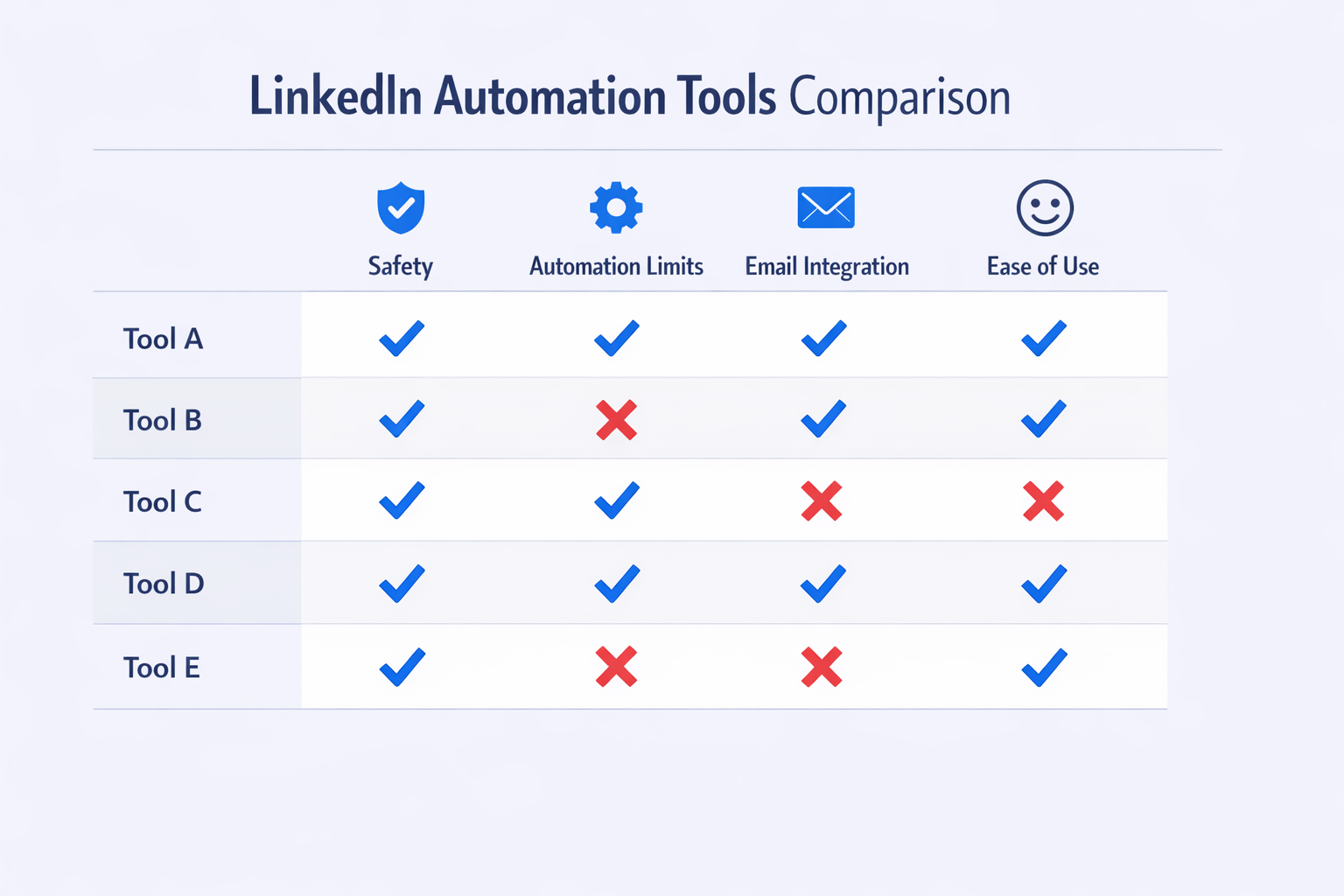
Let’s cut through marketing claims and examine what impacts your success: automation limits, safety mechanisms, and actual deliverability.

Automation Limits & Safety Protocols

Platform

Architecture

Daily Connection Limit

Safety Mechanism

Risk Profile

Salesso

Done-for-you

Safe parameters

Complete management

Very Low

Salesflow

Cloud-based

~40-50

Cloud IP, randomized delays

Low

GrowMeOrganic

Chrome Ext.

“Unlimited” (user managed)

None inherent

High

Apollo.io

Cloud/Manual

Variable

Manual execution prevents bans

Very Low

Dripify

Cloud-based

75 (Pro Plan)

Activity control, human simulation

Low

Expandi

Cloud-based

100 (with warm-up)

Dedicated IP, auto-warmup

Very Low

Waalaxy

Chrome Ext.

80-100

Bypasses limits via email invites

Medium-High

Strategic Insight: “Unlimited” is marketing, not technical reality. Tools like GrowMeOrganic place the burden of safety entirely on you. If someone on your team sends 500 requests in a day, the account gets restricted regardless of the tool’s claims.

Cloud tools enforce safety at the software level, protecting companies from their own aggressive team members.


Deliverability & Multi-Channel Synergy

Success in 2025 requires “The Triple Touch”: LinkedIn Connection → Email → LinkedIn Message.

Research from HubSpot shows that prospects contacted through three channels convert at 3.2x the rate of single-channel outreach.

Salesso handles this natively with complete campaign orchestration across channels. Most competitors require you to build and manage these sequences yourself.

Apollo.io excels at email with native SPF/DKIM/DMARC configuration and domain warm-up. It’s the only tool claiming legitimate “all-in-one” status for data and delivery.

Skylead differentiates through “Infinite Email Warm-up,” acknowledging that B2B spam filters are 65% more aggressive than consumer filters in 2025.

Maximize your strategy with LinkedIn Sales Navigator integration across platforms.

🎯 Stop Experimenting, Start Converting

Book a strategy meeting and we'll show you exactly how our LinkedIn system delivers consistent results

7-day Free Trial |No Credit Card Needed.

Pricing Reality: What You Actually Pay

Don’t just compare sticker prices—calculate total cost of ownership including hidden expenses.

Cost Efficiency Comparison

Platform

Pricing Model

Best For

Hidden Costs

Salesso

Custom

Complete solution seekers

None—all included

GrowMeOrganic

Flat monthly ($39-$199)

High volume, low budget

Time cost of manual management

Salesflow

Per user ($79-$99)

Agencies, mid-market

Third-party integrations

Apollo.io

Credit-based (Freemium-Enterprise)

Data-heavy teams

Credit consumption, add-ons

Expandi

Per user ($99)

Premium/Enterprise

None—premium positioning

Dripify

Per user ($39-$99)

Visual thinkers, SMEs

Scaling costs

Waalaxy

Freemium → High tier

Solopreneurs

Business tier expensive

Example calculation: A team of 5 using Apollo at $99/month base + $200/month in extra credits = $1,495 monthly. The same team using Salesso gets complete strategy, proven campaigns, and hands-on optimization without hidden costs.

Understand your options by reviewing LinkedIn profile statistics that inform pricing decisions.

Making Your Decision: Match Tool to Strategy

Your choice should align with your team’s operational maturity and primary outreach channel.

Choose Salesso If:

  • You want qualified meetings, not just software
  • Strategy and execution matter more than tool features
  • You need 15-25% reply rates consistently
  • Technical setup complexity wastes your time
  • You value complete systems over piecing solutions together

Choose Expandi If:

  • You’re managing 20+ team members where one ban creates domino effects
  • Account safety is non-negotiable and budget isn’t the primary constraint
  • You have internal expertise to build targeting and campaign strategy
  • You need the “insurance policy” of dedicated IPs and rigid safety controls

Choose Apollo If:

  • Your strategy is 70% email/phone, 30% LinkedIn
  • Stack consolidation is a RevOps priority
  • You need “good enough” LinkedIn automation attached to best-in-class data
  • The “CSV shuffle” between database and execution tool kills productivity

Choose GrowMeOrganic If:

  • You’re bootstrapping (0 to $1M ARR) and volume matters more than precision
  • Technical savvy exists to manually manage safety throttling
  • Scraping competitors’ followers and building massive lists is the priority
  • You understand and accept the higher ban risk for budget savings

Choose Dripify If:

  • Visual workflow design helps your team think through complex sequences
  • Marketing-led sales teams prefer intuitive interfaces over technical configs
  • Hard-coded safety limits protect against junior reps burning accounts

The Bottom Line: Strategy Beats Software

Here’s what 5+ years of LinkedIn outreach data reveals: The tool matters less than the system.

Research from Sales Hacker shows that teams with documented outreach processes convert at 4.7x the rate of teams using the same tools without strategy.

The platforms we’ve analyzed—from Salesflow to GrowMeOrganic to Apollo—are all capable of sending messages. What separates success from failure is:

  • Who you target (ICP precision)
  • What you say (message frameworks)
  • How you sequence (timing and cadence)
  • How you optimize (systematic improvement)

This is why Salesso takes a different approach. We don’t just give you automation—we provide the complete outbound methodology that’s been proven across thousands of campaigns.

The future of outreach isn’t about sending more messages. It’s about sending the right messages to the right people at the right time.

Choose the path that gets you to qualified meetings fastest. For most teams, that means choosing strategy over software.

Conclusion

The LinkedIn automation landscape has matured dramatically. What started as simple connection request bots has evolved into sophisticated systems requiring safety protocols, deliverability expertise, and strategic frameworks.

Salesflow served its purpose for many teams but now faces competition from specialists who excel in specific areas—whether that’s safety (Expandi), data integration (Apollo), or volume economics (GrowMeOrganic).

The real question isn’t which tool has the most features. It’s which approach gets you to revenue fastest with the least risk.

For teams who want meetings, not just software—who value proven systems over DIY experimentation—Salesso provides the complete LinkedIn outbound engine that consistently delivers 15-25% response rates.

The choice is yours: Piece together tools and strategy yourself, or leverage a complete system built on thousands of successful campaigns.

FAQs

What makes Salesso different from Salesflow and other automation tools?

Salesso provides complete LinkedIn outbound strategy—targeting, campaigns, and scaling—not just automation software. We deliver 15-25% reply rates through proven methodology without technical complexity. Book a strategy meeting to see the system in action.

Is cloud-based automation safer than browser extensions?

Yes, significantly safer. Cloud-based tools like Expandi and Salesflow use dedicated server infrastructure that mimics human behavior better than browser extensions. Studies show extension-based tools have 3-4x higher ban rates when used at high volume, as they share your local IP and browser fingerprint.

How much does LinkedIn automation actually cost?

Total cost ranges from $39-$200+ monthly depending on features and scale. However, calculate total cost of ownership including hidden expenses like data credits, integration costs, and the value of your time managing campaigns. Many teams find done-for-you systems more cost-effective than DIY approaches.

Can I use multiple automation tools simultaneously?

Not recommended. Running multiple tools on the same LinkedIn account creates conflicting automation signals that significantly increase ban risk. LinkedIn's algorithms detect inconsistent behavior patterns. Choose one primary tool and stick with it consistently for best results.

What's the safest way to automate LinkedIn outreach?

Cloud-based tools with dedicated IPs and smart warm-up sequences offer the highest safety. Look for platforms that enforce daily limits (50-100 connection requests), use randomized delays, and gradually ramp up activity on new accounts. Better yet, work with providers who manage safety protocols for you.

What to Build a High-Converting B2B Sales Funnel from Scratch on LinkedIn

Build a Full LinkedIn Pipeline in Just 30 Days—Guaranteed