
- blog
- Email Deliverability
- What is BIMI: Complete Guide to Brand Indicators 2025
What is BIMI: The Ultimate Guide to Brand Indicators for Message Identification
Table of Contents
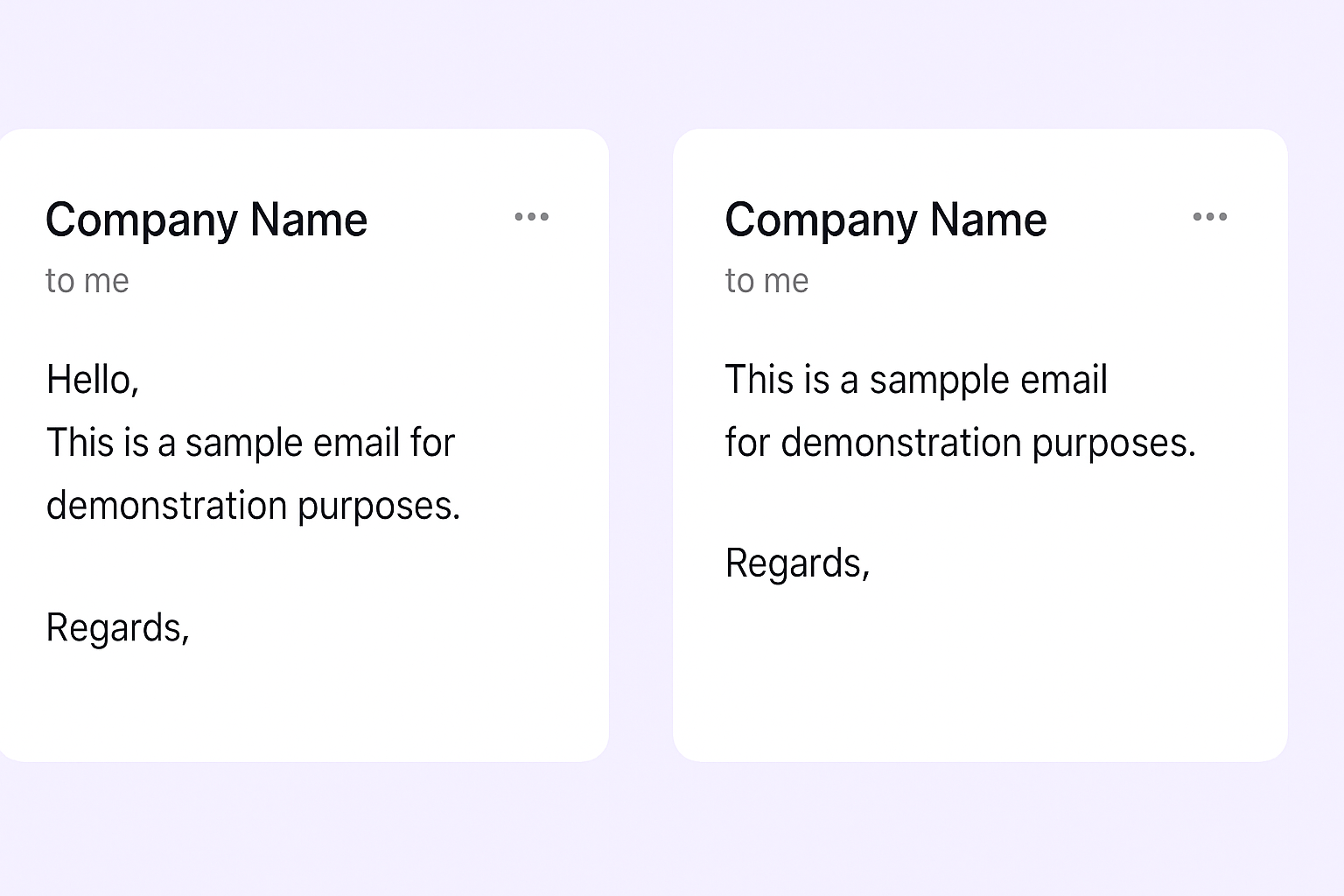
Picture this: you’re scrolling through your inbox, and two emails catch your eye. One is from an unknown sender with just text, while the other displays a professional, verified company logo right next to the sender’s name. Which one would you trust more? Which one would you open first?
This is the power of BIMI (Brand Indicators for Message Identification) – and it’s transforming how businesses build trust in the inbox.
Â

Â
What is BIMI?
BIMI stands for Brand Indicators for Message Identification. It’s an email authentication standard that allows your company’s official, verified logo to appear directly next to your sender name in the recipient’s inbox. Think of it as your digital business card – a visual stamp of legitimacy that instantly communicates professionalism and authenticity.
When you implement BIMI correctly, recipients see your logo alongside your emails in supported email clients like Gmail, Apple Mail, Yahoo, and AOL. This creates immediate brand recognition and builds trust before the email is even opened.
But here’s the key insight: BIMI isn’t just about pretty logos. It’s built on a foundation of robust email security protocols, making it one of the most powerful trust signals you can establish in 2025.
Â

Â
What are The Benefits of Implementing BIMI In 2025?
The data speaks for itself – BIMI delivers measurable results that directly impact your bottom line:
Build Instant Trust and Credibility
Research shows that 90% of consumers report increased confidence in emails that display verified logos. In a world where prospects receive dozens of emails daily, this instant trust signal helps you stand out from the crowd and overcome initial skepticism.
🎯 Get Trust Without Technical Setup
LinkedIn outbound delivers instant credibility through verified profiles—no $1,500 certificates or DMARC policies needed
Dramatically Increase Open Rates
Companies implementing BIMI see significant improvements in engagement:
- Verizon Media observed an average 10% increase in open rates for emails displaying brand logos
- Red Sift and Entrust study reported a 21% increase in open rates
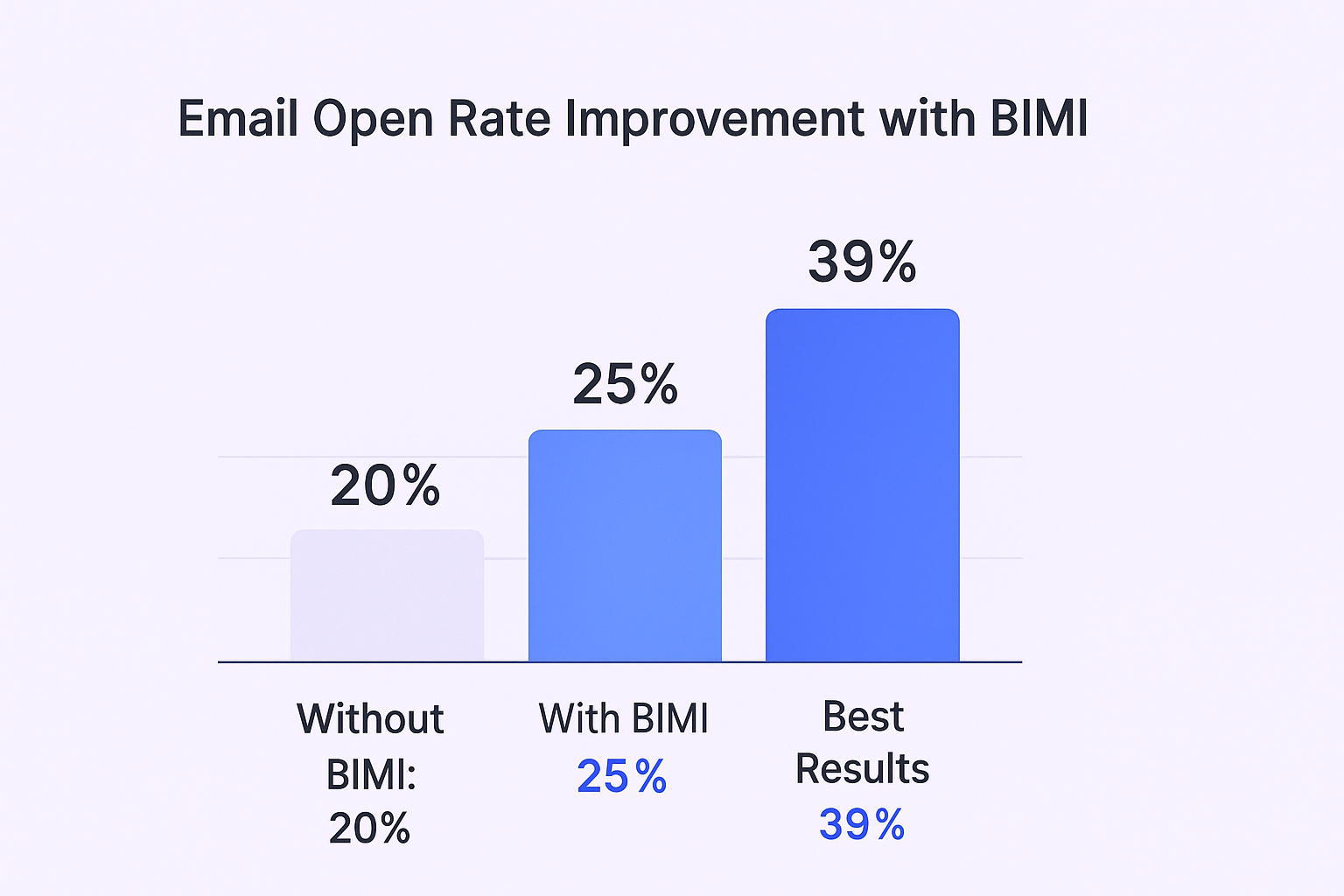
- Some companies have seen their open rates climb by as much as 39%
For email marketers, this represents a game-changing improvement. If your current open rate is 20%, BIMI could potentially push it to 25% or higher – that’s 25% more people seeing your message.
Â

💼 Beat Email’s 25% Open Rates
Our LinkedIn outbound campaigns consistently achieve 40-60% response rates with complete targeting and campaign optimization
Boost Brand Recall and Recognition
Every email becomes a brand impression, even if it’s not opened. Studies show an 18% boost in brand recall after just five seconds of logo exposure. For well-established brands, this effect can be even more pronounced, with up to a 120% increase in brand recall.
Improve Email Deliverability
BIMI requires strong email authentication (SPF, DKIM, DMARC), which inherently improves your sender reputation. This means your emails are more likely to land in the primary inbox rather than spam folders – a critical factor for email success.
Drive Revenue and Conversions
The trust and recognition fostered by verified logos translate directly into commercial results. Data shows that displaying a logo can lead to a 34% increase in purchase likelihood. Case studies reveal even more dramatic results – brands using BIMI have seen their sales share increase by 34% while competitors without logos lost market share.
How to Set Up BIMI?
Setting up BIMI requires careful attention to technical details, but following this step-by-step process ensures success:
âš¡ Skip The 6-Week Setup
Launch LinkedIn outbound campaigns in days, not months—complete targeting, messaging, and scaling without technical barriers
Step 1: Establish DMARC Enforcement
This is non-negotiable. Your domain must have a DMARC policy set to enforcement before BIMI will work. Your policy must be either:
- p=quarantine (sends unauthenticated emails to spam)
- p=reject (blocks unauthenticated emails entirely)
A monitoring-only policy (p=none) won’t qualify for BIMI. Work with your IT team to ensure your SPF, DKIM, and DMARC records are properly configured.
Step 2: Create Your BIMI-Compliant Logo
Your logo must meet specific technical requirements:
- Format: SVG Tiny Portable/Secure (SVG P/S)
- Dimensions: Perfect square (1:1 aspect ratio)
- Background: Solid color (not transparent)
- File Size: 32 KB or smaller
- Content: Static image (no animations or scripts)
- Hosting: Must be available via secure HTTPS URL
Step 3: Obtain a Digital Certificate
You need either a Verified Mark Certificate (VMC) or Common Mark Certificate (CMC):
VMC (~$1,500/year):
- Requires registered trademark
- Enables blue checkmark in Gmail
- Best for established enterprises
CMC (~$990-$1,250/year):
- No trademark required
- More accessible for smaller businesses
- Still displays your logo prominently
Step 4: Publish Your BIMI Record
Add a DNS TXT record that looks like this:
default._bimi.yourdomain.com TXT “v=BIMI1; l=URL_TO_YOUR_LOGO.svg; a=URL_TO_YOUR_CERTIFICATE.pem;”
Â
Step 5: Test and Monitor
Use the free BIMI Inspector tool to validate your setup and monitor for any issues like expired certificates or DNS changes.
How to Improve BIMI Reputation
Having your logo display is just the beginning. Here’s how to maximize BIMI’s impact:
Maintain Excellent Sender Reputation
Your sender reputation directly affects whether your logo appears. Keep these metrics healthy:
- Bounce rate: Under 2%
- Spam complaint rate: Under 0.1%
- Engagement rates: High opens and clicks
Monitor Authentication Health
Regularly check that your SPF, DKIM, and DMARC records remain valid. A single misconfiguration can cause your logo to disappear.
Keep Certificates Current
VMCs and CMCs expire annually. Set up renewal reminders to prevent lapses that could interrupt logo display.
Focus on Email Quality
Send valuable, relevant content that recipients want to engage with. Higher engagement rates signal to email providers that your messages deserve prominent inbox placement.
Segment Your Lists
Use email segmentation strategies to send more targeted, relevant messages that drive better engagement.
Why Does BIMI Have a Pivotal Year in 2025?
Several factors make 2025 the critical year for BIMI adoption:
New Sender Requirements from Major Providers
Starting in February 2024, Google and Yahoo mandated that bulk senders (5,000+ emails per day) must have strong email authentication, including DMARC enforcement. Microsoft followed with similar requirements.
This means companies already need to complete the hardest part of BIMI setup just to maintain deliverability. The additional step to add a logo and certificate becomes a no-brainer investment.
Explosive Adoption Growth
BIMI adoption has surged 28% year-over-year, reaching over 53% of qualifying domains. However, overall adoption remains around 5.7% of all domains, creating a window of competitive advantage.
Early adopters are dominating the visual landscape of inboxes while competitors remain anonymous text-based senders.
🚀 Avoid 53% Implementation Failure Rates
LinkedIn outbound works immediately with our proven targeting, campaign design, and scaling methodology—zero technical errors
7-day Free Trial |No Credit Card Needed.
High Implementation Failure Rate
Analysis shows that over 53% of BIMI-enabled domains have implementation errors preventing their logos from displaying correctly. The most common mistakes include:
- Non-compliant SVG files
- DMARC policies at monitoring-only
- Invalid or expired certificates
This creates an opportunity for businesses that implement BIMI correctly to gain significant advantage over struggling competitors.
Expanding Email Client Support
BIMI support continues growing among major mailbox providers:
- Gmail: Full support with blue checkmarks for VMCs
- Apple Mail: iOS 16, iPadOS 16, macOS Ventura 13+
- Yahoo and AOL: Full support
Note: Microsoft Outlook doesn’t currently support BIMI, but the covered providers represent the vast majority of email volume.
FAQs
Q: How much does BIotal?MI cost in total?
Q: How long does BIMI implementation take?
Q: Which email clients support BIMI?
Q: Can I use BIMI without a trademark?
Q: What if my logo isn't displaying?
Skip Email Authentication Headaches
LinkedIn outbound delivers verified trust instantly—no DMARC, certificates, or technical setup required
Segmentation That Actually Converts
LinkedIn outbound targets precise demographics with strategic campaign design and scaling methods
