

What Is an Email Deliverability Test?
An email deliverability test is your email’s health check-up before launch. Think of it as checking your car’s engine before a road trip—you want to know it’ll get you where you’re going.
This diagnostic tool reveals exactly where your emails land: the primary inbox, promotions tab, or the dreaded spam folder. It’s the difference between being heard and being ignored.
The Critical Difference: Delivery vs. Deliverability
Here’s where most people get confused. Your email tool might show “Delivered,” but that doesn’t mean your prospect saw anything.
Email Delivery simply means the receiving server accepted your email—it didn’t bounce back with an error.
Email Deliverability is what actually matters: did it land in the inbox where humans can see and read it?
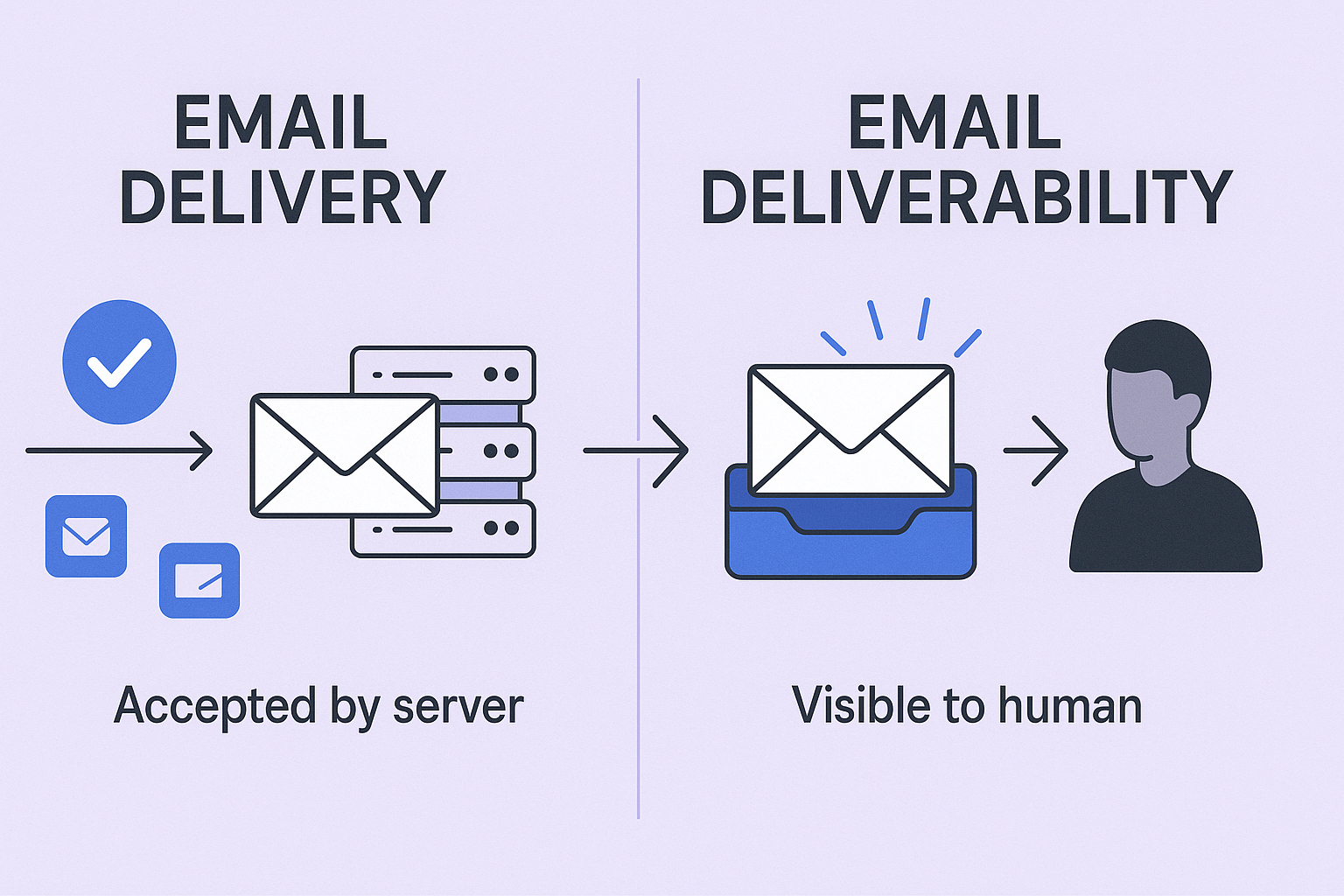
This distinction is crucial. You can have 100% delivery and 0% visibility if every email goes to spam. Sales teams often see “Delivered” and assume success, then wonder why their carefully crafted campaigns generate no responses.
What Aspects to Check in an Email Deliverability Test?
Understanding what a deliverability test examines is simpler than it sounds. Think of it as your email’s “first impression” checklist—these elements determine whether you’re welcomed or turned away.
Inbox Placement: The First Impression
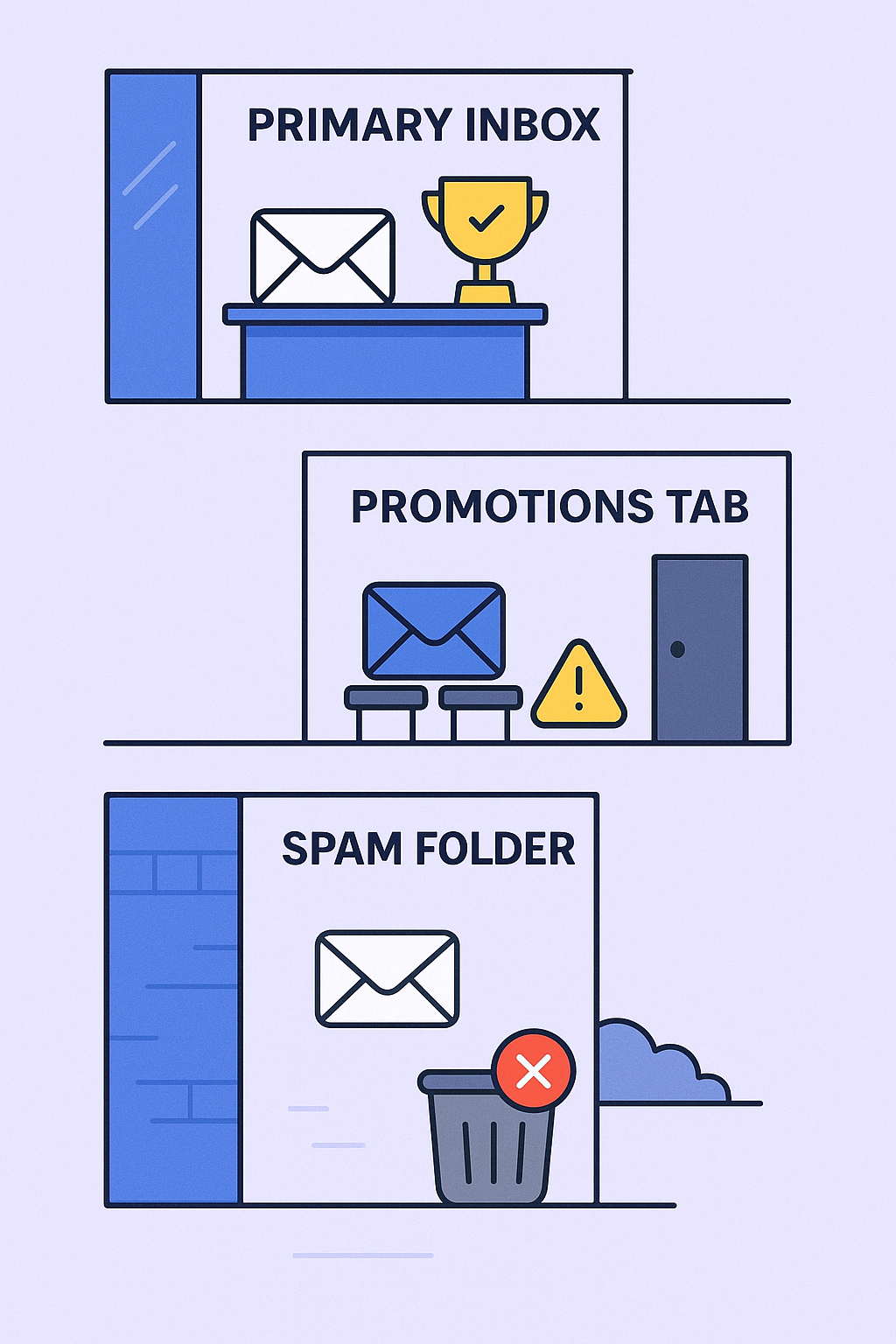
This fundamental check reveals where your email actually lands. Does it reach the Primary Inbox, get filtered into Promotions, or go straight to spam?
It’s like the difference between getting a meeting in the CEO’s office (Primary Inbox), waiting in the lobby (Promotions), or being escorted out by security (Spam).
Sender Reputation: Your Digital Credit Score
Email providers assign you a reputation score based on your sending history, much like a credit score. It’s influenced by bounce rates, spam complaints, and user engagement with your emails.
Consistently provide value and people trust you. Send irrelevant messages and doors start closing before you even knock. This reputation follows your domain and IP address everywhere.
Authentication Records: Your Official ID
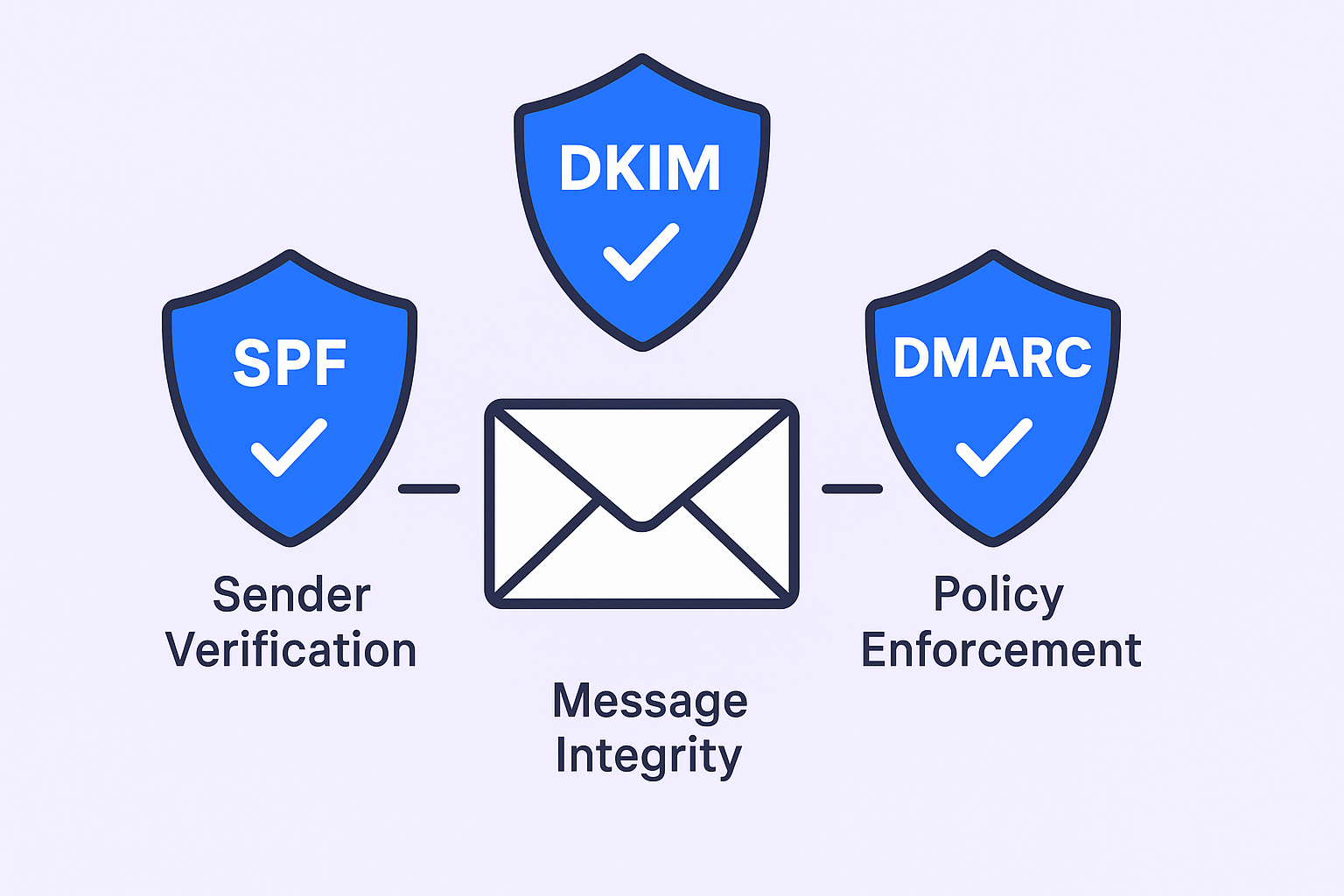
SPF, DKIM, and DMARC are technical records that prove your emails are genuinely from you, not a scammer impersonating your domain.
- SPF is your authorized sender list—who’s allowed to send emails from your company
- DKIM is a tamper-proof digital seal ensuring your message hasn’t been altered
- DMARC tells email providers what to do with suspicious messages
Without these, you look suspicious from the start.
Content and Spam Score: Your Message Quality
The test analyzes your email’s text and formatting for spam trigger elements. This includes overly promotional language (“Buy now,” “Free”), excessive links, or messy formatting.
Over 45% of emails flagged as spam contain problematic language or formatting. Using spammy words is like using cheesy sales tactics—it immediately puts people on guard.
Blacklist Status: The Digital “Do Not Call” List
This checks if your domain or IP address appears on public databases of known spammers. Being blacklisted means your emails get blocked almost everywhere—it’s a campaign killer.
How to Do an Email Deliverability Test
Let’s get you answers right now. We’ll start with a free test you can run in 60 seconds, then cover more comprehensive options.
Method 1: The Quick & Free Check
For immediate diagnostics, use a free email deliverability test online tool like MailGenius or Mail-Tester.
Here’s the step-by-step process:
- Go to MailGenius.com and copy the unique email address displayed on the homepage
- Open your email client or sales platform
- Compose the exact email you plan to send—same subject line, body, and signature
- Send that email to the unique address you copied
- Return to MailGenius and click “See Your Score”
You’ll get an instant report grading your authentication, blacklist status, and content issues, plus actionable steps to fix any problems.
Method 2: Comprehensive Campaign Simulation
For high-stakes campaigns or when the free test reveals issues, you need deeper analysis. Professional email deliverability tools send your email to test inboxes at major providers (Gmail, Outlook, Zoho) to show exactly where you land.
Tool | Best For | Key Feature | Pricing | Rating |
MailGenius / Mail-Tester | Quick health check | Instant spam score and authentication check | Free | 4.4/5 |
MxToolbox | Technical domain analysis | Comprehensive domain health report | Free (one domain) | 4/5 |
GlockApps | Real campaign simulation | Tests against large seed list of real inboxes | From $85/mo | 4/5 |
Warmy | All-in-one solution | Combines testing with automated warm-up | From $49/mo | 4.8/5 |
Best Strategies to Maintain High Email Deliverability
Prevention beats fixing problems after they occur. Think of your email deliverability as a pyramid—if the foundation is weak, everything collapses.
Foundation Level: Technical Setup & List Quality
Get Authentication Right: Set up SPF, DKIM, and DMARC records correctly. This one-time technical setup pays dividends forever. If you’re not technical, grab someone from IT for 15 minutes—it’s that important.
Keep Your List Squeaky Clean: Your email list is the single biggest factor in deliverability. Sending to invalid addresses leads to high bounce rates, which severely damages your reputation.
A bounce rate over 2% starts hurting your reputation. Starting with verified, high-quality email addresses isn’t just nice-to-have—it’s the foundation of every successful outreach campaign.
Building Level: Reputation Management
Warm Up Gradually: Don’t go from 0 to 200 emails overnight. Start with low volume (25 emails/day) and slowly increase over several weeks. This builds trust with providers and proves you’re not a spammer.
Use a Separate Outreach Domain: Protect your main company domain by sending cold outreach from a similar secondary domain. If your outreach domain gets flagged, it won’t take down your entire company’s email system.
Peak Level: Smart Sending & Quality Content
Send Slowly and Naturally: Don’t blast emails all at once. Set delays between sends (at least 60 seconds) to mimic human behavior.
Personalize Everything: Generic emails get ignored or marked as spam. Personalized subject lines alone boost open rates by 26%. Mentioning something specific about the prospect or their company shows you’ve done your homework and dramatically increases positive engagement.
Write Like a Human: Avoid spam trigger words, ALL CAPS, and excessive links. Keep messages concise—emails with 50-125 words often see the highest reply rates.
