

Here’s the biggest mistake new grads make: They write a great post that links back to a generic, un-optimized profile.
Think about it this way. Your post is the “ad.” Your profile is the “landing page.” If your ad gets tons of engagement but your landing page just says “Recent Graduate,” you’ve lost every opportunity.
Recruiters will click your profile when they see that post. This guide will make sure your profile converts before you ever hit “post.”
We’re not just giving you a linkedin graduation post template. We’re giving you the complete playbook to launch your professional career.
Profile Essentials: Setting Up Your Professional Storefront
Before you announce anything, you need to optimize your profile. Your LinkedIn profile is your digital first impression. Right now, we need to set it up to attract the right opportunities.
Your Photo and Banner (Your Visual Hook)
This is non-negotiable.
Your Profile Photo: Profiles with a professional photo get 21x more profile views and 36x more messages. You don’t need a corporate headshot—just a clear, high-quality photo where you’re smiling, well-lit, and in focus. No group photos, no party pics.
Your Banner: That big space behind your photo? It’s free real estate. Don’t leave it blank. Use a free tool like Canva to create a simple banner that says something like, “Recent Marketing Graduate | Passionate about Digital Strategy” or “Finance Graduate | Ready to Make an Impact.”
Your Headline: The Most Important 120 Characters
This is where most new graduates blow it.
Here’s what not to do: “Recent Graduate” or “Student at [University]”
Why? Recruiters don’t search for “Recent Graduate.” They search for specific skills, roles, and keywords. A strong, keyword-rich headline can get you 30% more profile views.
Your headline should tell people who you are and what you want to do.
Good Headline Examples:
Instead of: “Recent Graduate at State University” Try: “Recent Marketing Grad | Digital Strategy & Content Creation | Ready to Drive Growth”
Instead of: “Student at Tech University”
Try: “Computer Science Graduate | Full-Stack Development | Python, React, Node.js”
Instead of: “Looking for Opportunities” Try: “Recent Finance Grad | Financial Analysis & Data Modeling | Excel & SQL”
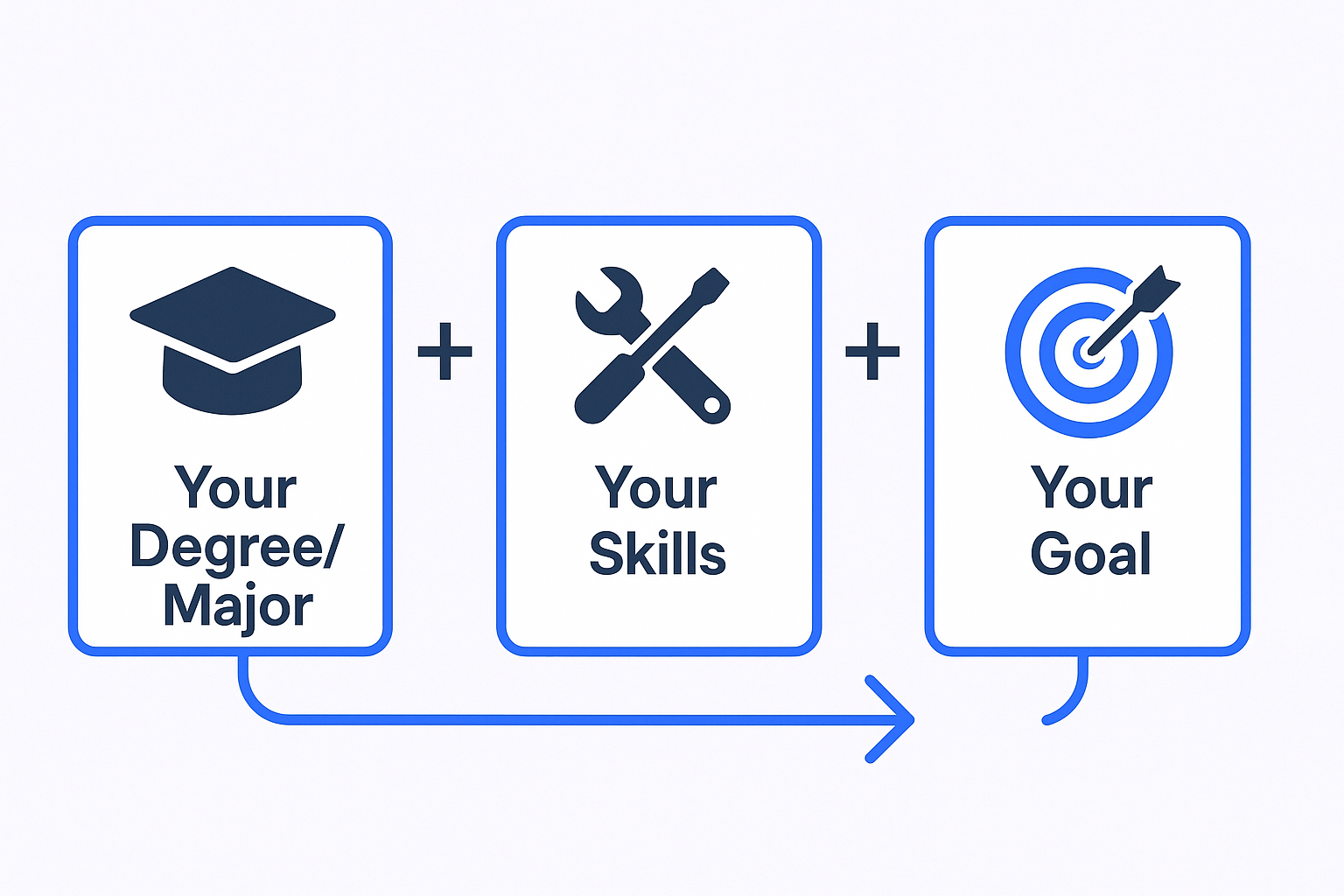
The formula: Your degree or major + Your skills + Your goal or value proposition
The “Open to Work” Banner: Use It
You might be wondering, “Does the green ‘#OpenToWork’ banner make me look desperate?”
No. It shows strategic intent.
The feature is built specifically to signal recruiters. It increases your visibility to hiring managers actively searching for candidates. It’s a tool—use it.
Your Biography: Your Personal Pitch
This is your “About” section. Most grads fill this with fluff. You’re going to use it as your professional story.
But you’re probably thinking: “How can I write a compelling pitch with limited experience?”
Simple. You focus on who you are, what you bring, and what you want.
Here’s a 4-part structure that works:
Who You Are: Your mission and what drives you.
Your Experience: Your relevant skills and achievements (even from non-traditional roles).
How You Work: Your strengths and approach.
Your Call-to-Action: What you’re looking for.
Fill-in-the-Blank About Template:
“I am a recent graduate with a [degree] in [major] and a passion for [industry/field]. My goal is to bring my [key strength] and [another strength] to a [type of company/role].
While at university, I thrived in [type of environment]. As a [role/position], I learned to [skill #1], [skill #2], and consistently [achievement]. I’m particularly proud of [specific project or accomplishment].
I’m a quick learner who excels at [skill], [skill], and [skill]. I approach challenges with [your working style] and believe in [your professional philosophy].
I’m currently seeking opportunities in [field/role] where I can [value you’ll bring]. My inbox is open—let’s connect.”
Work Experience: Proving Your Value (Even Without “Professional” Jobs)
Here’s the secret: Recruiters know you don’t have 10 years of experience. They’re not looking for that.
They’re looking for proof that you can:
- Learn quickly
- Work hard
- Solve problems
- Work with others
Your “normal” jobs are actually valuable proof points. Did you work retail? Wait tables? Intern somewhere? These all count.
Your job is to translate what you did into professional language.
Instead of just listing tasks, show results and skills.
Translation Examples:
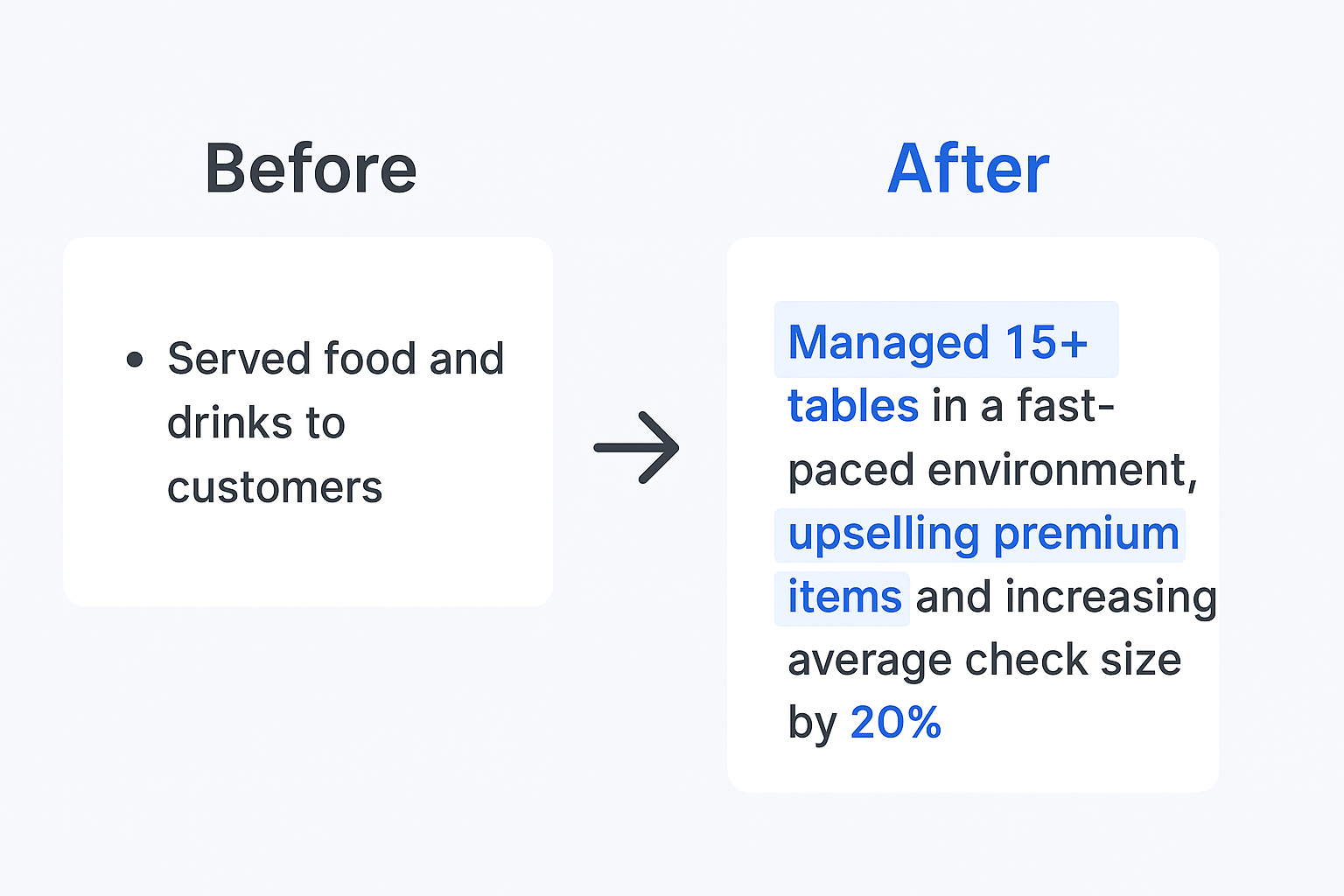
Server/Bartender: Before: “Served food and drinks to customers” After: “Managed 15+ tables in a fast-paced environment, upselling premium items and increasing average check size by 20%”
Retail Associate: Before: “Worked the cash register” After: “Consistently exceeded monthly sales targets by 15%, ranking in top 3 performers on a 12-person team through consultative selling”
Campus Leader: Before: “Led a student organization” After: “Managed a team of 8 volunteers, coordinated 5 campus-wide events reaching 500+ students, and increased membership by 40%”
Intern: Before: “Helped with marketing projects” After: “Supported social media strategy resulting in 25% engagement increase; created content calendar and analyzed campaign performance using Google Analytics”
The pattern: Action + Context + Result
Skills, Endorsements, and Recommendations: Your Social Proof
This section validates everything you just claimed.
Skills: Your Keyword Optimization
48% of recruiters on LinkedIn use skills filters to find talent. That means if you don’t list the right skills, you won’t show up in searches.
Action steps:
- Use all 50 skill slots
- Pin your top 3 most relevant skills
- Include both hard skills (software, tools) and soft skills (leadership, communication)
Top Skills for New Graduates:
- Communication
- Project Management
- Data Analysis
- Microsoft Office/Google Workspace
- Research
- Social Media
- Problem Solving
- Teamwork
- Time Management
- [Industry-specific tools]
Endorsements: The Quick Win
Endorsements help boost your profile in search results. Here’s the hack: Go endorse 10 classmates for skills you know they have. 3-5 will endorse you back. It’s a simple give-to-get strategy.
Recommendations: The Real Credibility
This is what humans actually read. Recommendations require effort, which makes them valuable.
Aim for 3-5 recommendations from professors, internship supervisors, or managers from part-time jobs.
Don’t just hit the “ask” button. Send a personalized message that makes it easy for them:
Recommendation Request Template:
“Hi Professor [Name],
I’m building out my LinkedIn profile as I begin my job search, and I’d be grateful for a brief recommendation.
I really valued my time in your [Class Name], especially [specific project or learning moment]. I’m hoping you could touch on my [specific skill or trait].
No pressure at all, but it would mean a lot. Thank you!”
Showing Your Professional Personality: How to Write Your LinkedIn Graduation Post
Your profile is optimized. Your “landing page” is ready.
NOW it’s time to write your linkedin graduation post.
The fear of sounding awkward is real. The way to avoid it is simple: 2 parts gratitude, 1 part ambition.
You’re not bragging—you’re thanking the people who got you here and sharing your excitement for the future.
The Anatomy of a Perfect Post
The Hook: Announce your graduation
The Gratitude: Thank 1-3 specific people (professors, family, mentors). Tell a brief story about a challenge or highlight.
The Ambition: State what’s next. This is crucial—tell your network what you’re looking for.
The Visual: Add a photo! Cap-and-gown shots work great. Posts with photos get significantly more visibility.
The Hashtags: Use 3-5 relevant tags (#Graduation2025, #[YourUniversity], #[YourField], #OpenToWork)
Why this format? “Personal story” posts get around 3-3.5% engagement rate on LinkedIn—far higher than corporate content.
LinkedIn Graduation Post Examples
Template – The Gratitude-Focused Post:
“I’m thrilled to officially announce I’ve graduated from [University] with my [degree] in [major]! 🎓
These past 4 years have been an incredible journey. I’m so grateful for my amazing professors, especially [Professor Name], and my family for their endless support.
I’m excited to take the next step and am actively seeking opportunities in [industry/field]. I’m ready to bring my [skill] and passion for [topic] to a great team. Open to all connections and advice!
#Graduation2025 #[UniversityName] #[YourField] #OpenToWork”
Template – The Story-Driven Post:
“So excited to share I’ve graduated from [University]!
My proudest moment wasn’t just passing exams. It was [specific achievement or challenge you overcame].
That’s the moment I knew I was built for a career in [field].
Huge thanks to [mentor/professor] for the guidance. I’m now looking for [type of role] where I can make an immediate impact.
#[YourField] #CareerStart #Graduation”
Template – The Skills-Focused Post:
“It’s official! [Degree] from [University] in hand. 🎓
But the real education? [Job/role] taught me [skill], [club/activity] taught me [skill], and [project] taught me [skill].
I’m not just a new grad—I’m a driven professional ready to [what you bring to the table].
Looking for opportunities in [field/role]. Let’s connect!
#NewGrad #[Industry] #HiringNow”
Using LinkedIn for Networking: Your First Professional Outreach
Your post is live. The engagement is rolling in.
You’re not done yet. The post is passive. Professionals are proactive.
The biggest mistake everyone makes is sending the default connection request: “I’d like to add you to my professional network on LinkedIn.”
That gets ignored.
You have 300 characters to customize your request. Use them.
Your Connection Request Playbook
Who to Contact + Why + Template:
Hiring Manager at Target Company
Why: You want their advice (not a job—yet).
Template: “Hi [Name], I’m a recent [major] grad from [University] and was impressed by [Company’s recent achievement]. I’m passionate about [field] and would love to connect. Any advice on breaking into [industry] would be amazing!”
Alumnus from Your University
Why: Shared connection = higher response rate.
Template: “Hi [Name], I’m a recent grad from [University] (Go [Mascot]!) and saw you’re at [Company]. I’m exploring opportunities in [field] and would love to hear about your experience there. Thanks for connecting!”
Recruiter at Target Company
Why: They’re actively looking for candidates.
Template: “Hi [Name], I noticed you recruit for [department] at [Company]. I’m a recent [major] grad with experience in [relevant skill/area] and I’m actively looking for [role type]. I’d love to connect and learn more about opportunities.”
Professional in Your Target Field
Why: Building genuine relationships.
Template: “Hi [Name], I came across your work on [specific project/article] and found it really inspiring. I’m a recent grad entering [field] and would love to connect and learn from your experience.”
