

Let’s be real: your LinkedIn headline probably says “Student at University Name” or “Recent Graduate.”
And that’s exactly why recruiters aren’t finding you.
With over 1 billion users on LinkedIn, the default headline makes you invisible. It’s like showing up to a networking event wearing a name tag that says “Person.” You blend into the crowd, and nobody remembers you.

Here’s what most recent graduates don’t realize: your LinkedIn profile isn’t just a resume. It’s your professional storefront. And the headline? That’s the sign on your store.
The stakes are higher than you think. Over 87% of recruiters use LinkedIn to source and vet candidates. Even more striking? 61% of employers say they might not hire someone if they can’t find their LinkedIn profile at all.
You have seconds to make an impression. A well-crafted headline can boost your profile views by up to 40%. That default headline isn’t neutral—it’s actively costing you interviews.
But here’s what changes everything: your LinkedIn headline isn’t a summary. It’s your first sales pitch.
Hiring managers aren’t just looking for a degree. They’re looking for someone who already thinks like a professional. Someone who understands their value and can communicate it clearly.
In this guide, you’ll get copy-and-paste formulas, real examples, and insider tips that transform your headline from invisible to irresistible.
Three Winning Formulas for Your LinkedIn Title
You have 220 characters. Let’s make every single one count.
Here are three formulas to build your headline, progressing from good to great.
The Classic & Clear Approach
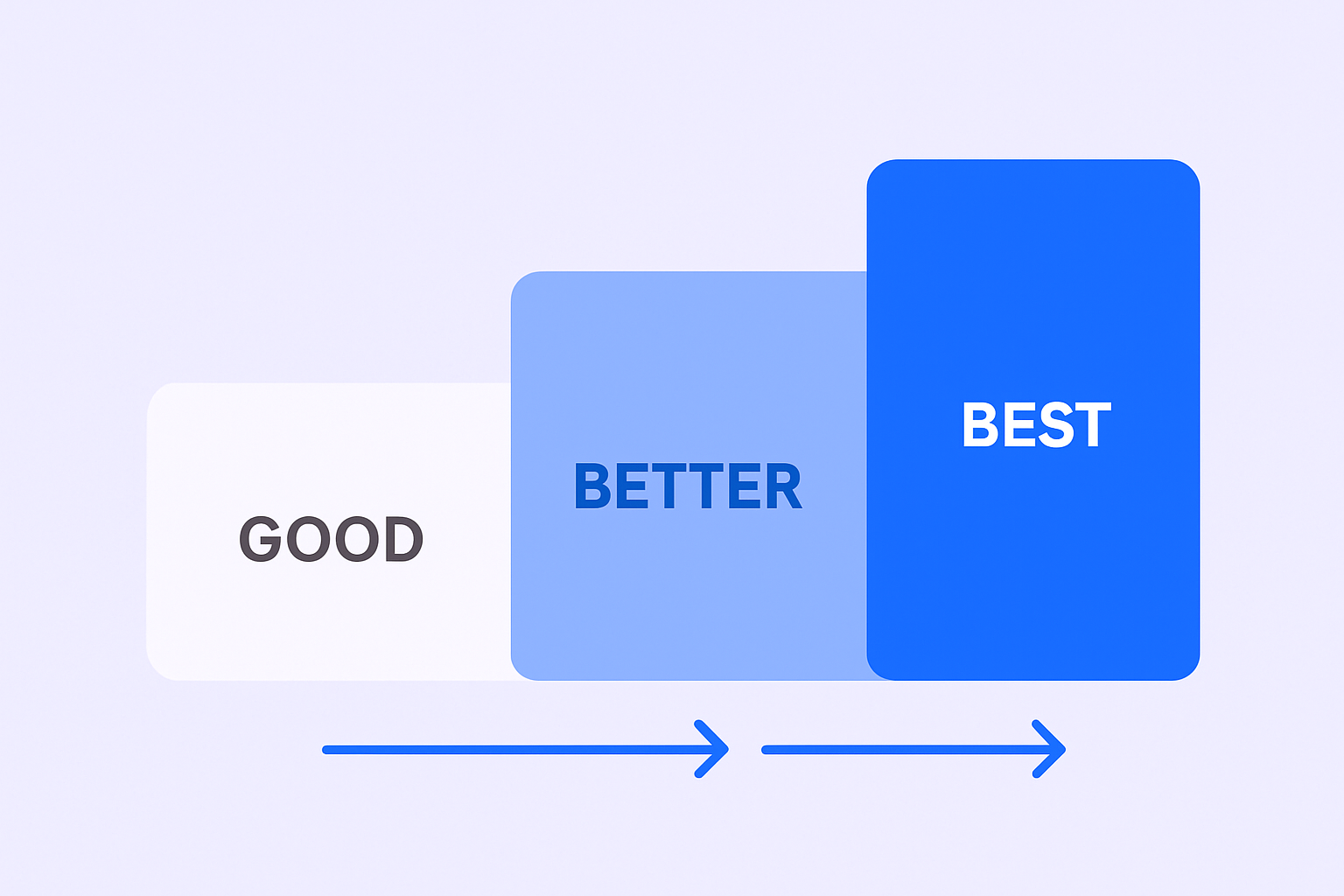
This is the most straightforward formula. It’s honest, direct, and replaces that “Student” tag with your future-facing goals.
It’s a massive step up from the default because it’s rich in keywords recruiters actually search for.
The Formula:
Graduate | Seeking Opportunities
Copy & Paste Examples:
- “Recent Business Graduate | Specializing in Marketing & Sales”
- “Finance Graduate with Accounting and Investment Experience”
- “Recent Marketing Graduate | Open to Full-Time Roles in Data and Content”
- “Computer Science Student | Passionate About DevOps & Cloud Infrastructure”
- “Recent College Graduate Seeking Entry-Level Programming Position”
Why this works: You’re immediately positioning yourself as someone actively seeking opportunities. You’re not a student anymore—you’re a professional ready to contribute.
The Skills-Forward Formula
This formula is better because it focuses on what you can do, not just what you studied.
Hiring is increasingly skills-based. Recruiters are searching for hard skills, and this formula puts them front and center. It’s a direct signal to the LinkedIn algorithm that you match the skills listed in job descriptions.
The Formula:
[Role/Title] | [Skill 1] | [Skill 2] | [Skill 3] | [Skill 4]
Copy & Paste Examples:
- “Aspiring UX Designer | Figma | Adobe XD | Prototyping | User Research”
- “Marketing Student | Social Media Strategy | Canva | HubSpot Certified”
- “Electronics Engineering Student | Aspiring Embedded Software Developer | C++ & C”
- “Mechanical Engineering Junior | CAD | SolidWorks | MATLAB”
Why this works: When recruiters search for candidates with specific skills, your profile shows up. You’re no longer just another recent grad—you’re someone with the exact capabilities they need.
The Pro-Level Value Pitch
This is the expert-level choice. It’s the one that makes hiring managers stop scrolling.
Why? It shifts the focus from you to the value you provide.
This formula proves you understand a core principle of professional success: it’s not about you; it’s about the problems you solve and the value you create.
The Formula:
[Your Title/Role] | Helping [Target Audience] Achieve [Specific Outcome]
Copy & Paste Examples:
- “Aspiring Sales Development Representative | Helping B2B SaaS Companies Build Pipeline”
- “Future Account Executive | B2B Sales | SaaS | CRM | Lead Generation”
- “Business Development | Skilled in Cold Calling, Prospecting, and Market Analysis”
- “Entry-Level Sales | Passionate About Driving Revenue and Building Relationships”
- “Recent Business Graduate | Helping Tech Startups Scale Their Go-to-Market Strategy”
- “Junior Marketing Specialist | Helping Brands Increase Engagement Through Content Strategy”
- “Data Analyst | Helping Companies Make Better Decisions Through Data Visualization”
Why this works: You’re demonstrating professional thinking before you even get the job. A hiring manager seeing this knows you understand that success isn’t about you—it’s about the impact you create.
H1: 💼 Hiring Top Talent? Reach Them First
H2: Complete LinkedIn outbound strategy: targeting, campaign design, and scaling that delivers 15-25% response rates
CTA: Book Now
Your Headline Evolution: From Default to Pro
Here’s a simple progression table. Your goal is to get to BEST.
Level | Headline Example | Why It Works (Or Doesn’t) |
Default | “Student at State University” | Wasted space. Tells recruiters nothing. Makes you invisible. |
Good | “Recent Business Graduate | Seeking Sales Role” |
Better | “Aspiring Sales Professional | SaaS |
BEST | “Aspiring Sales Professional | Helping B2B SaaS Companies Build Sales Pipeline” |
Conclusion: Stop Being a Student, Start Being a Professional
Your LinkedIn profile is the most valuable piece of real estate you own in your job search.
Don’t waste your headline with a default title. You’re not “just a student” anymore. You’re a professional. Your headline needs to reflect that transformation.

You’ve optimized your headline. You’ve built your professional “storefront.” You look like someone ready to contribute value from day one.
Now what?
You could wait for recruiters to find you. Or you can take the proactive approach that separates successful job seekers from the rest: you can start your own outbound prospecting.
Professional life is about proactive outreach. It’s not waiting for opportunities to come to you. It’s sending personalized cold emails, engaging thoughtfully on social media platforms like LinkedIn, and building your own pipeline of opportunities.
Other Useful Resources
To understand how to convert LinkedIn profile optimization into proactive job search strategies that accelerate landing opportunities, explore these resources:
Proactive Networking Strategies:
- Master comprehensive LinkedIn prospecting techniques for systematic outreach to hiring managers and recruiters
Profile Enhancement:
- Learn how to secure best LinkedIn recommendations that complement your optimized headline
Platform Understanding:
- Understand LinkedIn read receipts to gauge engagement when reaching out to recruiters
- Evaluate whether to buy LinkedIn followers for building initial credibility
Productivity & Efficiency:
- Explore top workflow automation software to manage job search activities systematically
Market Intelligence:
- Review comprehensive LinkedIn advertising statistics showing platform reach dynamics
- Explore Shopify website statistics if targeting e-commerce companies
Optimized LinkedIn titles deliver measurable recruiter visibility—87% of recruiters use LinkedIn for candidate sourcing, 61% won’t hire without finding a LinkedIn profile, and strong headlines boost profile views by 40%. The three formulas work: Classic & Clear positions you as opportunity-ready, Skills-Forward surfaces you in keyword searches, and Pro-Level Value Pitch demonstrates professional thinking by focusing on problems solved rather than credentials listed. But here’s the job search reality even perfectly optimized headlines reveal: passive visibility through recruiter discovery requires waiting for the right person to search the right keywords at the right time—a timeline recent graduates competing for limited entry-level positions cannot control. The graduates landing opportunities fastest understand that 70% of employers value strong LinkedIn profiles, but converting profile optimization into actual interviews requires proactive outreach—directly messaging hiring managers, engaging with company content, requesting informational interviews, and building the professional network that opens doors faster than passive recruiter discovery alone. Our complete LinkedIn outbound system applies this proactive approach for companies hiring recent graduates—systematically reaching candidates with done-for-you targeting, campaign design, and scaling that delivers 15-25% response rates, while also teaching recent graduates that professional success comes from taking initiative rather than waiting to be discovered, whether in job searching or future business development roles.
